Knowledge Base

Learn How to Flip Houses Using FlipperForce's Powerful Software Tools and Features!

Where do I find the Project Team tab?

Disclaimer: FlipperForce does not provide tax, legal, or accounting advice. This report and FAQ are for informational purposes only and should not be soley relied upon for tax compliance. Because IRS rules are complex and subject to change, we strongly recommend consulting with a qualified tax professional or accountant before making business decisions or filing returns.
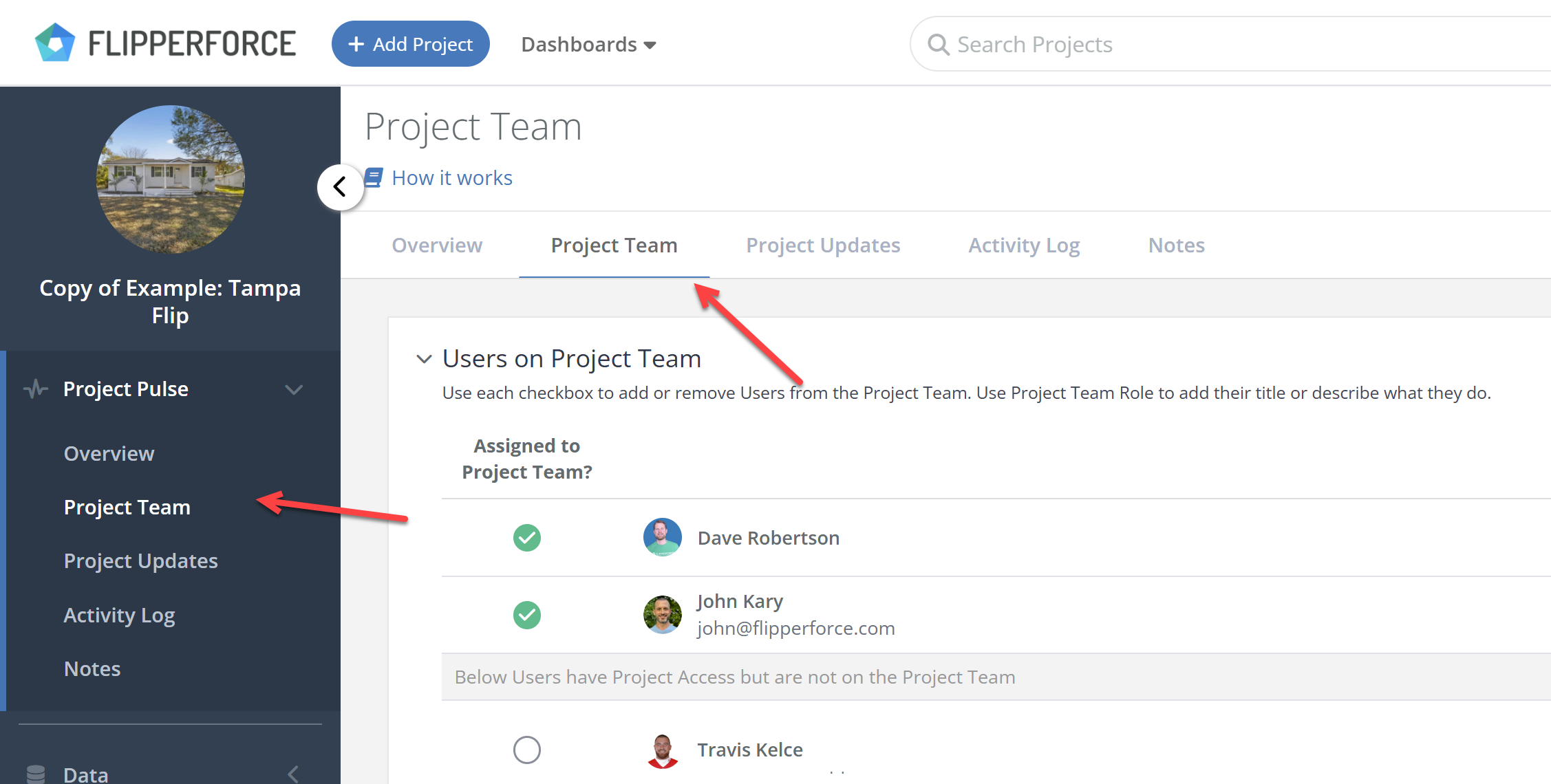
Open any project and click the Project Team tab between the Overview and Project Updates tabs.

The Project Team tab is accessible in two places on every project:

  • Project Overview Tab — click the Project Team tab at the top of the page, sitting between the Overview and Project Updates tabs
  • Left sidebar — click Project Team in the left side navigation panel under Project Pulse

Related Video

Avatar photoAvatar photoAvatar photo

Still Have Questions?

Can’t find the answer you’re looking for? Please chat to our friendly team.