Knowledge Base

Learn How to Flip Houses Using FlipperForce's Powerful Software Tools and Features!

Can I use the Project Team tab to set up my contractors for easy reference?

Disclaimer: FlipperForce does not provide tax, legal, or accounting advice. This report and FAQ are for informational purposes only and should not be soley relied upon for tax compliance. Because IRS rules are complex and subject to change, we strongly recommend consulting with a qualified tax professional or accountant before making business decisions or filing returns.
Yes, you can manually add any company to the Project Team so your team has their contact and insurance details readily available.

Absolutely. Even if a company hasn't been assigned to a task or expense yet, you can manually add them to the Project Team so your team has their contact details, tax information, and insurance status readily available while working on the project.
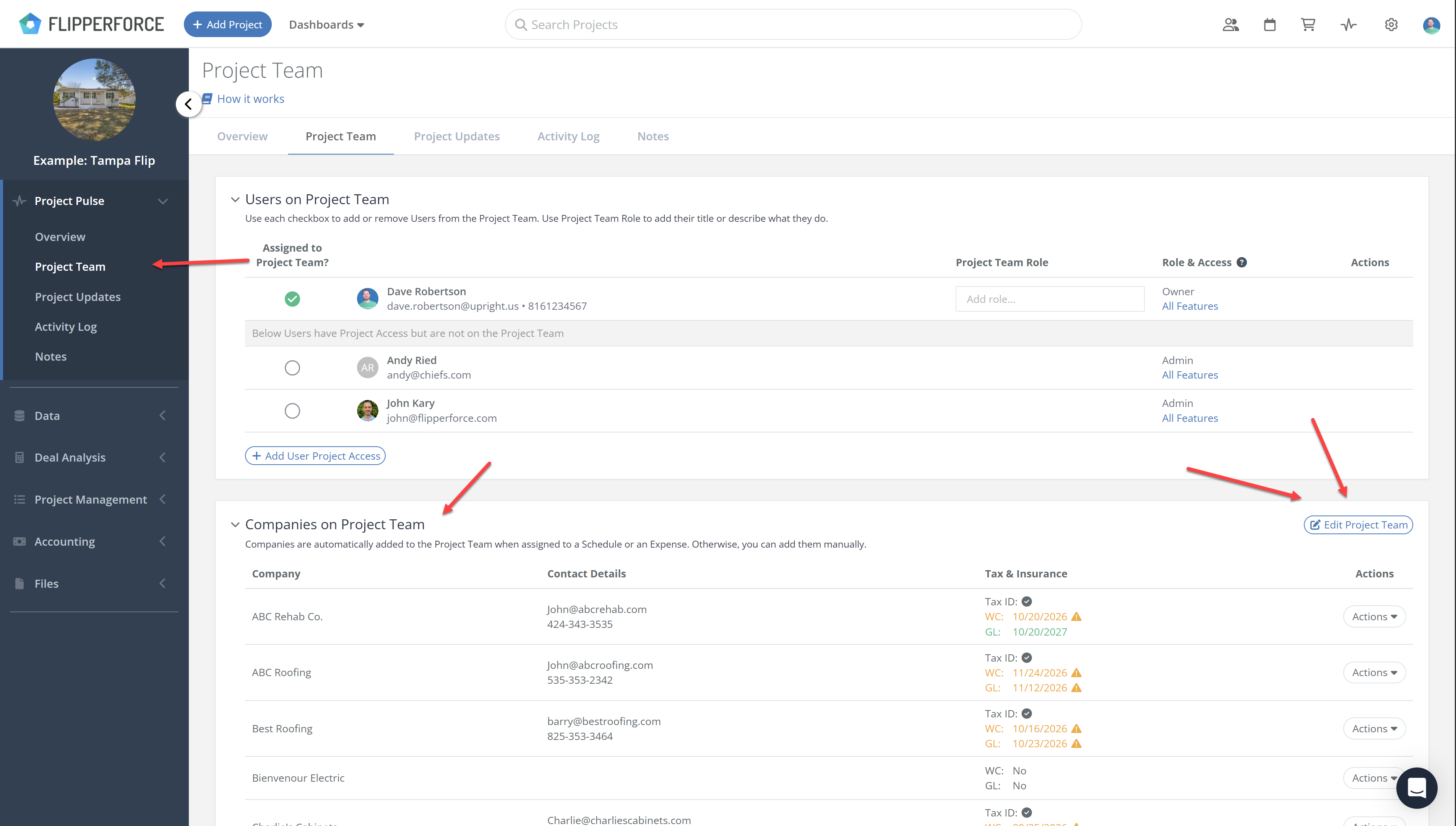
Adding Companies in Bulk

Rather than adding companies one at a time, FlipperForce makes it easy to set up your entire contractor list in one go using the bulk assignment modal.
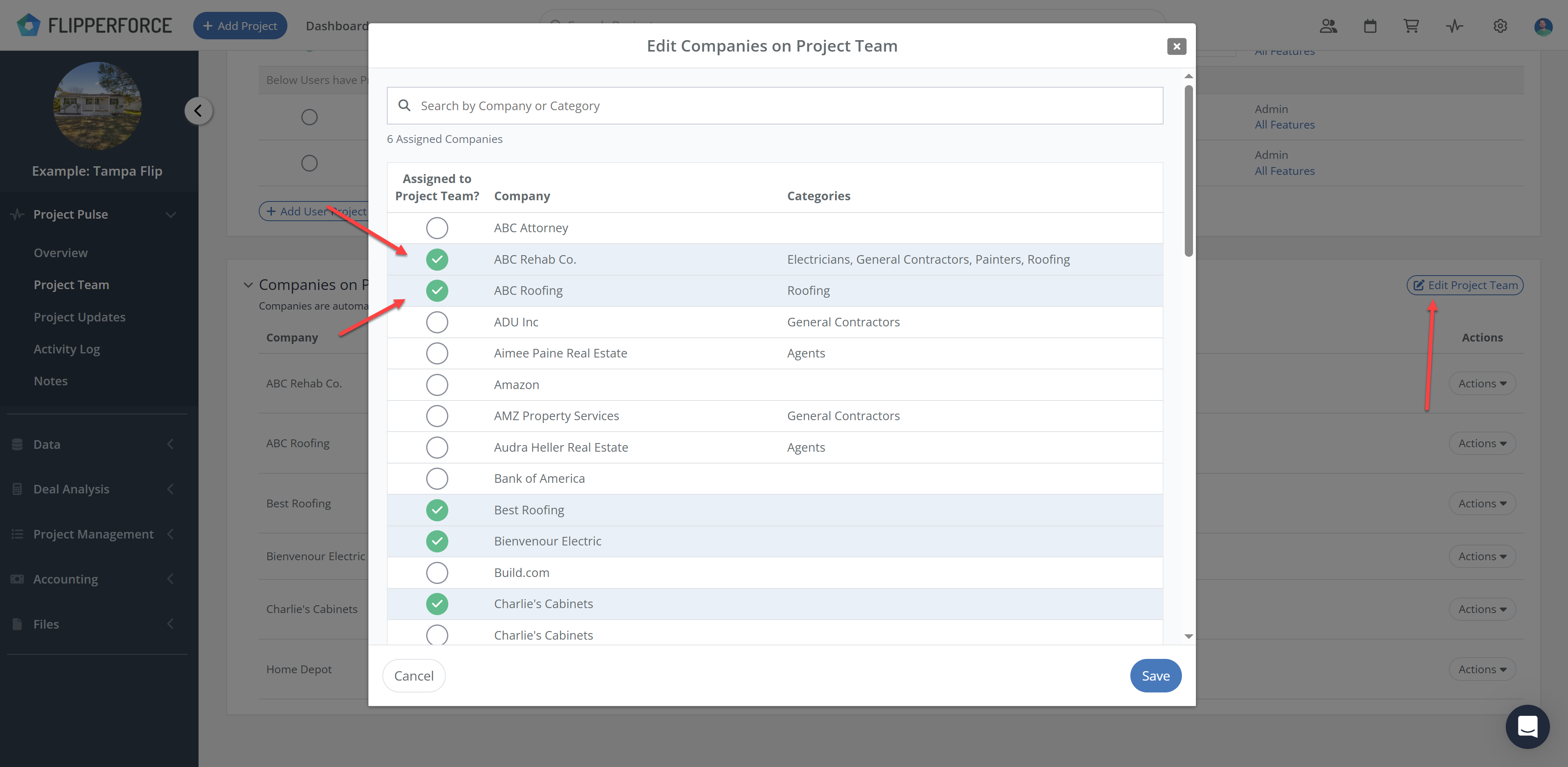
  • Click the Edit Project Team button in the top right of the Companies section
  • A modal will open showing all of the companies available in your workspace
  • Select as many companies as you need and assign them to the project at once
  • Their contact details, tax information, and insurance status will immediately be visible to your entire team on the Project Team tab

This is especially useful at the start of a project when you know which contractors, lenders, and vendors will be involved and want to get them set up for easy reference before any expenses or schedule tasks have been created.

Related Video

Avatar photoAvatar photoAvatar photo

Still Have Questions?

Can’t find the answer you’re looking for? Please chat to our friendly team.