Knowledge Base

Learn How to Flip Houses Using FlipperForce's Powerful Software Tools and Features!

What is a Project Team Role and is it required?

Disclaimer: FlipperForce does not provide tax, legal, or accounting advice. This report and FAQ are for informational purposes only and should not be soley relied upon for tax compliance. Because IRS rules are complex and subject to change, we strongly recommend consulting with a qualified tax professional or accountant before making business decisions or filing returns.
A Project Team Role is an optional label like Project Manager or Bookkeeper that describes a user's responsibilities on the project.

A Project Team Role is an optional label you can assign to a user to describe their responsibilities on the project. Roles are purely informational and do not control any settings, permissions, or feature access — they are simply there to help your team quickly understand who to go to for what.
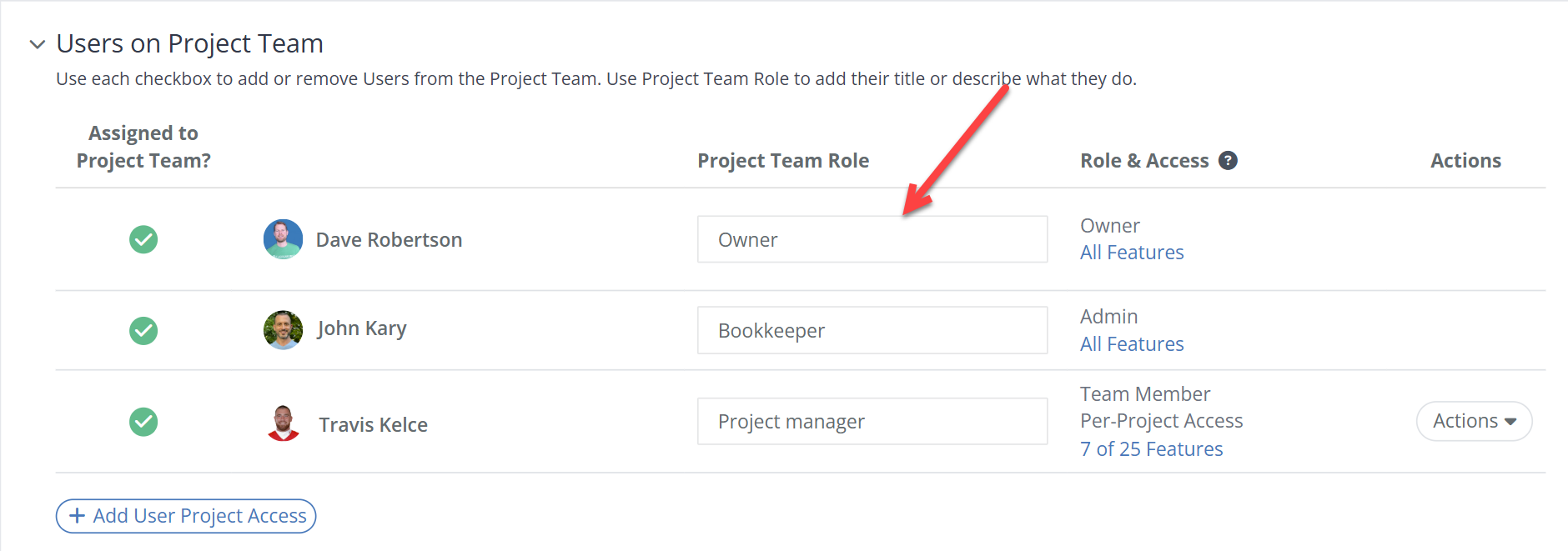
Example Project Team Roles

Some common roles you might assign include:

  • Project Manager — the person overseeing the day-to-day renovation and coordinating contractors
  • Acquisition Lead — the person who sourced and underwrote the deal
  • Bookkeeper — the person managing expenses, receipts, and financial tracking
  • Field Superintendent — the person on the ground managing the jobsite
  • Investor / Partner — a financial partner or equity stakeholder on the project
  • Agent — the real estate agent handling the purchase or sale of the property
Do I have to assign a role?

No. Project Team Roles are completely optional and the feature works fine without them. If you have a small team where everyone already knows who does what, you can skip roles entirely. They become most useful when you have multiple people on a project and want to make responsibilities clear at a glance.

Related Video

Avatar photoAvatar photoAvatar photo

Still Have Questions?

Can’t find the answer you’re looking for? Please chat to our friendly team.