Mobile App Basics

Learn the Basics of installing the mobile app on your phone.

FlipperForce Field is now available!

How it Works

The Mobile App Basics guide walks you through installing and getting started with the FlipperForce Field mobile app — your companion tool for managing projects from the job site, wherever your renovation work takes you.

What it does

The FlipperForce Field mobile app brings key project management features to your phone, including photo uploads, receipt capture, project updates, and more. It's designed to make on-site documentation fast, easy, and integrated with your main FlipperForce workspace.

How to use it

Download the FlipperForce Field app from the App Store or Google Play. Log in with your existing FlipperForce credentials. Your projects, team assignments, and workspace data are immediately available. Use the app on-site to upload progress photos, scan receipts, and post project updates without needing to return to a desktop.

Why it matters

Real estate renovation happens in the field, not at a desk. The mobile app puts your project tools in your pocket — making it easier than ever to stay on top of documentation, keep your records current, and never fall behind on expense tracking or communication just because you're not at your computer.

Videos

Case Studies

Deep dives into real world real estate examples.
No items found.
Videos

Software Feature Tutorials and Tips

No items found.

Have Questions?  Ask DaveBot:

Get immediate, feature-specific answers without digging through articles. DaveBot is here 24/7 to provide detailed explanations, troubleshooting tips, and guidance on all FlipperForce tools.
Chat with DaveBot (Be Nice, I'm in Beta)!
Product Updates

Latest Updates

2025 Year in Review: Productivity and Platform Updates

2025 Year in Review: Productivity and Platform Updates

In 2025, FlipperForce expanded its platform with the launch of a new mobile app for on-site project updates, AI-powered receipt scanning for streamlined accounting, and a public API to enhance data connectivity and team collaboration.

Introducing Receipts! – Your New Digital Shoebox for Project Expenses!

Our new Receipts feature has launched, providing a much better workflow for organizing your project receipts and easily converting them to transactions.

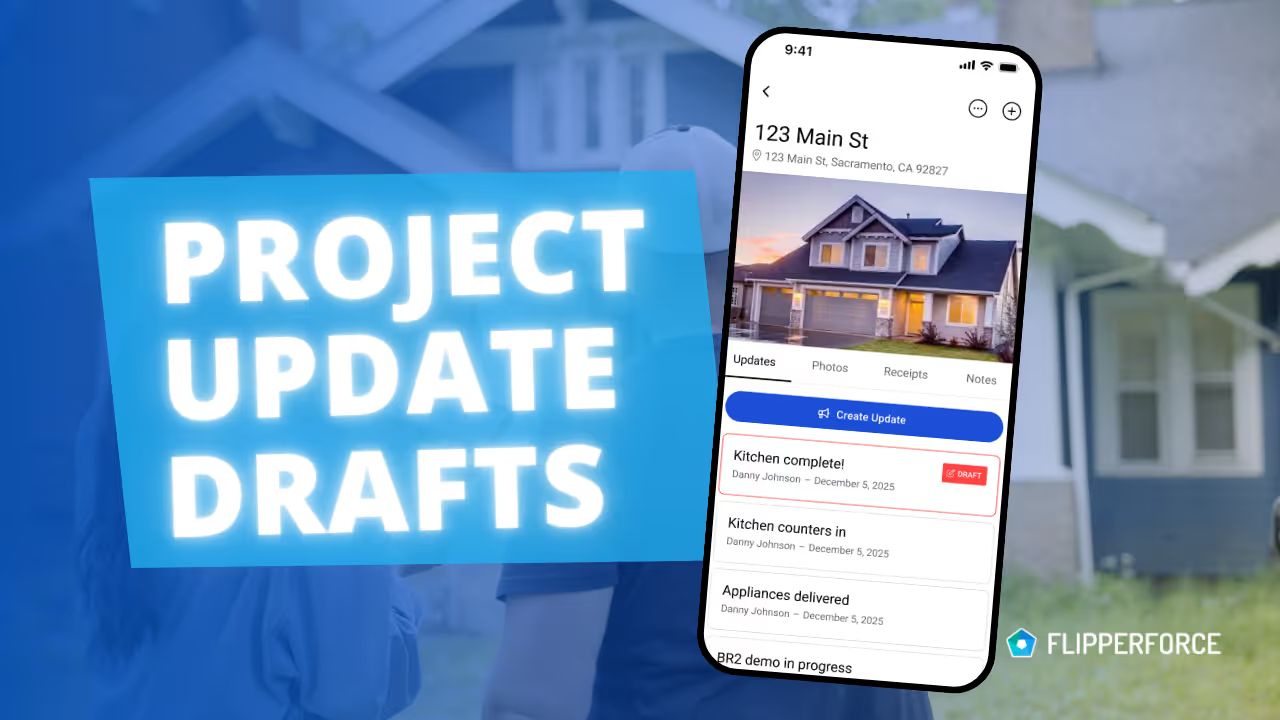
Mobile App: New Project Update Drafts Feature

The FlipperForce mobile app now automatically saves your in-progress Project Updates as a Draft, ensuring you never lose your work if you're interrupted on the job site.

Mobile App: Get Directions & Open in Web Browser

We've added new project shortcuts to the FlipperForce mobile app to open in web app and get directions.

Mobile App: Create Projects on the Go!

Now you can create and add new projects directly from the FlipperForce Field mobile app, with address autofill and instant syncing to your account.

Mobile App: New Photo Carousel and Descriptions!

New photo carousel for easy swiping, plus the ability to add and dictate photo descriptions