How do I delete or revoke a user's access to my Workspace?
How do I delete or revoke a user's access to my Workspace?
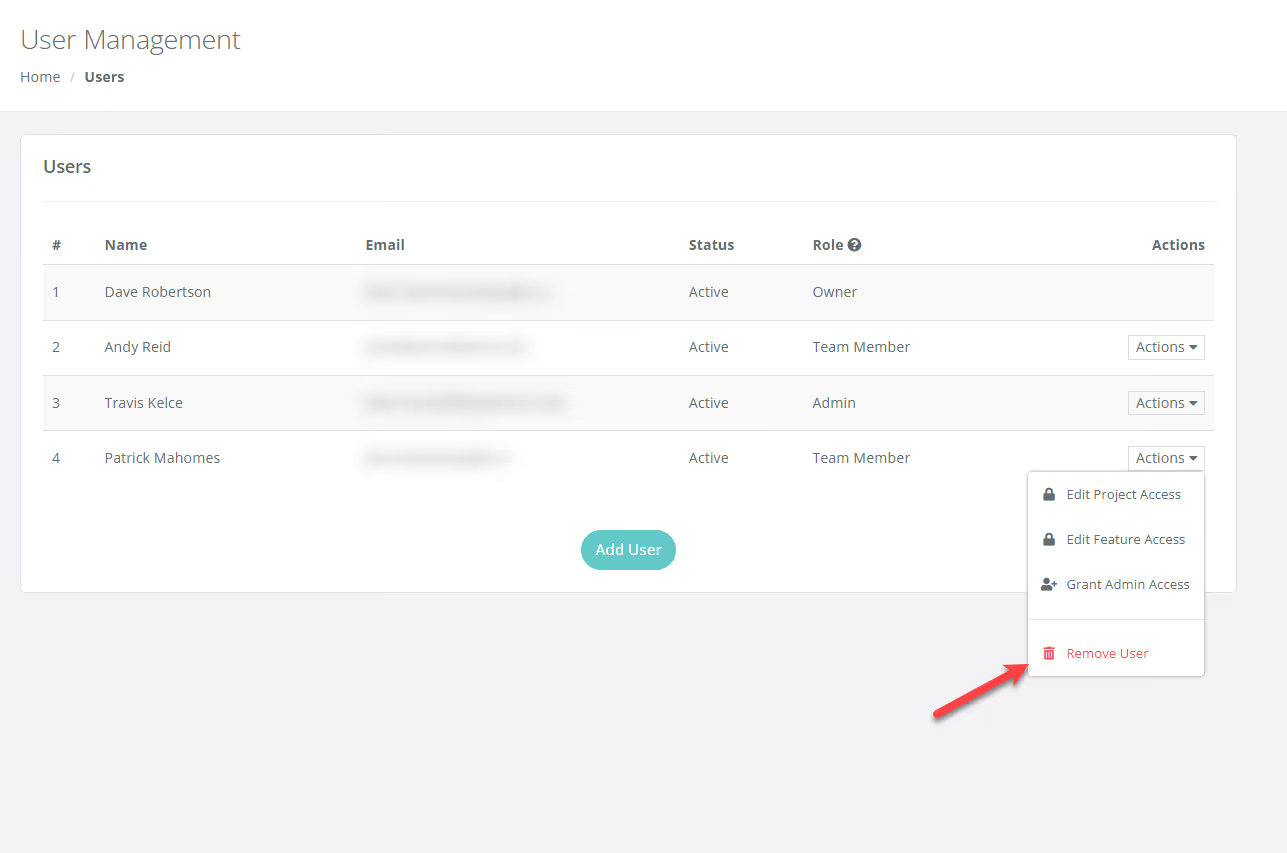
To revoke a user's access, navigate to User Management, click the Actions dropdown menu next to the specific user, and select Remove User to instantly delete them from your Workspace.
If you want to remove a user from your Workspace, click on the Actions dropdown button next to the User and select "Remove User" (see screenshot below)
With our new User Management & Access Control update you can now add multiple team members to your workspace and control user access so team members can only view and edit certain tools in the software.
Get immediate, feature-specific answers without digging through articles. DaveBot is here 24/7 to provide detailed explanations, troubleshooting tips, and guidance on all FlipperForce tools.