Receipts

Learn how to use the Receipts to organize and process your project receipts.

FlipperForce Field is now available!

Did you know FlipperForce has a mobile app for scanning receipts from your phone?

How it Works

The Receipts tool is your centralized inbox for all project receipts — a dedicated area to upload, organize, and link receipt files to their corresponding expense entries in the Expense Tracker, keeping your financial records complete and audit-ready.

What it does

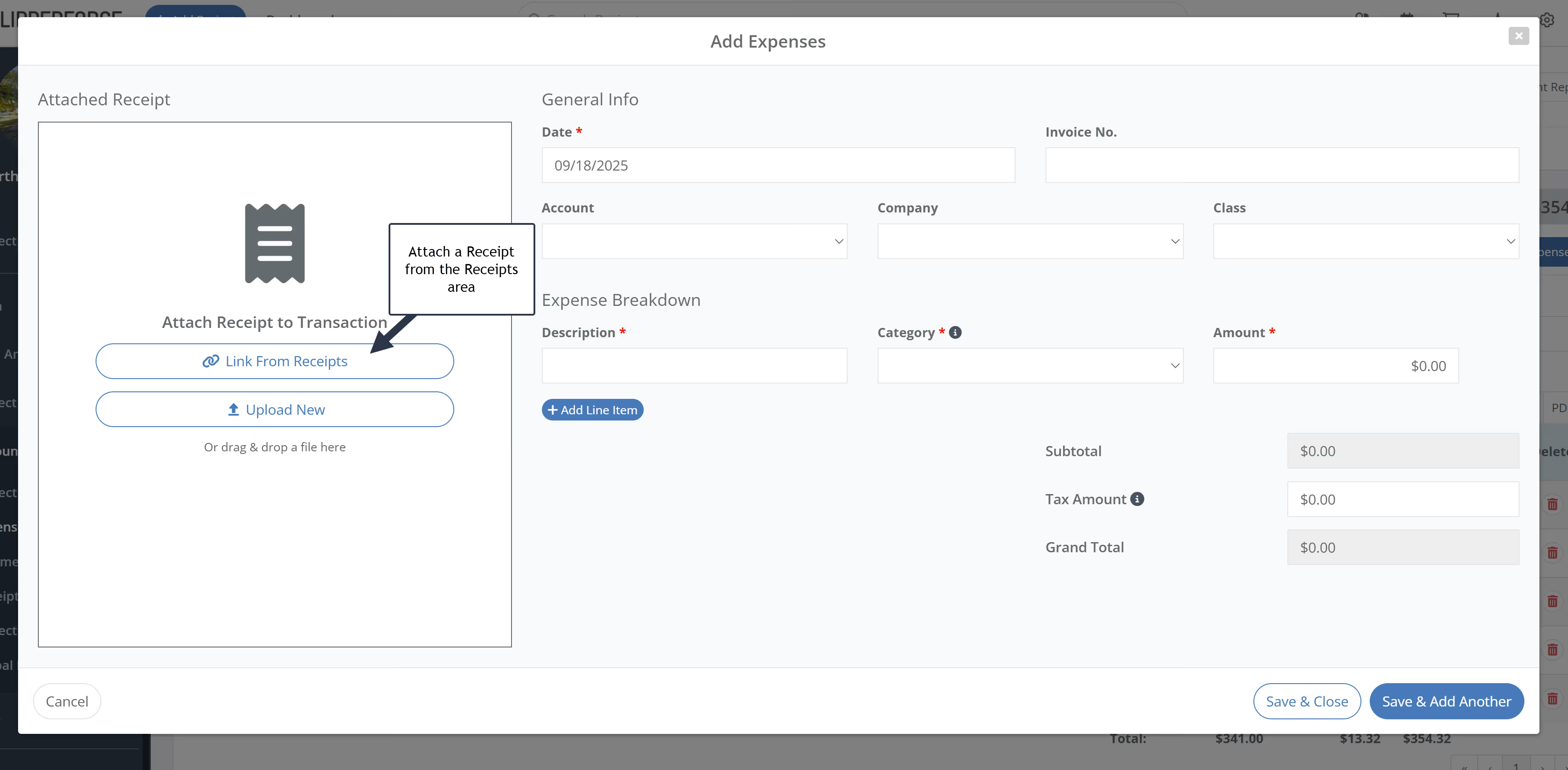
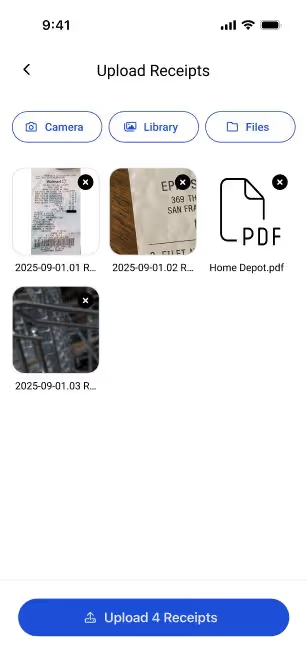
The Receipts tool lets you upload receipt images and files (via mobile camera, drag-and-drop, or bulk upload) and store them in a dedicated Receipts table within each project. From there, you can link each receipt to a specific expense entry using a side-by-side review modal that shows your receipt and expense form simultaneously.

How to use it

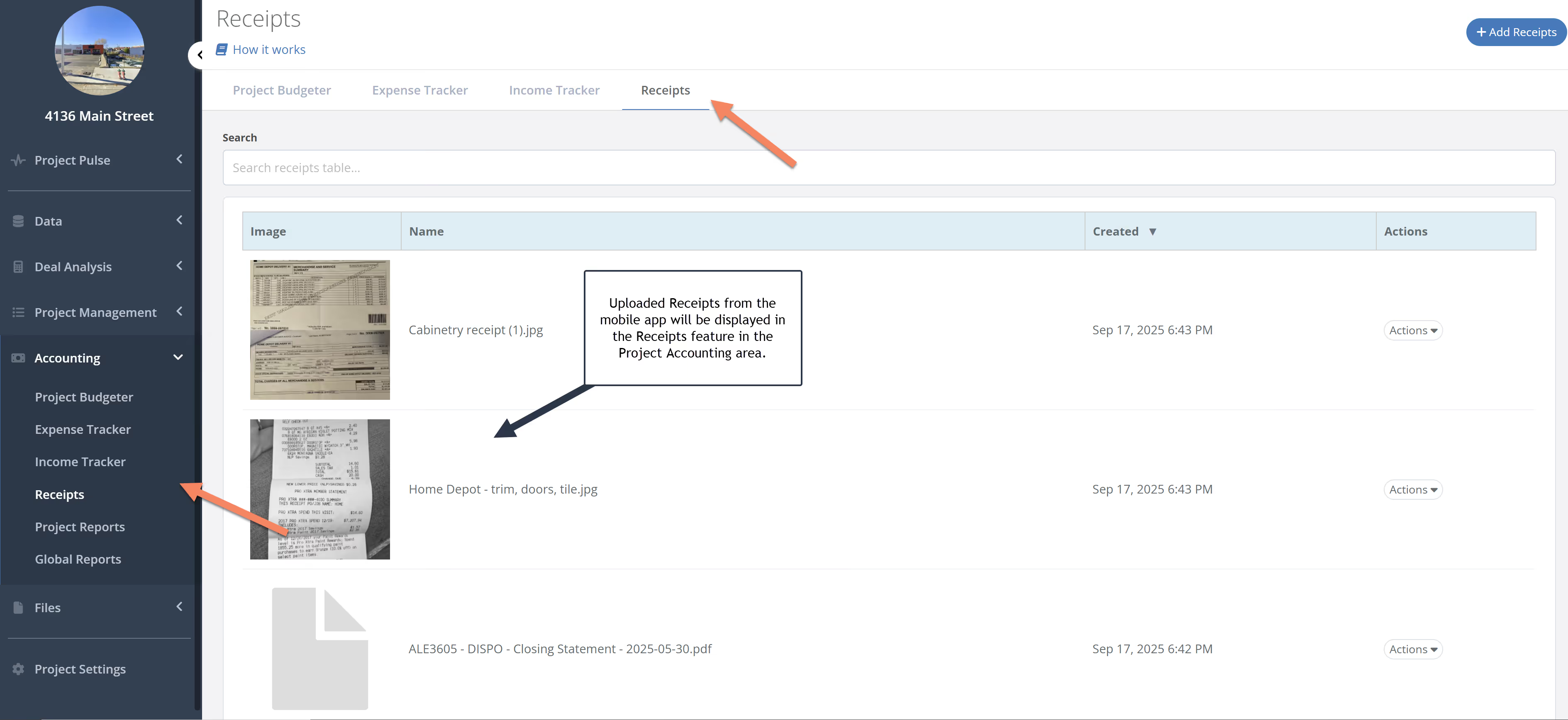
Upload receipts through the mobile app by taking a photo on-site, or upload files in bulk through the web app. Navigate to the Receipts tab in your project to see all uploaded receipts in your Receipt Inbox. Select a receipt, open the link modal, and match it to the corresponding expense in your Expense Tracker — entering transaction details with the receipt visible alongside the form.

Why it matters

Missing receipts mean missing deductions and audit exposure. The Receipts tool ensures every dollar you spend has documentation attached — making tax time easier, draw request submissions cleaner, and your financial records airtight from the first day of construction through the final closing.
Highlights
Link: Head over to the Expense Tracker, select a receipt from the Receipt Inbox, and use the new side-by-side modal to easily enter your transaction details with the receipt in full view.
Product Updates

Latest Updates

November 25, 2025
New Transaction Workflow Features Rolled Out!
New Feature

New Transaction Workflow Features Rolled Out!

We just launched powerful new accounting features that streamline your receipt-to-expense workflow by adding transaction linking, clear grouping, and full editing control.
Read post
October 16, 2025
Introducing Receipts! – Your New Digital Shoebox for Project Expenses!
New Feature

Introducing Receipts! – Your New Digital Shoebox for Project Expenses!

Our new Receipts feature has launched, providing a much better workflow for organizing your project receipts and easily converting them to transactions.
Read post

Chat with DaveBot:
Your Instant FlipperForce Expert

Get immediate, feature-specific answers without digging through articles. DaveBot is here 24/7 to provide detailed explanations, troubleshooting tips, and guidance on all FlipperForce tools.
Chat with DaveBot (Be Nice, I'm in Beta)!