We've just launched a powerful update to our Accounting features, specifically designed to streamline your workflow, eliminate friction in expense tracking, and ensure complete accountability for every receipt. These new Transaction Features make converting receipts to expenses faster and give you superior visibility and control.

🧾 Receipt Transaction Linking & Visibilty

Your Receipts table is now significantly smarter! The new Transaction column provides immediate visibility into the status of every receipt, allowing you to easily identify and process transactions that are missing data:
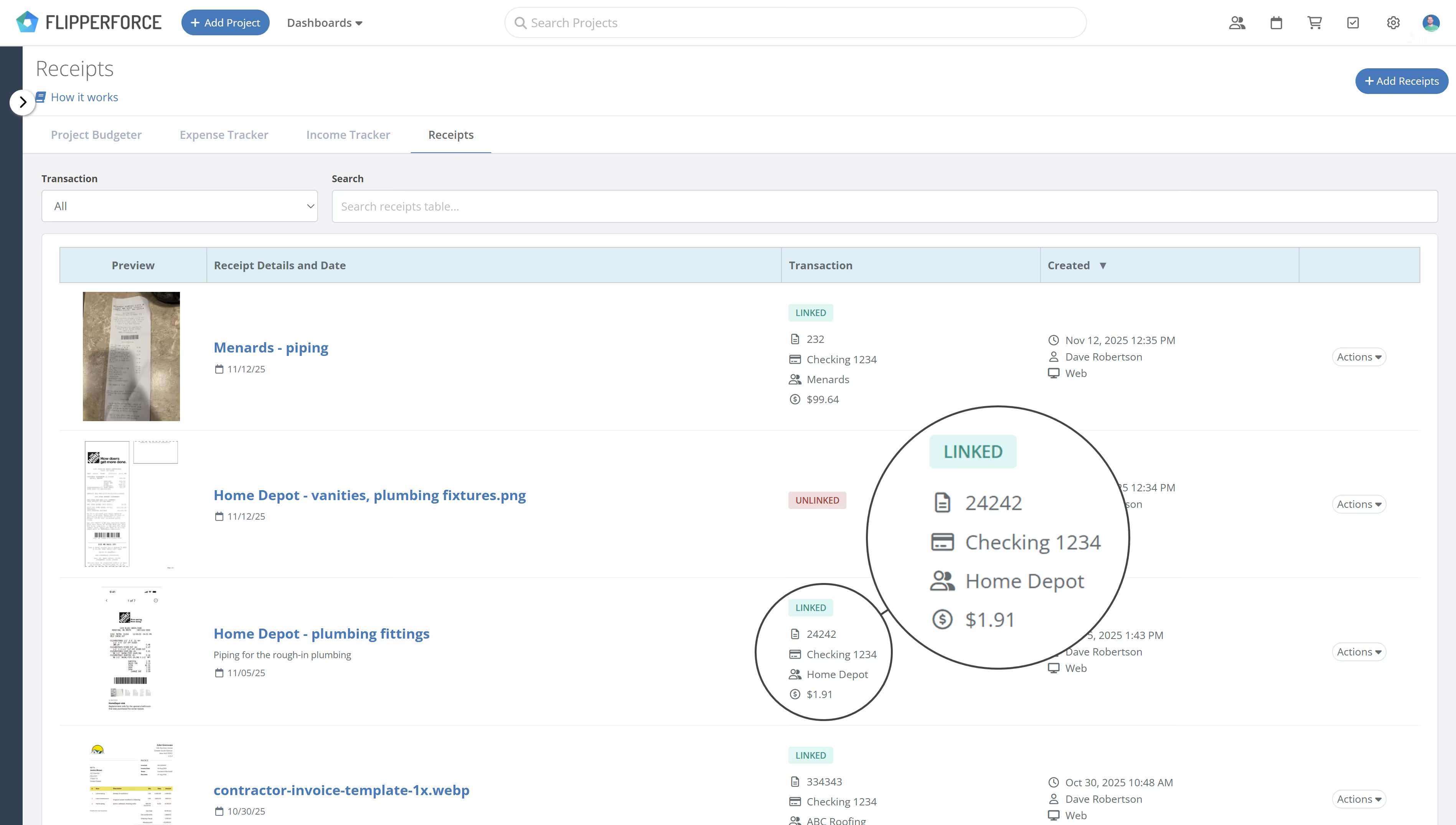
  • "Unlinked" Status: Quickly see which receipts need attention.
  • "Linked" Status: View key transaction details at a glance, including Amount, Company, and Date, confirming the receipt has been successfully converted into an expense.

image

Seamless Transaction Creation

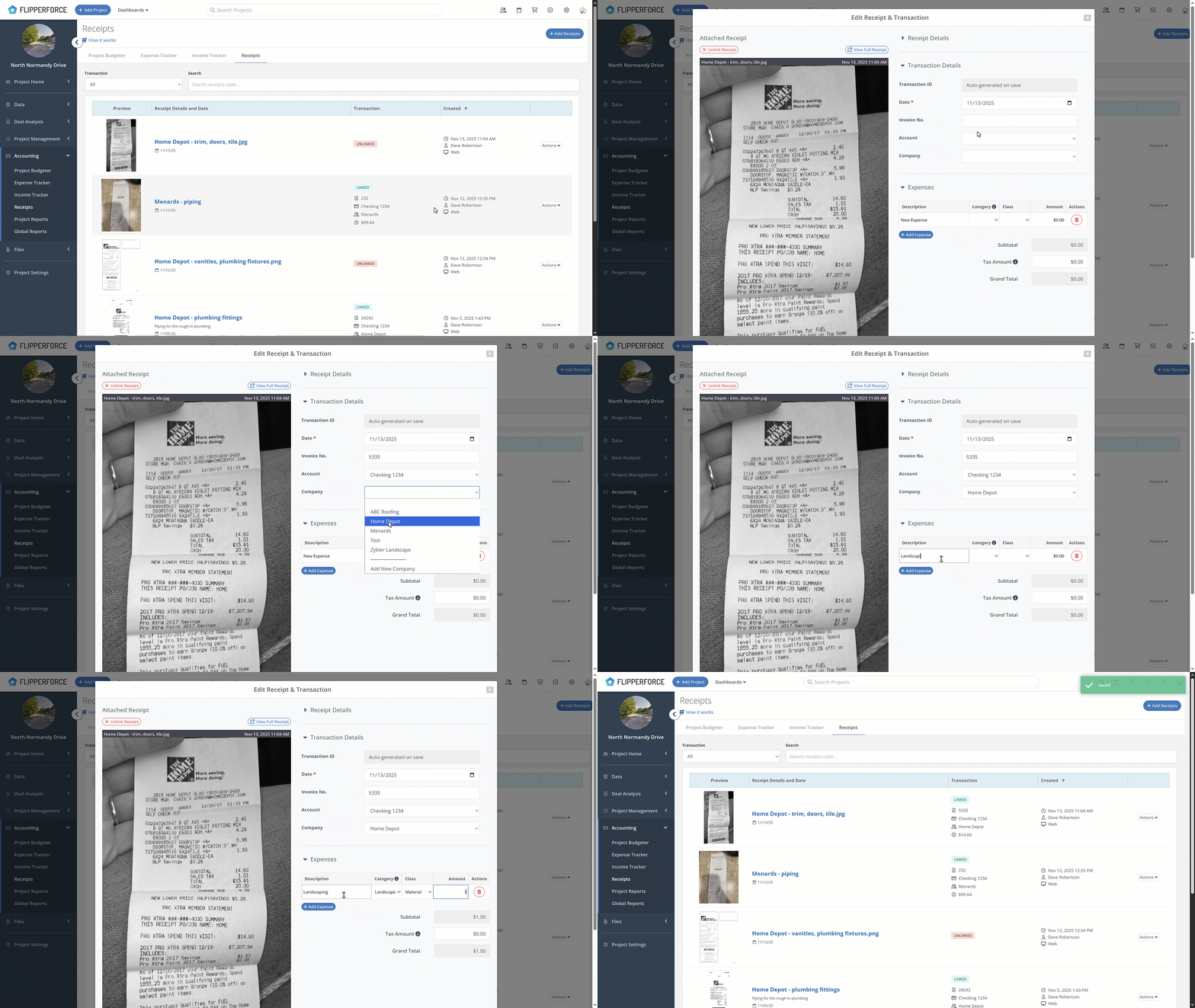
If a receipt is marked as "Unlinked," you can now add all transaction details directly from the Receipts area and seamlessly create a corresponding entry in the Expense Tracker. This workflow drastically reduces back-and-forth and speeds up your processing time.
Untitled Project

📈 Improved Transaction Grouping

We've enhanced the Expense Tracker to simplify review and reconciliation.

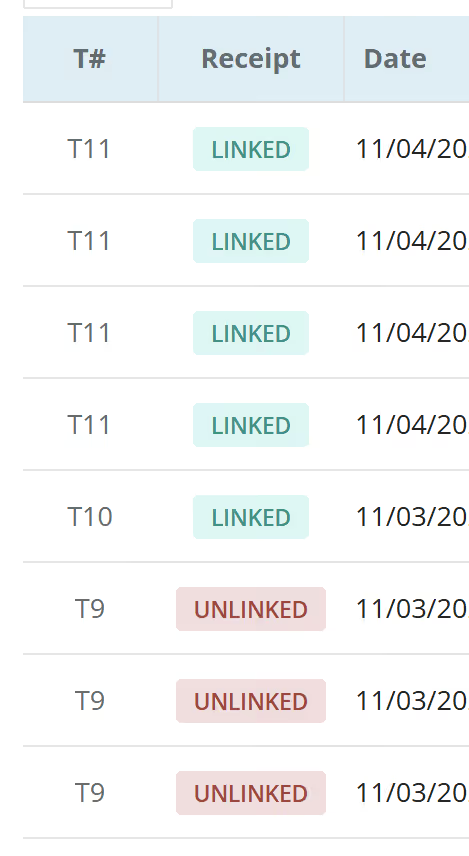
A new "Transaction ID #" column is now present, using identifiers (e.g., T1, T2, T3) to group all related expense line items that belong to the same single transaction.
image

Transaction Editing Control

You now have the power to edit all details of an existing transaction after it's been created. You can also Delete the entire transaction and all its associated expense items with a single action.
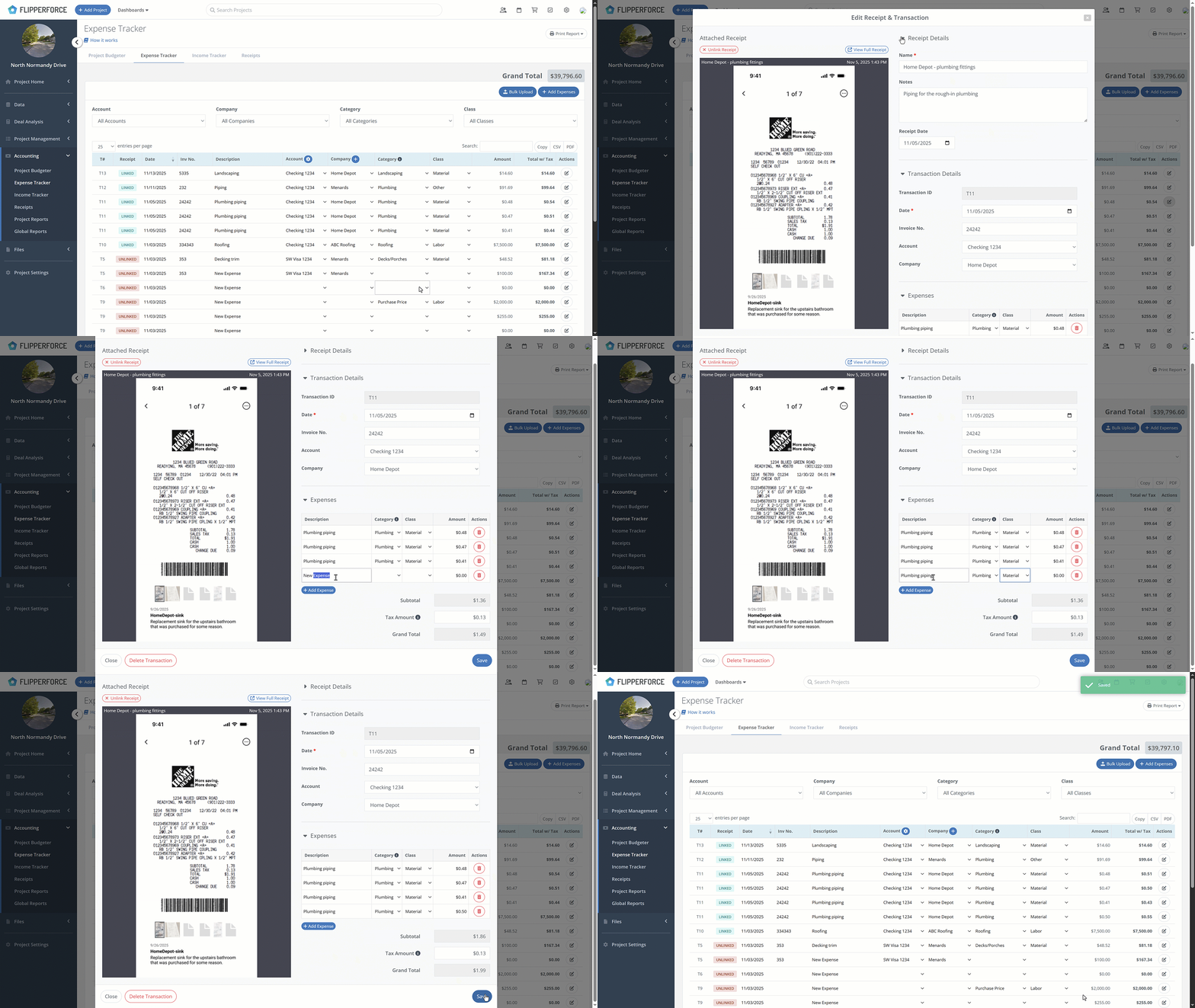
Edit existing transactions

🔮 What's Next: AI Automation Coming Soon

This powerful new workflow sets the stage for even bigger things to come! We are actively developing an exciting AI Receipt Scanner that will automatically scan your uploaded images and instantly populate all transaction details. Get ready to eliminate manual data entry with a single click and take your accounting automation to the next level!


Dave Robertson
November 25, 2025
5 min read
Our blog

Other Recent Blog Posts

New Features

New Transaction Reports for Simplified Reconciliation

Learn how our new Global and Project Transaction Reports simplify reconciliation by allowing you to track and filter every expense across your entire portfolio in one master list.
Dave Robertson
February 19, 2026
5 min read
New Features

New Task Template Editor!

Easily edit existing task templates and add subtasks directly from your workspace settings.
Dave Robertson
February 14, 2026
5 min read
General

FlipperForce Named One of the Best BRRRR Analysis Tools for 2026

FlipperForce was recently named a top BRRRR analysis tool for our ability to simplify both complex deal analysis and the day-to-day management of rehab projects.
Dave Robertson
February 13, 2026
5 min read
New Features

New Task Manager Subtasks

Learn how our new Subtask feature helps you declutter your Task manager.
Dave Robertson
February 5, 2026
5 min read
New Features

New Transaction Grouping for Expenses

Easily reconcile your project spending by grouping individual expenses into searchable transaction totals that match your bank statements.
Dave Robertson
February 2, 2026
5 min read
New Features

New Activity Log Filtering

We’ve made a quick improvement to the Workspace and Project Activity Logs to help you find information faster.
Dave Robertson
January 31, 2026
5 min read

Ready to Take Action?

Sign up for a free trial and join over 1,000 house flippers and real estate investors that have taken their business to the next level!