Receipts

How do I upload receipts in the web app (web browser)?

How do I upload receipts in the web app (web browser)?

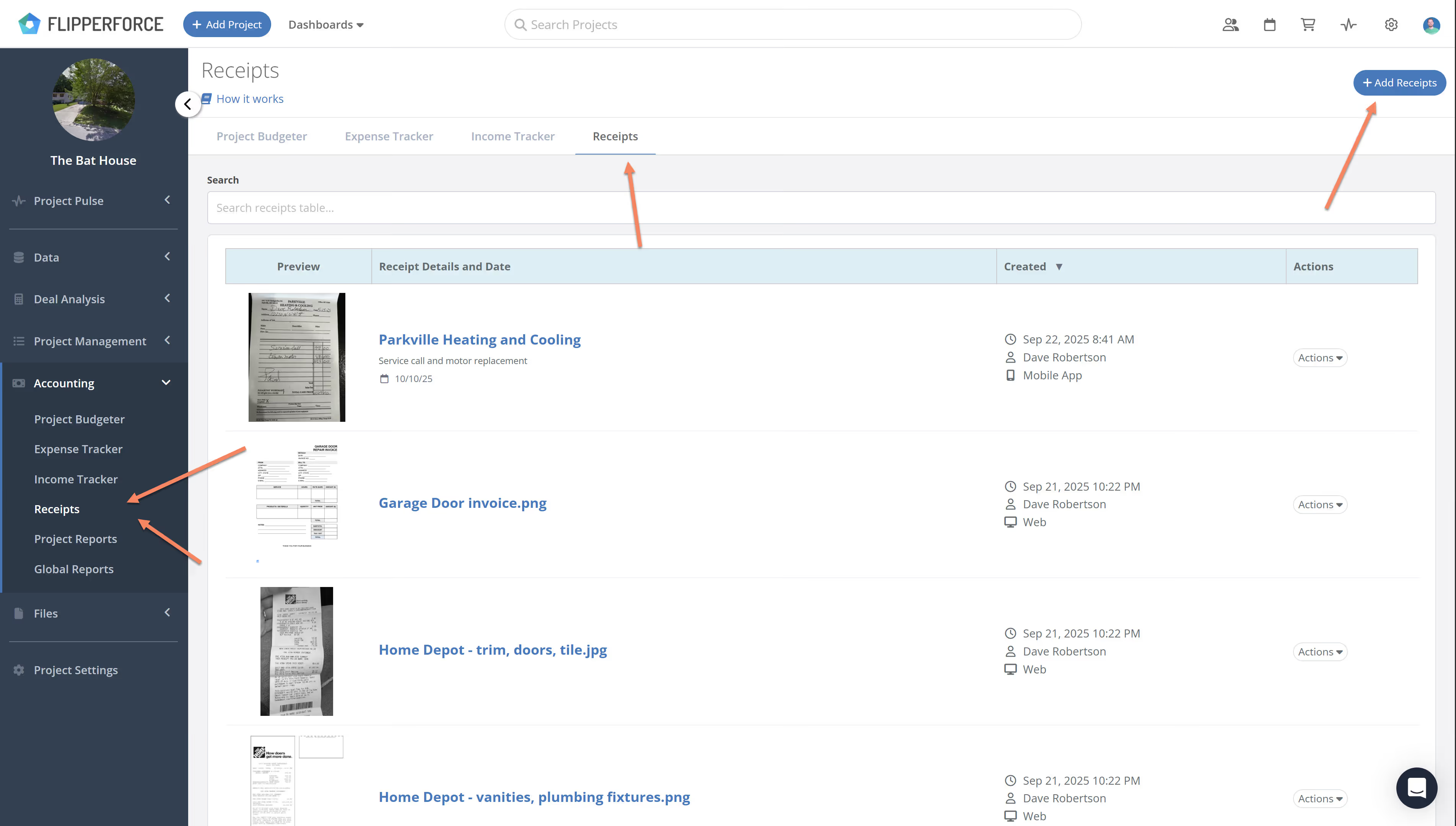
Upload receipts in the web app by clicking the Add Receipts button to bulk upload files directly into your Receipts Inbox. The platform supports images, PDFs, Excel, and Word documents to help you stay organized from any browser.

You can upload receipts from both the web application and the mobile app.

From the Web App (web browser)

In the web app, you can upload receipts by clicking the Add Receipts button. This will give you the option to bulk upload receipts directly into your Receipts Inbox.
From the Mobile App (native iOS, or Android apps)

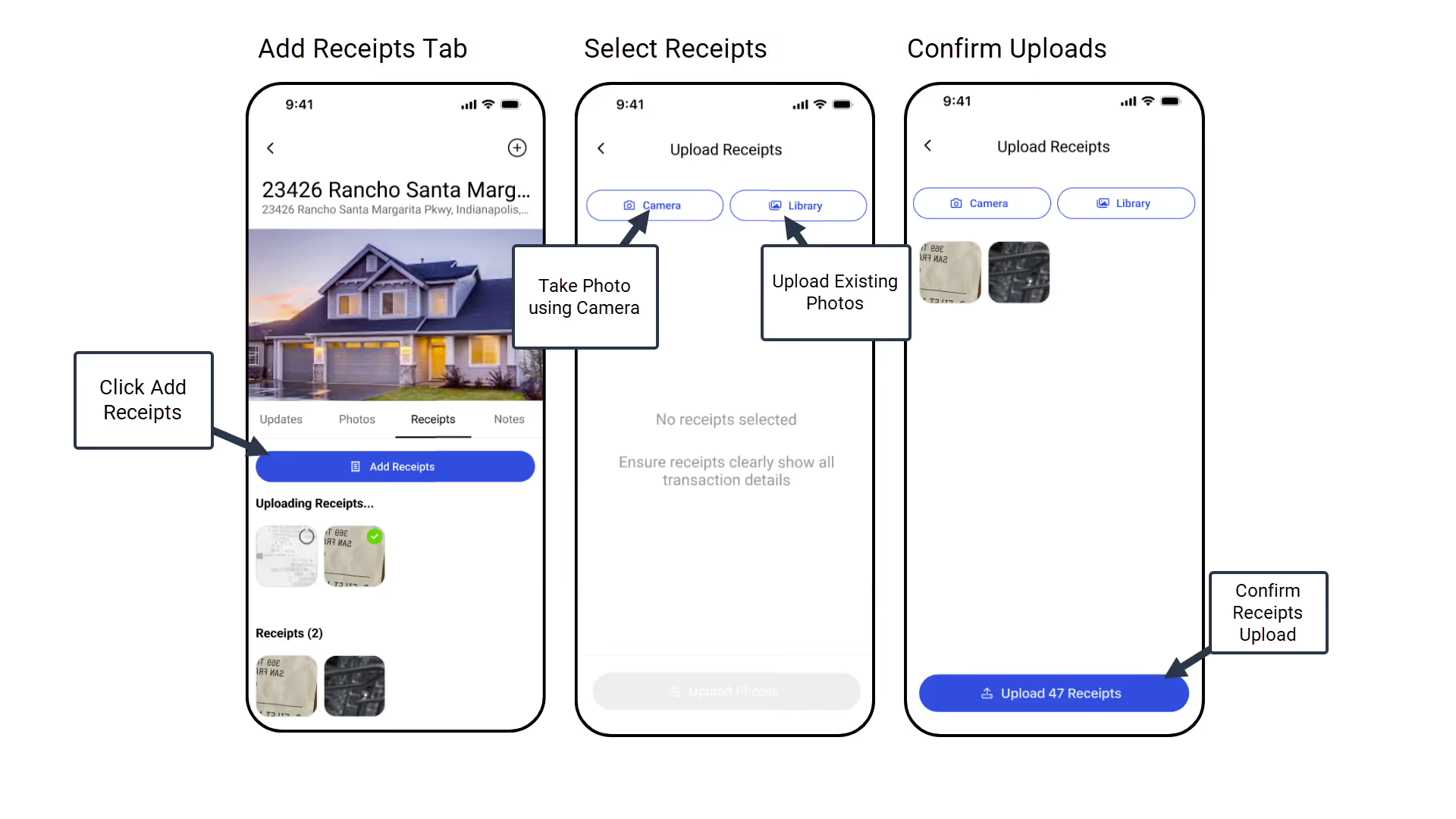
You can also easily upload receipts from the mobile app by navigating to the Receipts tab.
Supported File Types

The feature supports a wide range of file types, including photos (jpeg/png), PDFs, Excel files, Word Docs, and text files.

Related Video

Related FAQs

Still Have Questions?  DaveBot can help!

Get immediate, feature-specific answers without digging through articles. DaveBot is here 24/7 to provide detailed explanations, troubleshooting tips, and guidance on all FlipperForce tools.
Chat with DaveBot (Be Nice, I'm in Beta)!