
We're thrilled to announce the launch of our brand-new Receipts feature, designed to revolutionize how you manage project expenses on both the web and mobile app! We know you're constantly on the go, juggling purchases and receipts, so we built this with efficiency and convenience in mind.

Gone are the days of paper shoeboxes and lost receipts! We're making it easier than ever to capture, organize, and link your project expenses, ensuring nothing slips through the cracks.

Capture Receipts On-the-Go with the Mobile App

When you make a purchase in the field at the Home Improvements Store or lumberyard, you can immediately open the FlipperForce mobile app and snap a picture of that receipt.

  • Snap & Upload: Immediately after a purchase, simply take a picture of your receipt or upload existing photos/files directly from your phone.
  • Ditch the Paper: As soon as you hit upload, that physical receipt is safely stored in your digital shoebox, and you can get rid of the paper without worrying about losing it.

Download the mobile app for iOS or Google
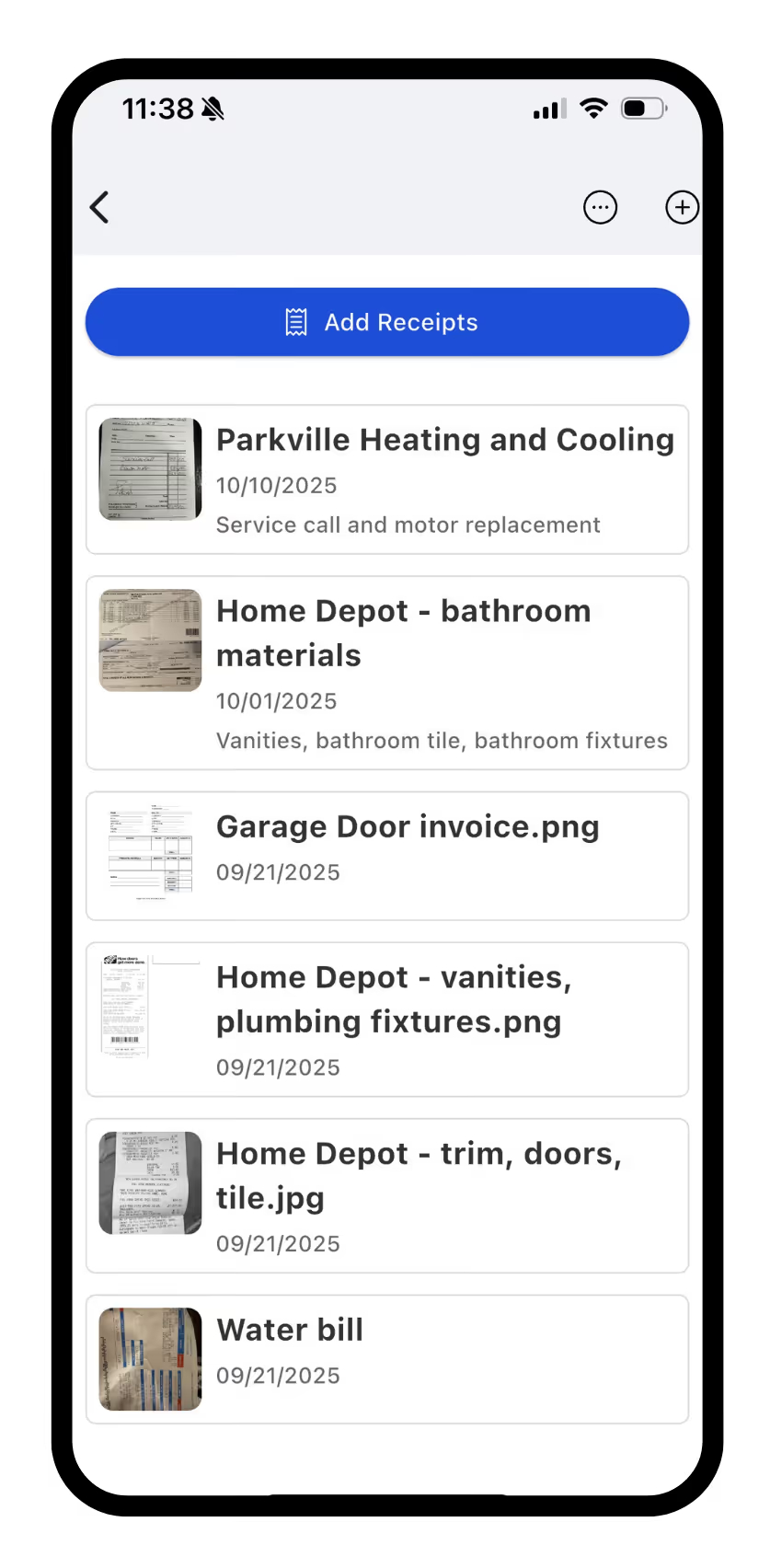
Receipts Mobile app

Manage and Link Receipts from the Web App

Once you’ve snapped a pic on your phone, that receipt is immediately accessible online in the web application, making the process of linking it to a transaction seamless.

The Central Hub for Receipts

You’ll find a dedicated Receipts section conveniently located in the Accounting area of your FlipperForce project sidebar. This is your new Receipt hub, giving you a clear, centralized table view of every receipt associated with that specific project.
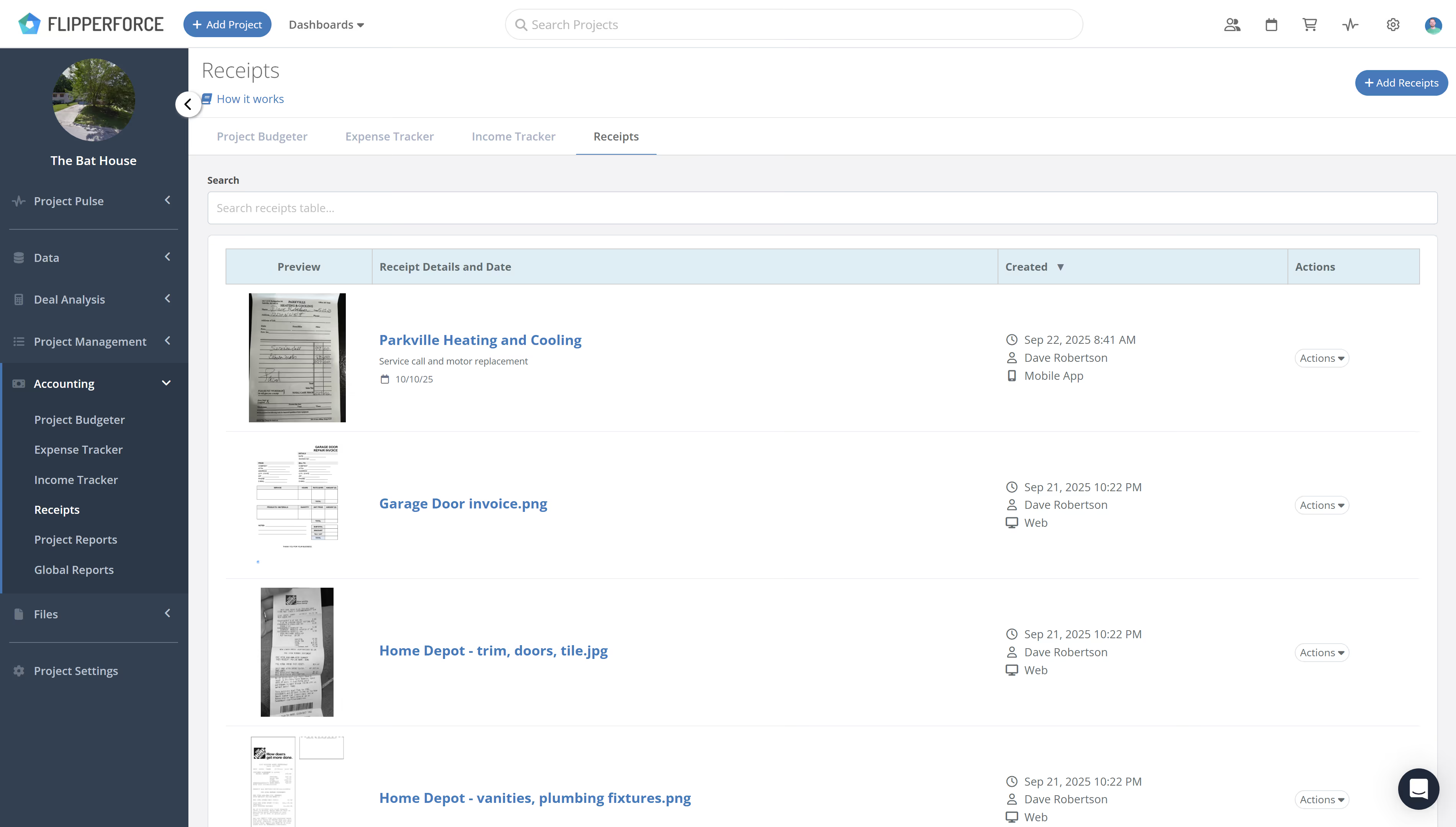
  • Bulk Uploads: Easily upload multiple receipts at once, saving you valuable time.
  • Centralized Table View: See every receipt for your project in one organized table, complete with essential details.
Receipts inbox

Link Receipts to Expense Tracker

The real magic happens when you head over to the Expense Tracker.
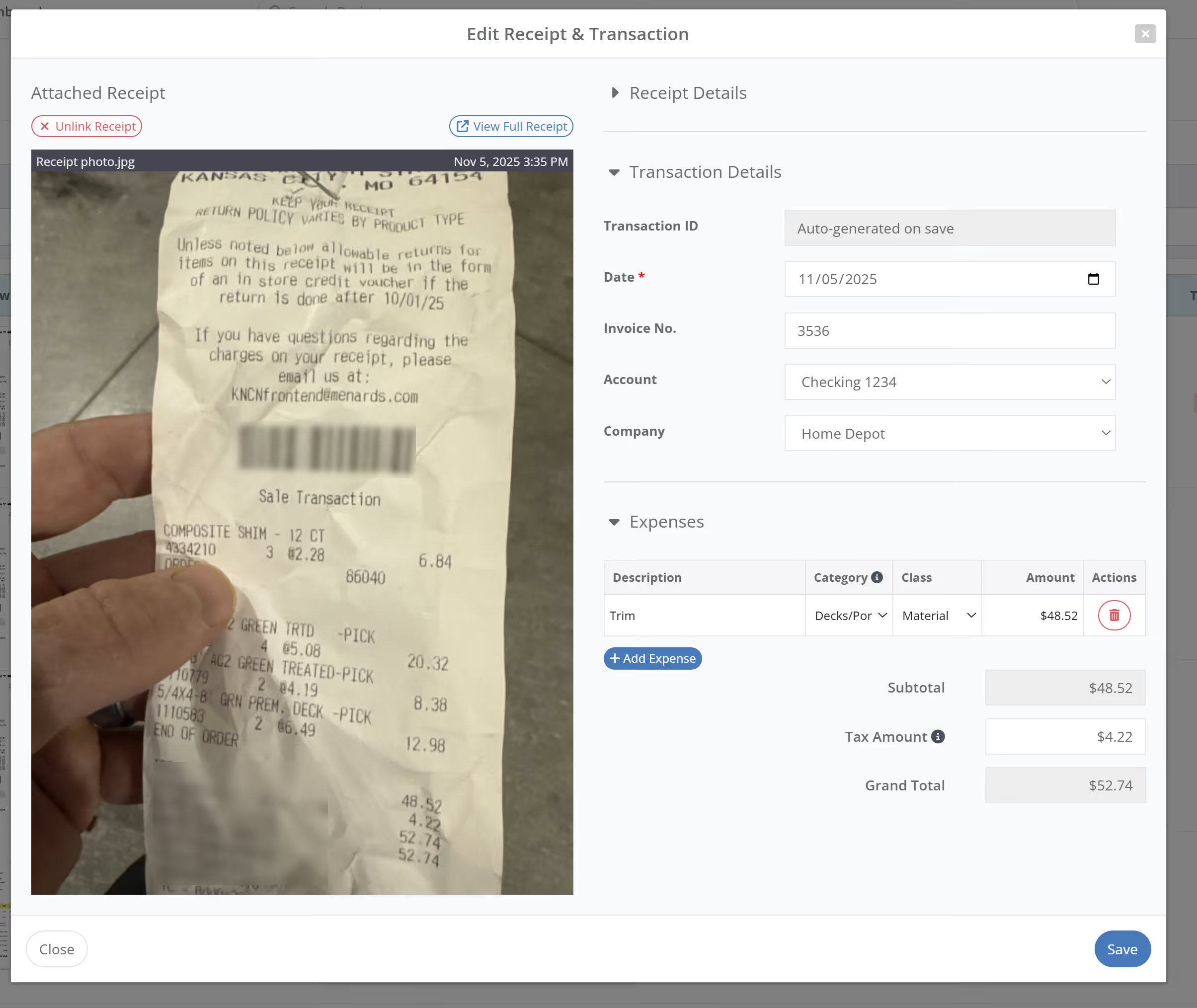
  1. Select a Receipt: From the Create New Transaction window, you'll now see an option to select a receipt directly from your Receipt Inbox.
  2. Side-by-Side View: When you select a Receipt, our revamped Transaction modal gives you a full, side-by-side view. Your receipt is clearly displayed on the left, and the expense transaction data entry fields are conveniently on the right.

What's Next? AI-Powered Expense Tracking!

This new Receipts feature is just the beginning! We're already hard at work on our next major enhancement: AI Receipt Scanning. Imagine automatically converting your receipt images into fully populated transactions with just a click—that's the power we're bringing to FlipperForce soon!

We're confident this new Receipts feature will significantly improve your project management and accounting workflow. Give it a try and let us know what you think!
Dave Robertson
October 16, 2025
5 min read
Our blog

Other Recent Blog Posts

New Features

New Transaction Reports for Simplified Reconciliation

Learn how our new Global and Project Transaction Reports simplify reconciliation by allowing you to track and filter every expense across your entire portfolio in one master list.
Dave Robertson
February 19, 2026
5 min read
New Features

New Task Template Editor!

Easily edit existing task templates and add subtasks directly from your workspace settings.
Dave Robertson
February 14, 2026
5 min read
General

FlipperForce Named One of the Best BRRRR Analysis Tools for 2026

FlipperForce was recently named a top BRRRR analysis tool for our ability to simplify both complex deal analysis and the day-to-day management of rehab projects.
Dave Robertson
February 13, 2026
5 min read
New Features

New Task Manager Subtasks

Learn how our new Subtask feature helps you declutter your Task manager.
Dave Robertson
February 5, 2026
5 min read
New Features

New Transaction Grouping for Expenses

Easily reconcile your project spending by grouping individual expenses into searchable transaction totals that match your bank statements.
Dave Robertson
February 2, 2026
5 min read
New Features

New Activity Log Filtering

We’ve made a quick improvement to the Workspace and Project Activity Logs to help you find information faster.
Dave Robertson
January 31, 2026
5 min read

Ready to Take Action?

Sign up for a free trial and join over 1,000 house flippers and real estate investors that have taken their business to the next level!


