Knowledge Base

Learn How to Flip Houses Using FlipperForce's Powerful Software Tools and Features!

What is the Available Tools section on the Project Overview page?

Disclaimer: FlipperForce does not provide tax, legal, or accounting advice. This report and FAQ are for informational purposes only and should not be soley relied upon for tax compliance. Because IRS rules are complex and subject to change, we strongly recommend consulting with a qualified tax professional or accountant before making business decisions or filing returns.
Available Tools is a console on the Project Overview page showing quick stats for Deal Analysis, Project Management and Accounting, with direct links into each tool.

The Available Tools section is a high-level console on the Project Overview page. It gives you a bird's-eye view of every part of the project and lets you jump straight into any tool.
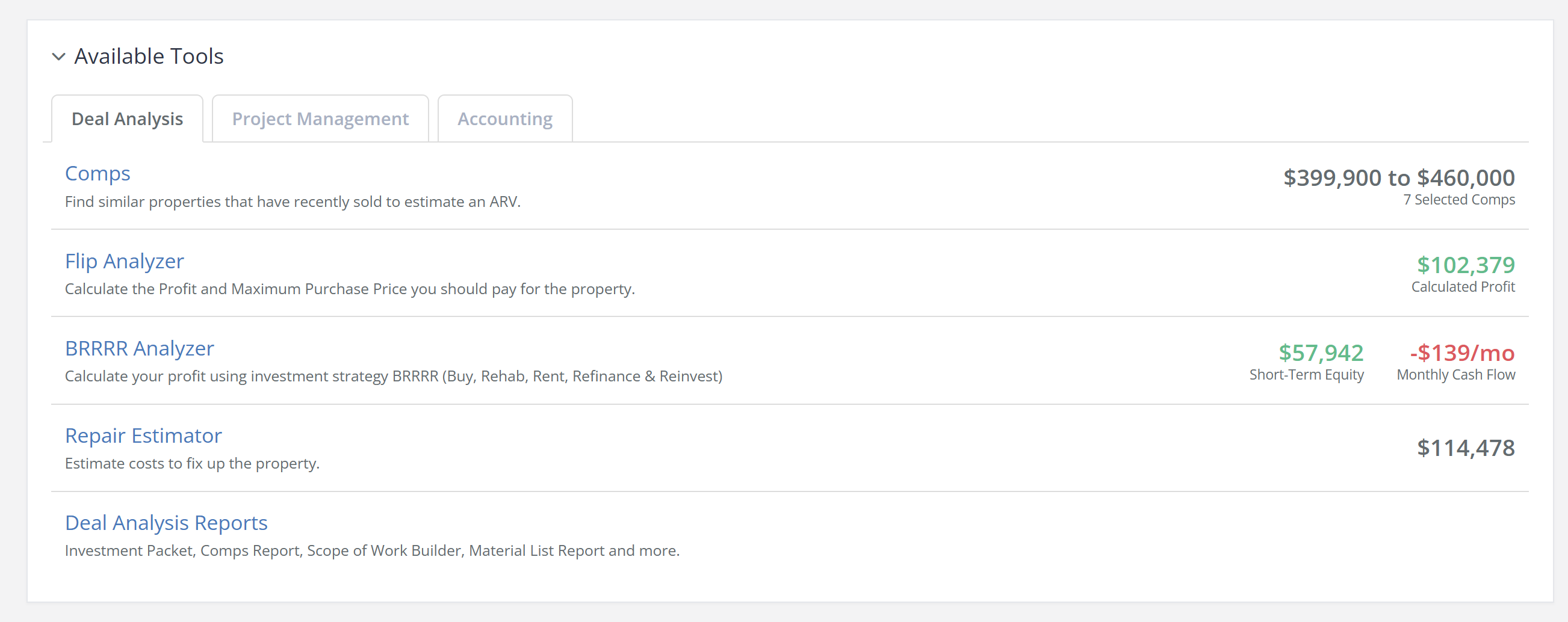
What It Shows

  • Deal Analysis - Quick stats from your Comps and your Flip or BRRRR analysis.
  • Project Management - A snapshot of your schedule, tasks and overall progress.
  • Accounting - Real-time budget and expense summaries.

Navigating From the Console

Each section links directly into the underlying tool, so you can move from a summary number into the detail behind it without working through the sidebar.

Why It Is Useful

When you are running several renovations at once, you need to size up a project quickly. The Available Tools console puts the headline numbers from analysis, scheduling and accounting side by side, so you can spot the area that needs attention and go straight there.

Where to Find It

Open any project. The Project Overview is the first page you land on, and the Available Tools section sits within it.

Related Video

Avatar photoAvatar photoAvatar photo

Still Have Questions?

Can’t find the answer you’re looking for? Please chat to our friendly team.