The Project Overview page is your single-screen snapshot of everything happening on a specific property. It pulls together stage, status, key milestones, upcoming tasks, available tools, team activity and budget health into one consolidated command center so you always know exactly where each project stands.
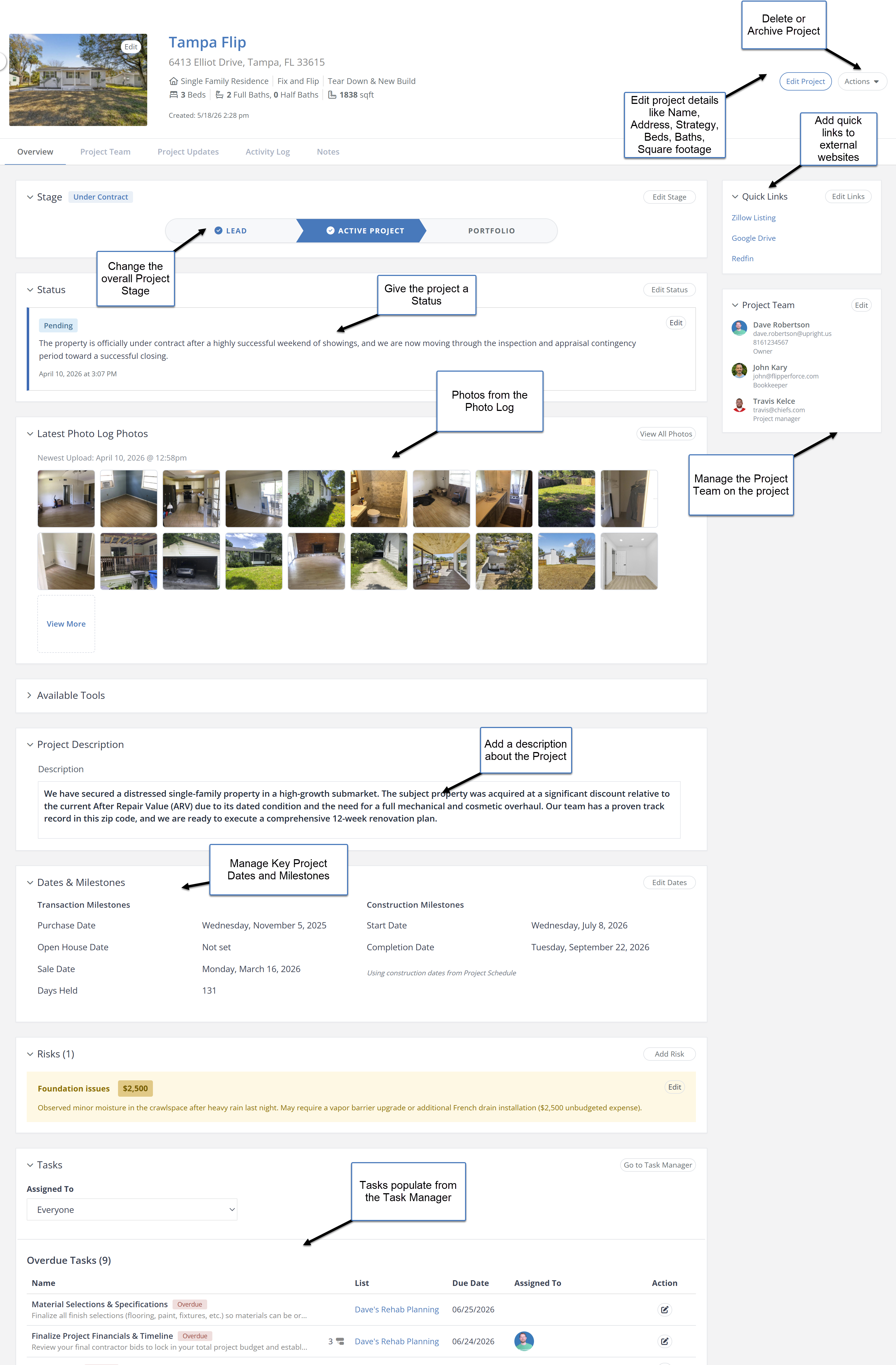
The Project Overview aggregates data from across all project modules, including the Scheduler, Task Manager and Expense Tracker, and surfaces the most important information on a single page. It is the first place you land when you open any project.
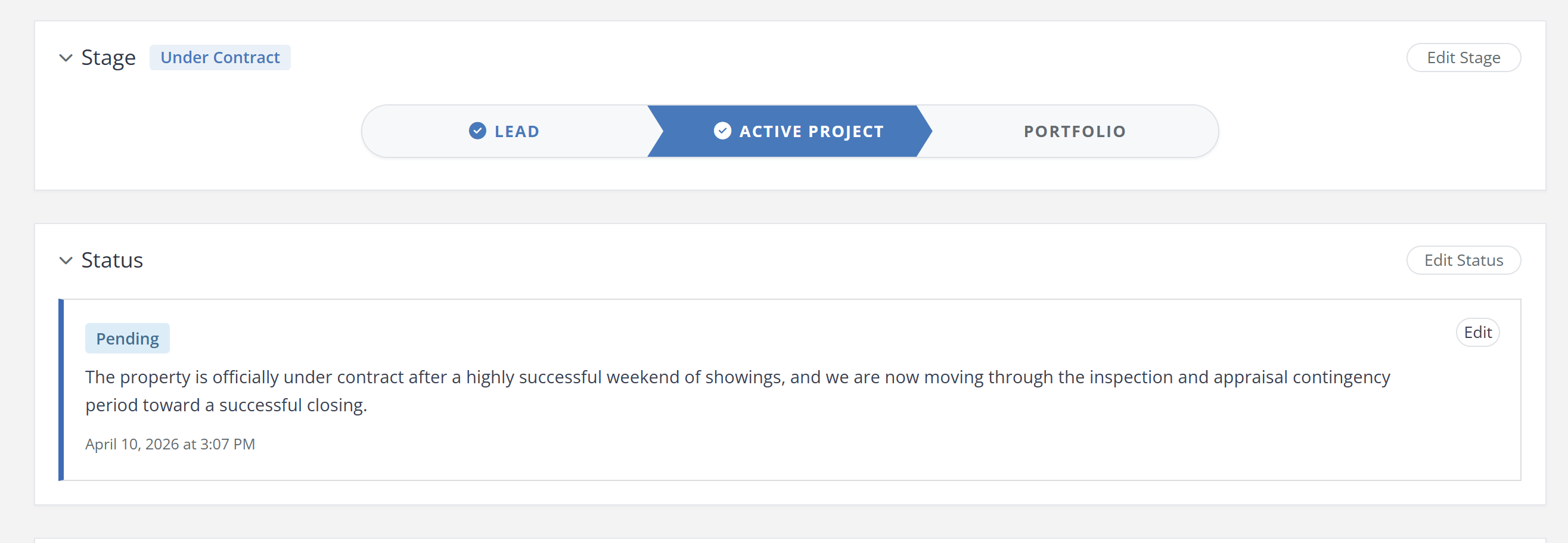
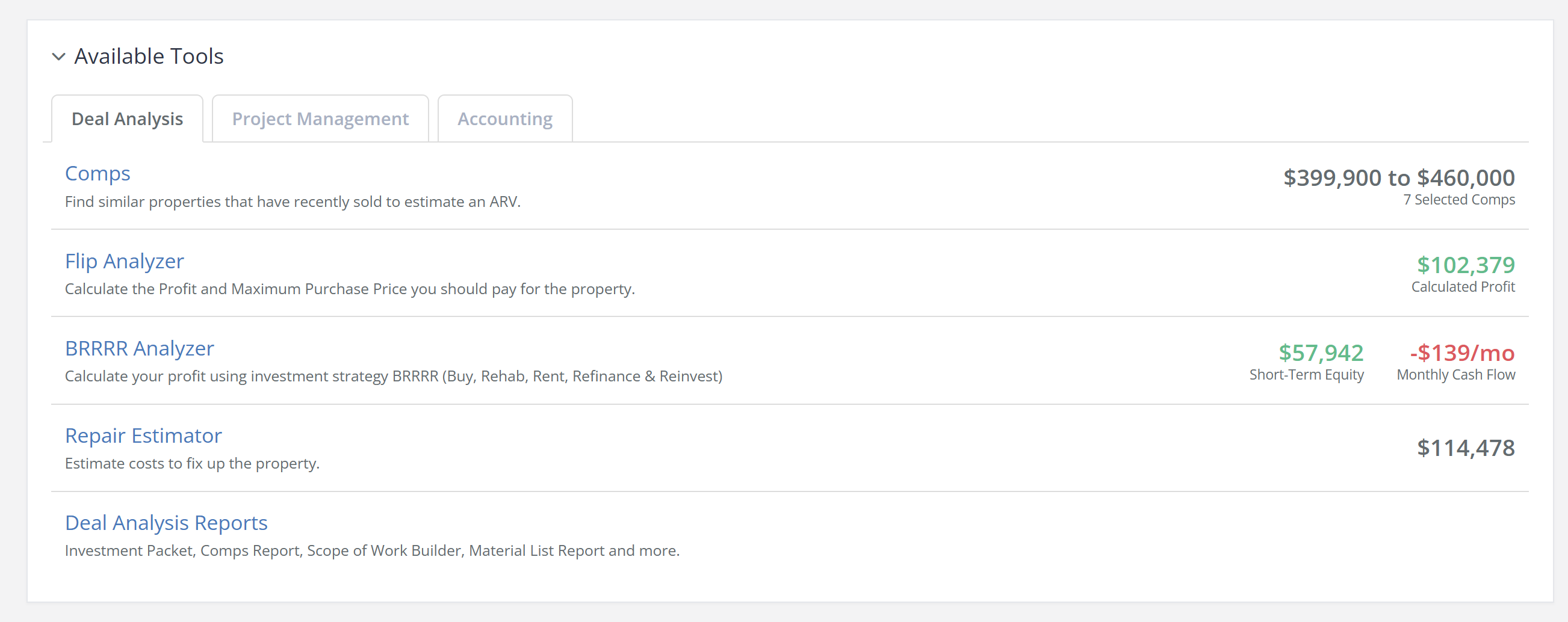
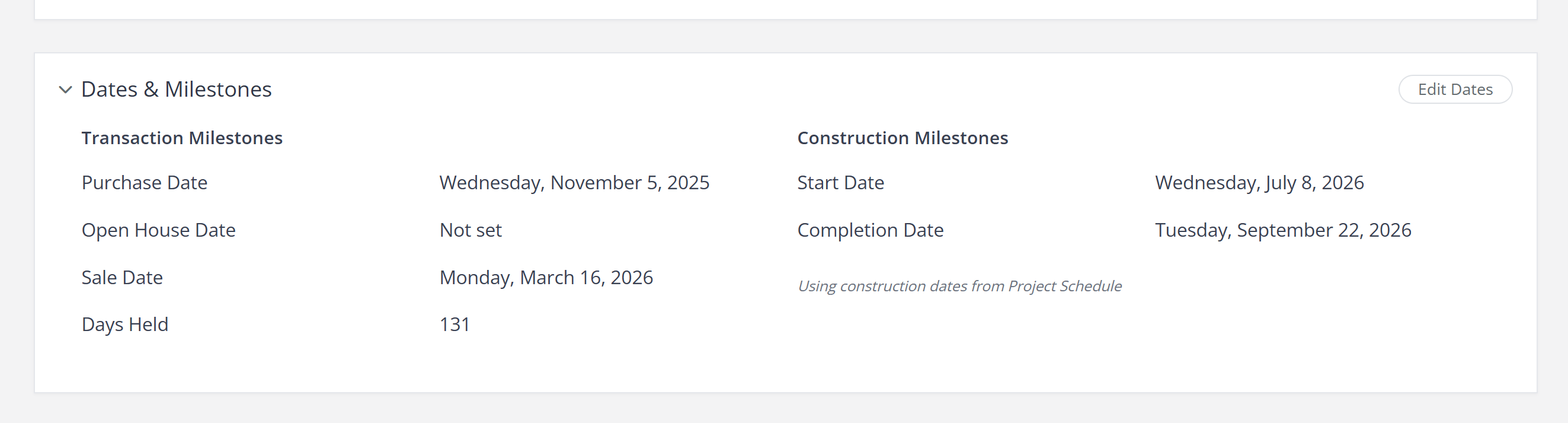
High-visibility headers show the project's Stage and Status, so an At Risk project announces itself the moment you click in. A task overview and upcoming task list keep near-term work in front of you. The Available Tools console gives you quick stats for Deal Analysis, Project Management and Accounting. Milestones are organized into Transaction and Construction categories, and the sidebar carries your Project Team and your pinned Quick Links.
Navigate to any project and you will land on the Project Overview by default. Review the stage and status headers, check the task overview to see what is coming due, scan the Available Tools console and the budget summary for anything that needs attention, then click straight through into that tool. Use the Edit Project button in the header to update the project name, address, strategy and specs, and the Actions menu to duplicate, archive or delete the project.
When you are managing multiple renovations at once, you need to assess each project's health in 30 seconds or less. The Project Overview gives you that instant situational awareness, so you can make faster decisions, catch problems early and keep every project moving forward.
.avif)