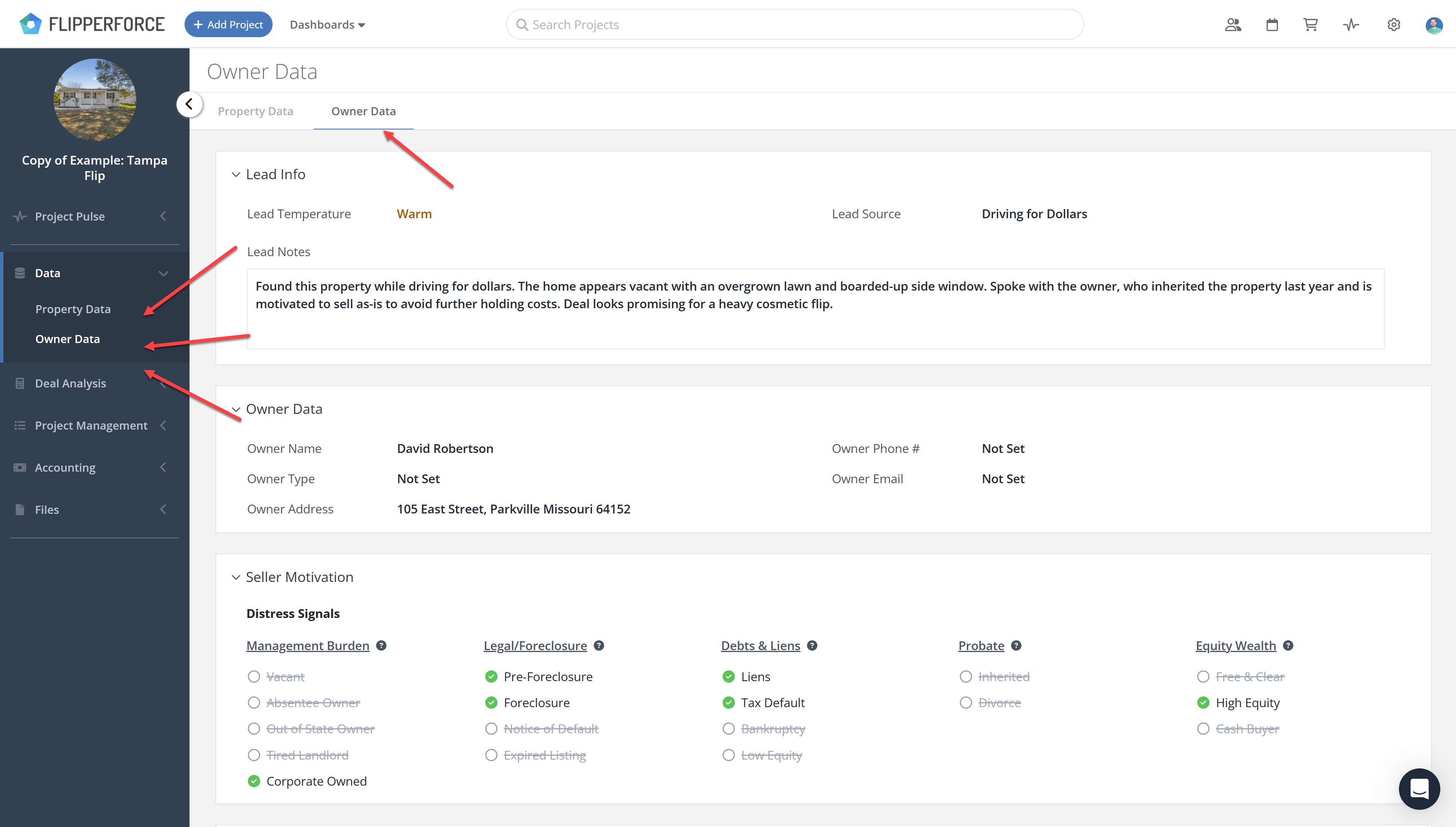
Open any project, click Data in the sidebar, then select Owner Data. You can also switch between Property Data and Owner Data using the tabs at the top of the page.
Owner information lives on its own page inside every project.
From the Sidebar
Open the project or lead you want to review.
Click Data in the sidebar navigation.
Select Owner Data.
From the Property Data Page
If you are already looking at Property Data, use the Owner Data tab at the top of the page to switch between the two without leaving the section.
What You Will Find There
Owner names, mailing addresses and corporate entity information
Owner demographics
Mortgage and equity details
The Seller Motivation Matrix
Lead Info, including Lead Temperature, Lead Source and Lead Notes
Get immediate, feature-specific answers without digging through articles. DaveBot is here 24/7 to provide detailed explanations, troubleshooting tips, and guidance on all FlipperForce tools.