Knowledge Base

Learn How to Flip Houses Using FlipperForce's Powerful Software Tools and Features!

How do I track lead details on the Owner Data page?

Disclaimer: FlipperForce does not provide tax, legal, or accounting advice. This report and FAQ are for informational purposes only and should not be soley relied upon for tax compliance. Because IRS rules are complex and subject to change, we strongly recommend consulting with a qualified tax professional or accountant before making business decisions or filing returns.
The Owner Data page includes a Lead Info section where you can set Lead Temperature, record Lead Source, and log Lead Notes alongside the owner's contact details.

The Owner Data page is a place to track your own research on a lead, not just the data we pull in for you.
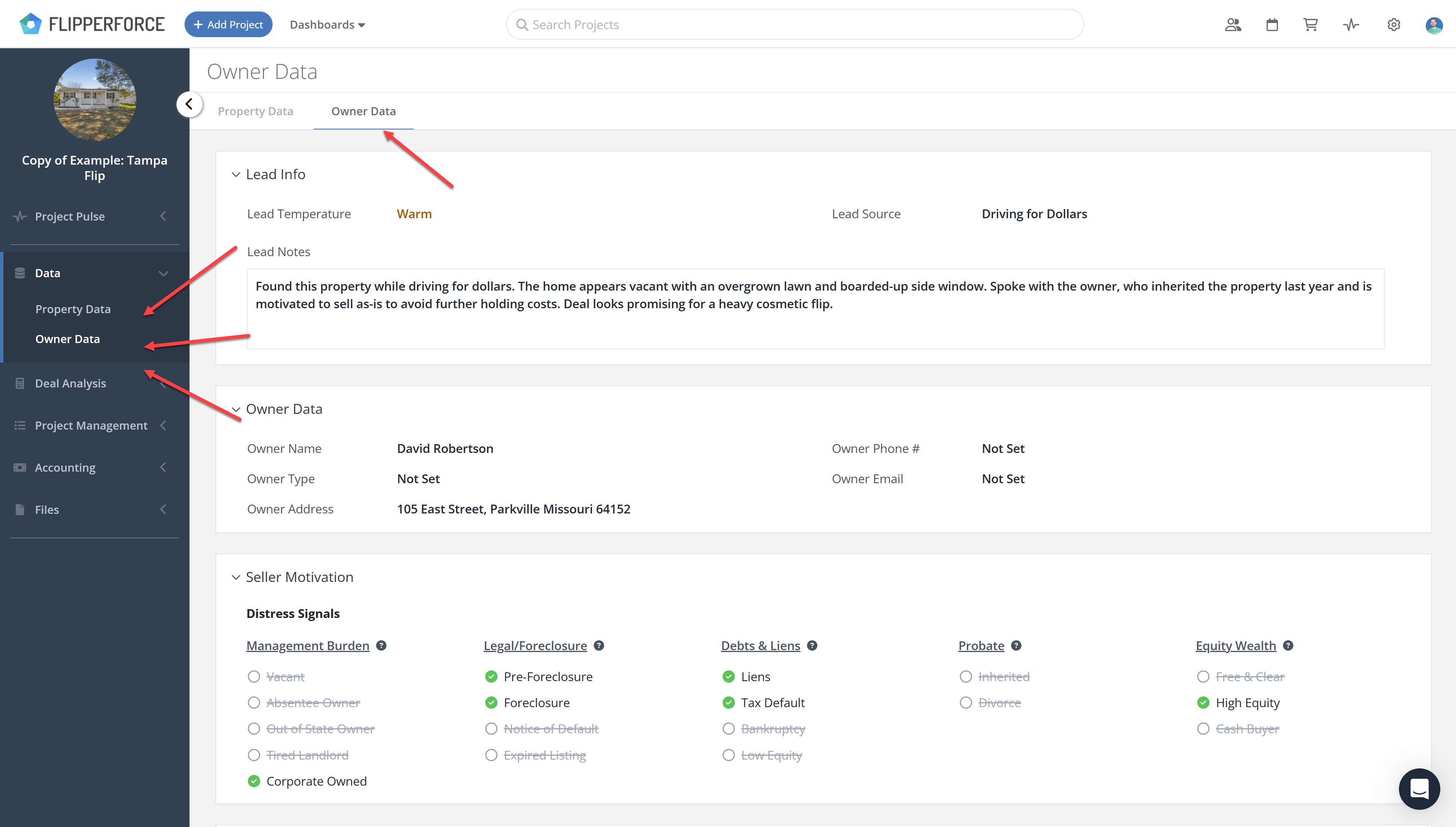
Lead Info

  • Lead Temperature - How warm the lead is, for example Warm or Hot.
  • Lead Source - Where the lead came from, for example Driving for Dollars.
  • Lead Notes - Detailed notes from your calls, drive-bys and research.

Owner Contact Data

Names, phone numbers, emails and corporate entity information are kept in the same place, so the person you are negotiating with and your notes about them stay side by side.

Where to Find It

Open a project, click Data in the sidebar and select Owner Data.

To document distress signals on the same page, see What is the Seller Motivation Matrix?

Related Video

Avatar photoAvatar photoAvatar photo

Still Have Questions?

Can’t find the answer you’re looking for? Please chat to our friendly team.