Yes. FlipperForce offers Light, Dark, and System appearance options on both the web app and the FlipperForce Field mobile app.
Yes. FlipperForce has three appearance options on both the web app and the FlipperForce Field mobile app:
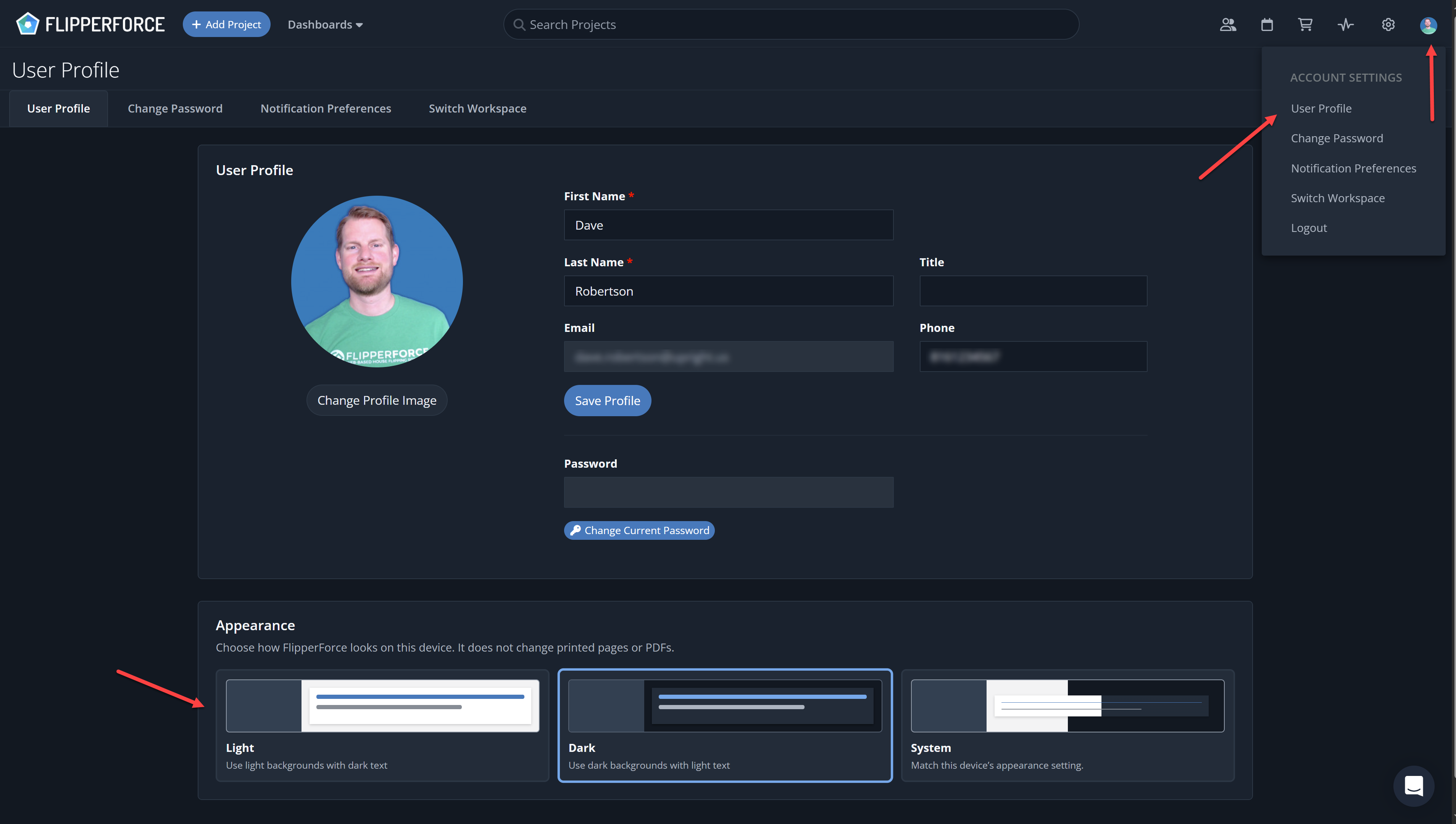
Light: the classic FlipperForce look.Dark: a dark theme that's easier on the eyes at night or in low light.System: automatically matches your computer or phone's display setting.VIDEO
Change It on the Web App Click your avatar in the upper right corner. Open your User Profile . Scroll to the Appearance section and select Light, Dark, or System. The web app defaults to Light.
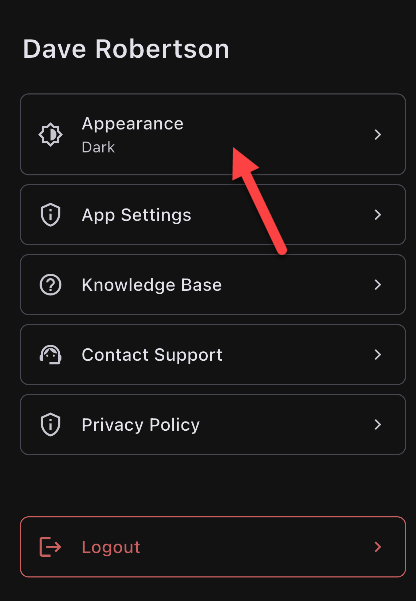
Change It on the Mobile App Tap your profile image in the upper right corner. Tap Appearance . Select Light, Dark, or System. The mobile app defaults to System, so it will match your phone's setting until you change it.
Things to Know Your appearance choice is saved per device, so your laptop and phone can use different themes. Printed pages and PDFs, including Investment Packets and reports, always use the standard light format.