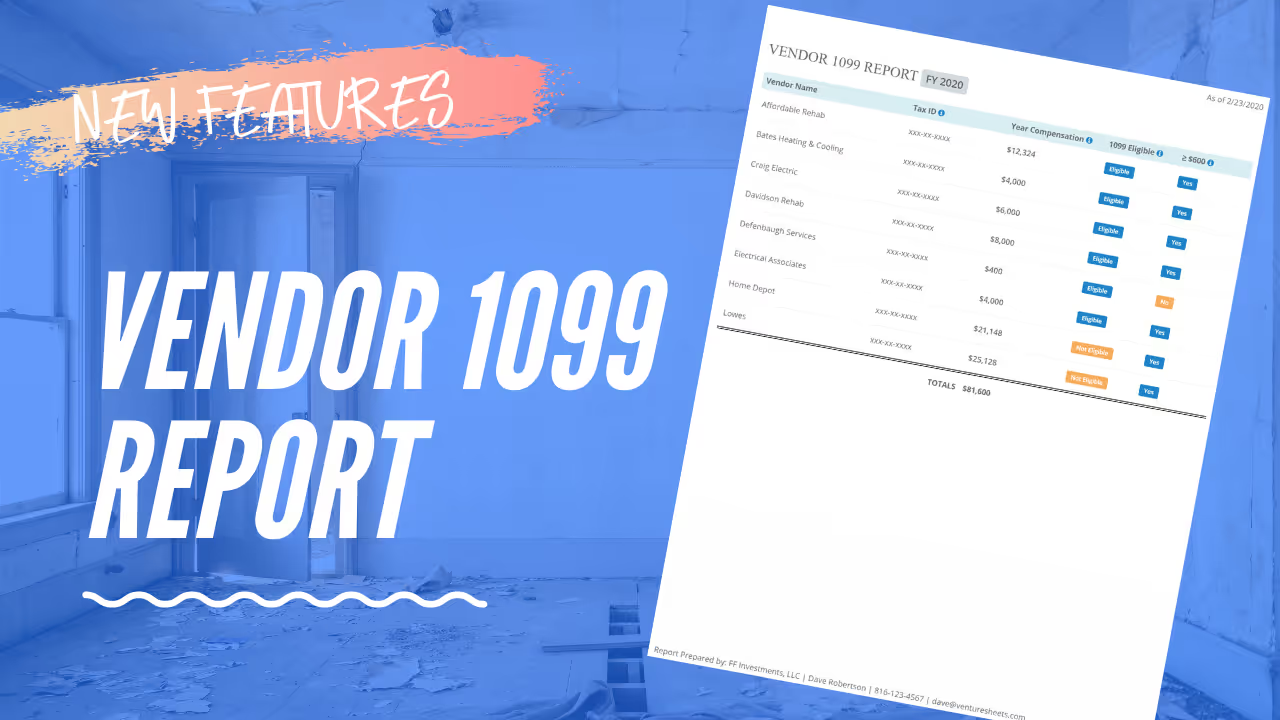
The Vendor 1099 Report helps you prepare for tax season by compiling a summary of all payments made to vendors and contractors throughout the year — giving you and your accountant the data needed to file accurate 1099-NEC forms.
The Vendor 1099 Report pulls payment data from your Expense Tracker across all projects and summarizes total amounts paid to each vendor by tax year. It flags contractors who meet the $600 threshold requiring a 1099 filing, streamlining your year-end tax preparation process.
Navigate to the Vendor 1099 Report from the Accounting section. Select the tax year you want to review. The report will display a summary of all vendors and the total amounts paid throughout the year. Export the report and share it with your accountant as part of your year-end tax preparation package.
Failing to issue 1099s to qualifying contractors can result in IRS penalties and audit risk. The Vendor 1099 Report removes the guesswork from contractor payment tracking by automatically aggregating the data you've already logged in the Expense Tracker — turning tax season from a scramble into a straightforward process.
.avif)
.avif)