Knowledge Base

Learn How to Flip Houses Using FlipperForce's Powerful Software Tools and Features!

How do I share an individual Project Update with an outside user?

Disclaimer: FlipperForce does not provide tax, legal, or accounting advice. This report and FAQ are for informational purposes only and should not be soley relied upon for tax compliance. Because IRS rules are complex and subject to change, we strongly recommend consulting with a qualified tax professional or accountant before making business decisions or filing returns.
Every update in your Project Updates log has its own share link button. Click it to generate a standalone webpage for that single update, then copy the link and send it to your lender, partner, or anyone else. They do not need a FlipperForce login to open it.

You can share a single Project Update with someone outside your workspace without giving them access to your entire update log.
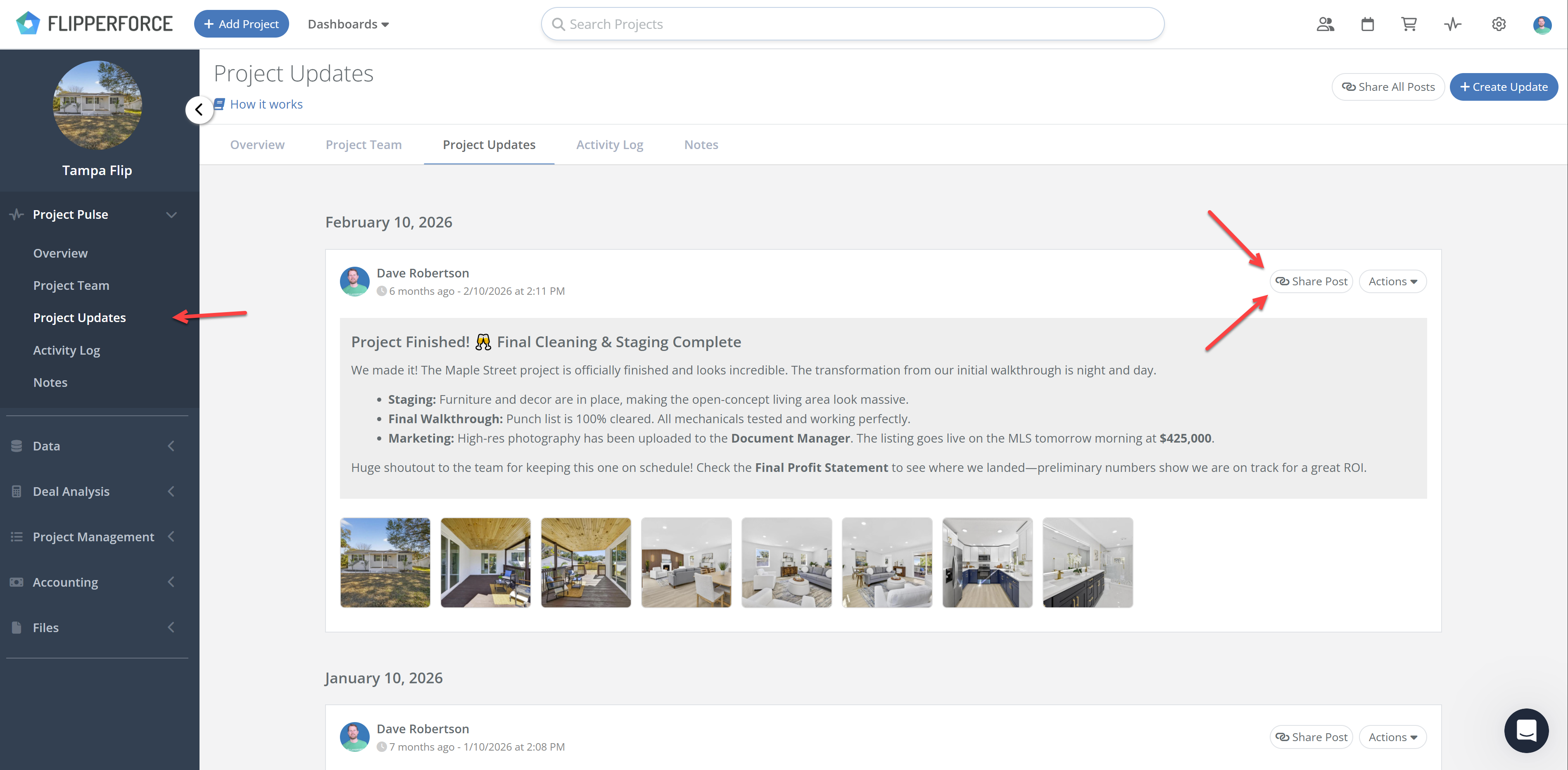
  1. Navigate to the Project Updates page for the project.
  2. Locate the specific update you want to share.
  3. Click the share link button on that update.
  4. FlipperForce generates a standalone webpage for that individual update.
  5. Copy the link and send it by email or text.

The shared page includes the update text and any photos attached to that update. Whoever you send it to can open the page without a FlipperForce login and without counting against your user seats.

This is useful any time someone only needs one piece of the story. A lender reviewing a draw request needs the update documenting completed work. A business partner wants the milestone you just hit. Sending the individual link gives them exactly that instead of your full project history.

Related Video

Avatar photoAvatar photoAvatar photo

Still Have Questions?

Can’t find the answer you’re looking for? Please chat to our friendly team.