Knowledge Base

Learn How to Flip Houses Using FlipperForce's Powerful Software Tools and Features!

Examples on How to Use the Project Updates Feature

Disclaimer: FlipperForce does not provide tax, legal, or accounting advice. This report and FAQ are for informational purposes only and should not be soley relied upon for tax compliance. Because IRS rules are complex and subject to change, we strongly recommend consulting with a qualified tax professional or accountant before making business decisions or filing returns.

Examples on Ways to use the Project Update Feature:

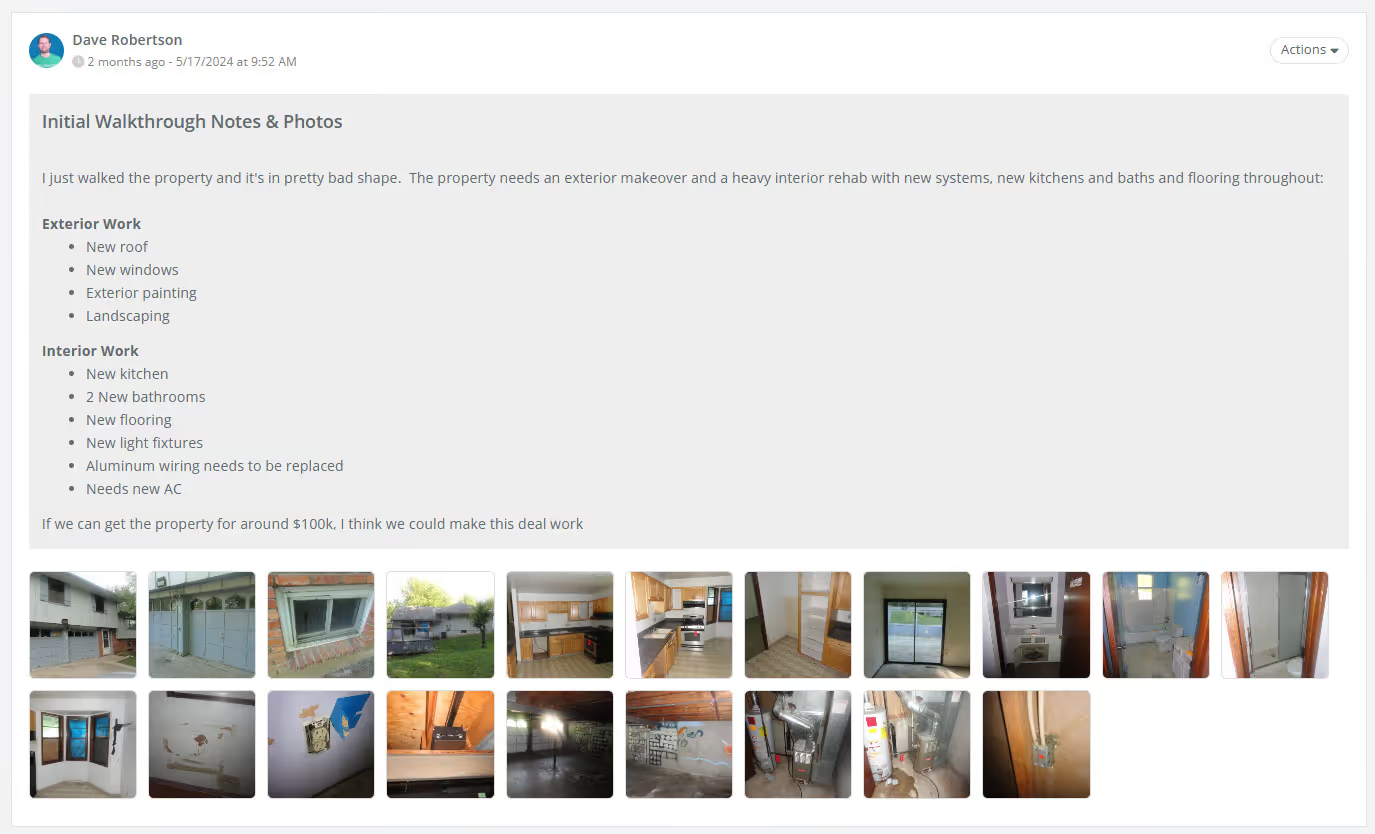
Example 1: Initial Project Walkthrough Notes & Photos

Document and share your initial inspection walkthrough notes and photos with your acquisitions team so they know the condition of the property.
Example 2: Project Updates About Important Project Milestones

Inform your team about important upcoming milestones like Closing Dates, Open Houses or construction Inspections.

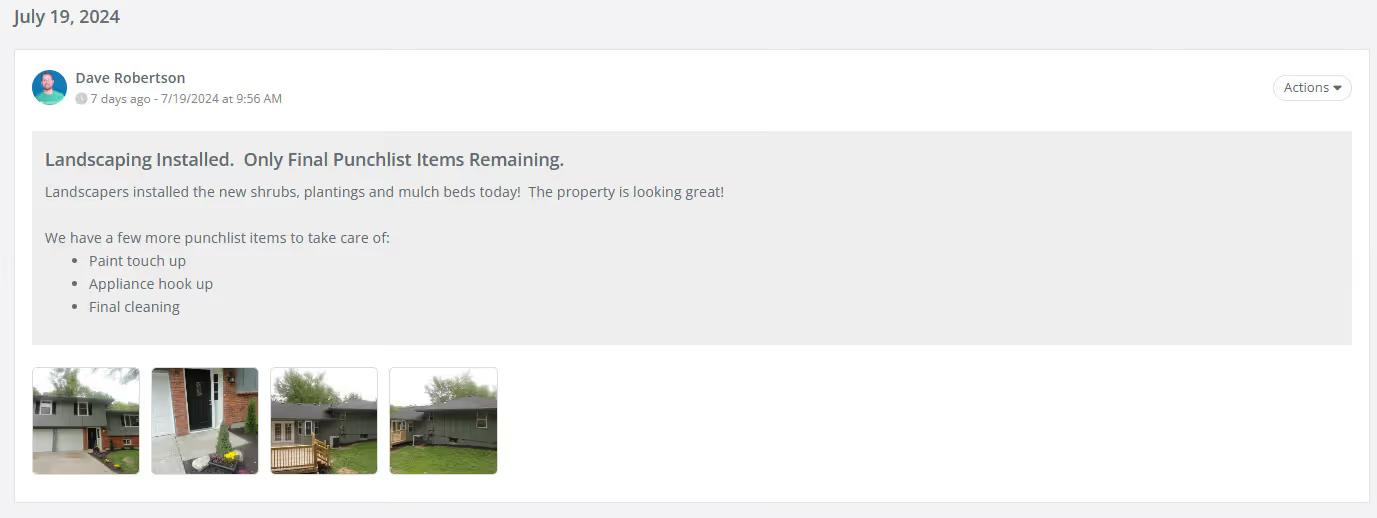
Example #3 Progress Updates and Daily Logs About Construction Progress

Keep your team, business partners and lenders informed on project progress with construction updates and daily logs.
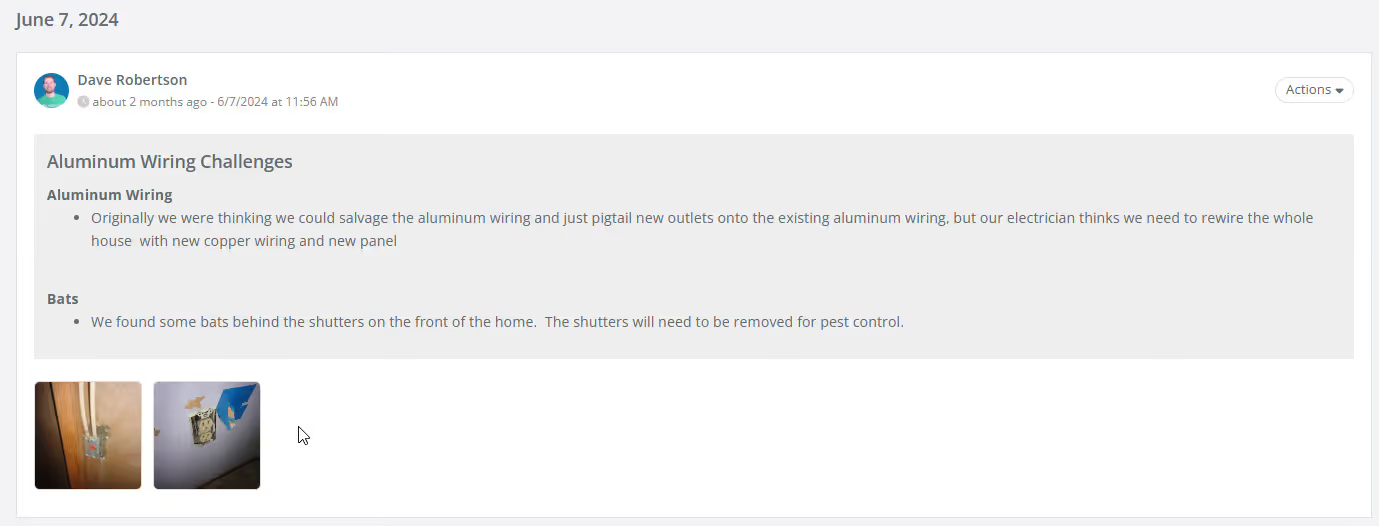
Example #4: Updates about Project Challenges or Risks

Provide complete transparency into challenges you are facing on the project to build trust with your business partners and lenders.
Related Video

Avatar photoAvatar photoAvatar photo

Still Have Questions?

Can’t find the answer you’re looking for? Please chat to our friendly team.