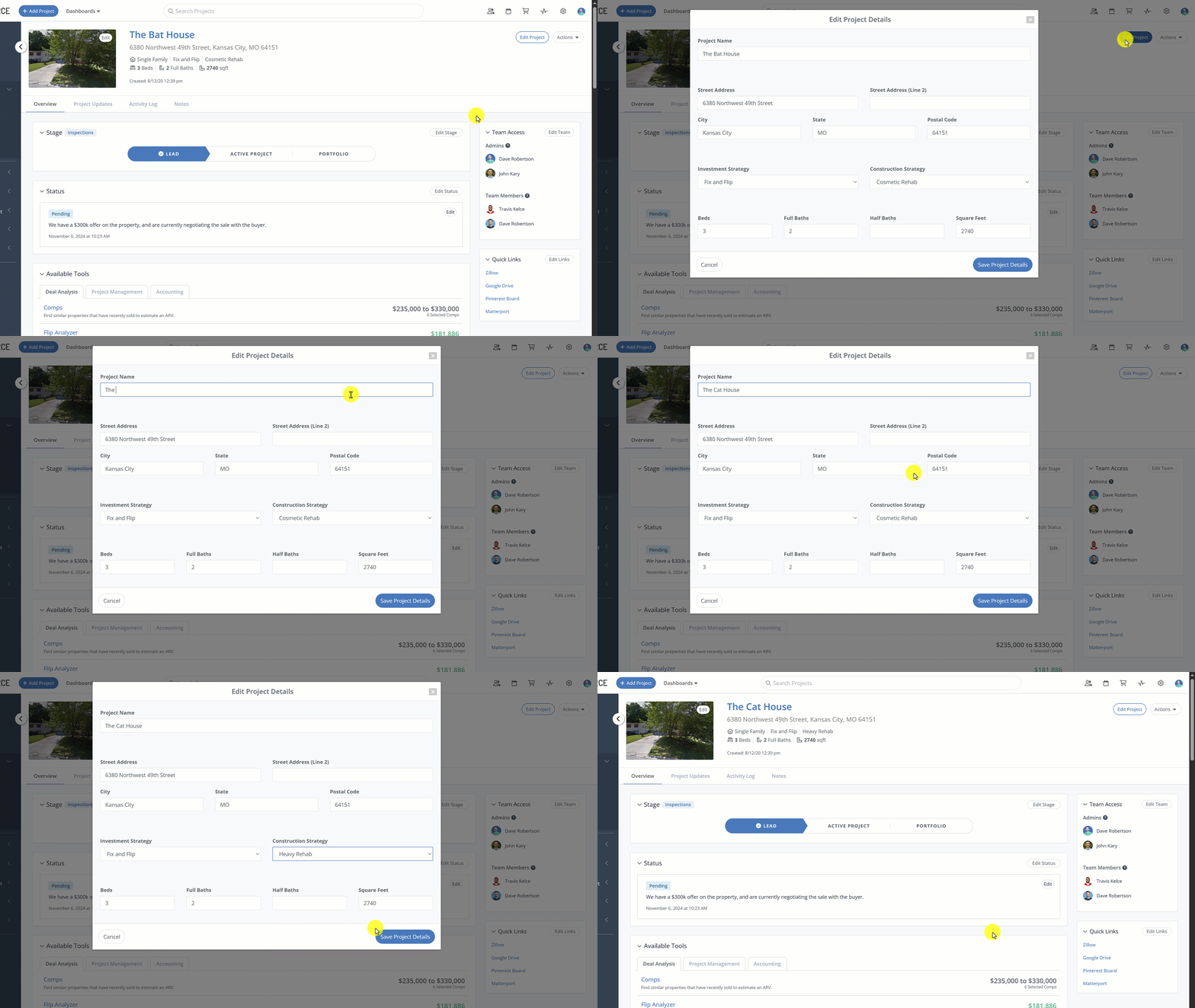
We’ve completely rebuilt the Project Overview page from the ground up to give you a modern, centrailized view that provides improved organization, easier navigation and clarity at-a-glance!
What’s Changed?
Centralized Project Settings
We’ve officially retired the standalone "Project Settings" page. You can now update Project Names, Project Addresses, Project Strategies and Specs directly from the Edit Project button in the header. Need to duplicate or archive? Do it instantly via the new Actions menu.
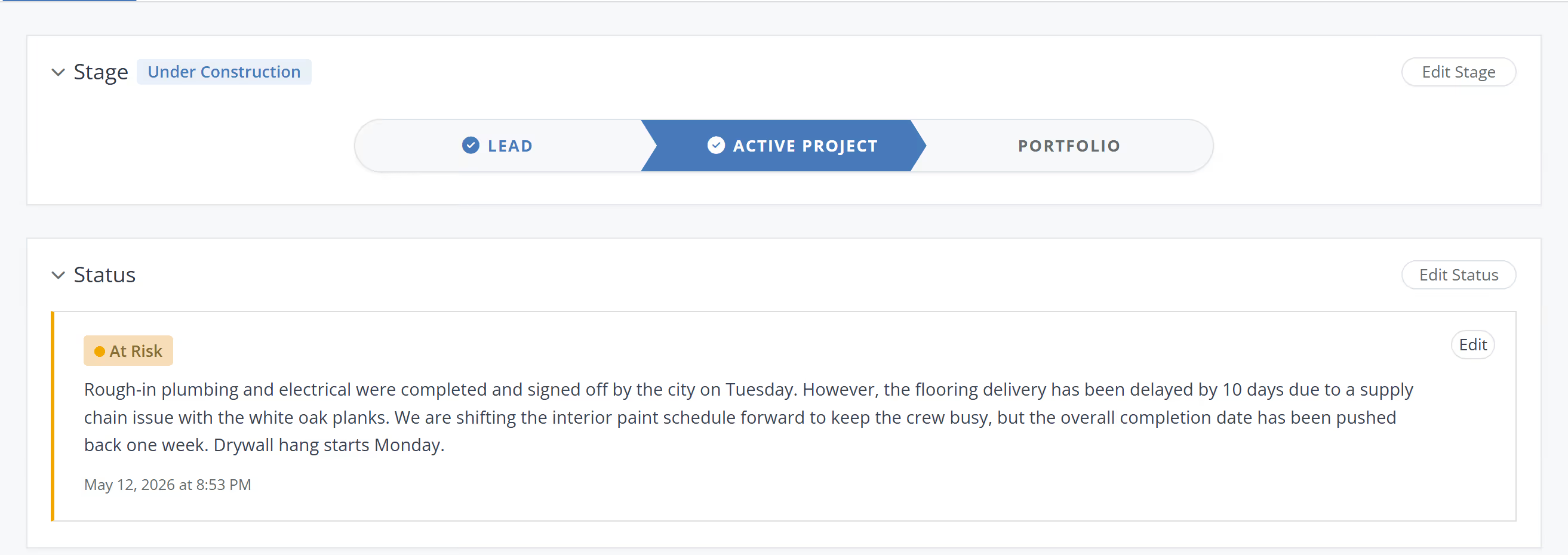
The Highlevel Project Pulse (Stage & Status)
Stay on top of your deals with reimagined indicators. High-visibility headers show exactly where a project stands (e.g., "Active Construction") and its health status. If a deal is "At Risk," you’ll know it the moment you click in.
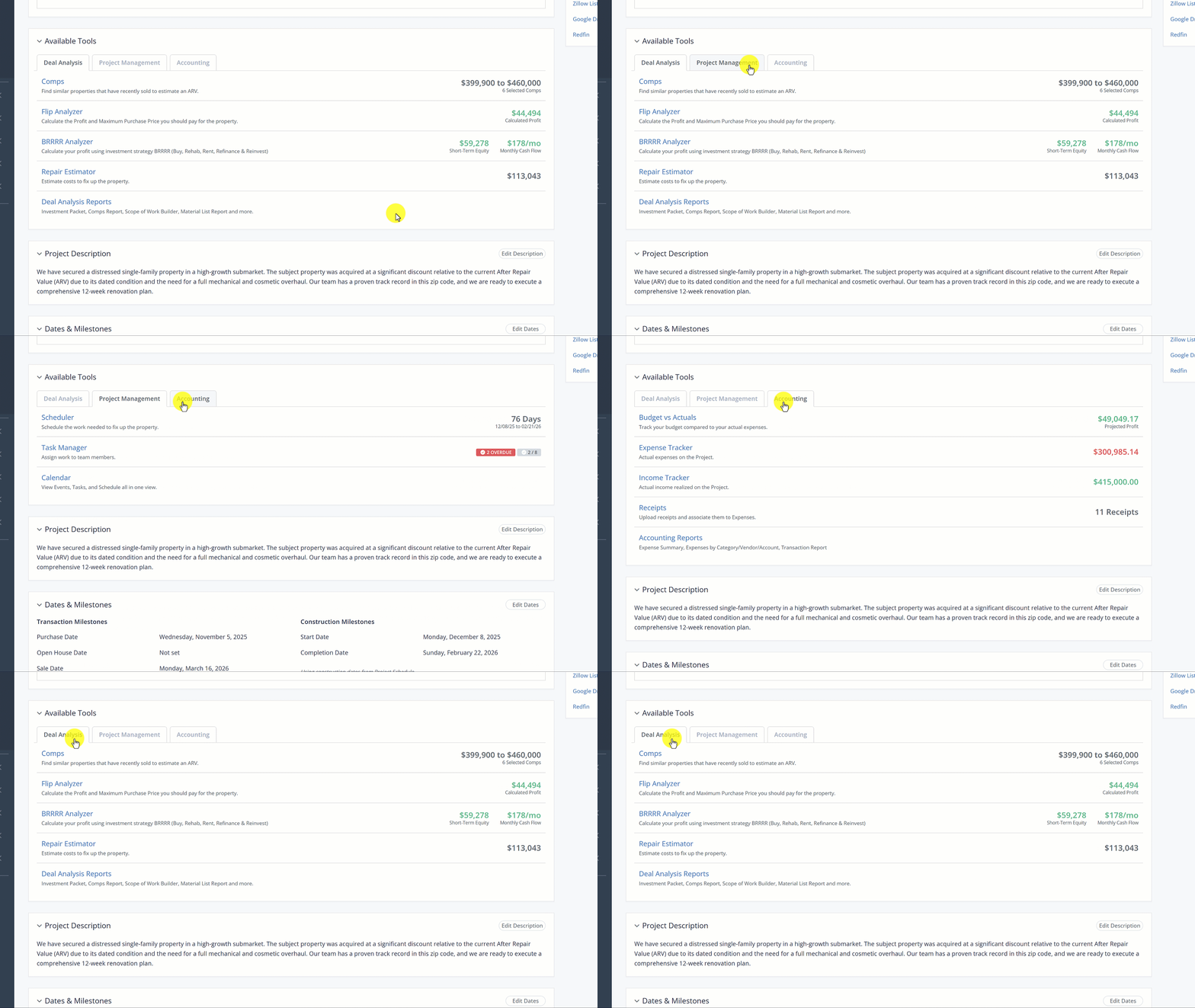
New: Available Tools Console
This is your new high-level console for the entire project. This section provides a bird's-eye view of your:
Deal Analysis: Quick stats on your Comps and Analysis numbers.
Project Management: A snapshot of your schedules, tasks & progress.
Accounting: Real-time budget and expense summaries.
Improved Navigation: Navigate directly into any specific feature or tool right from this view.
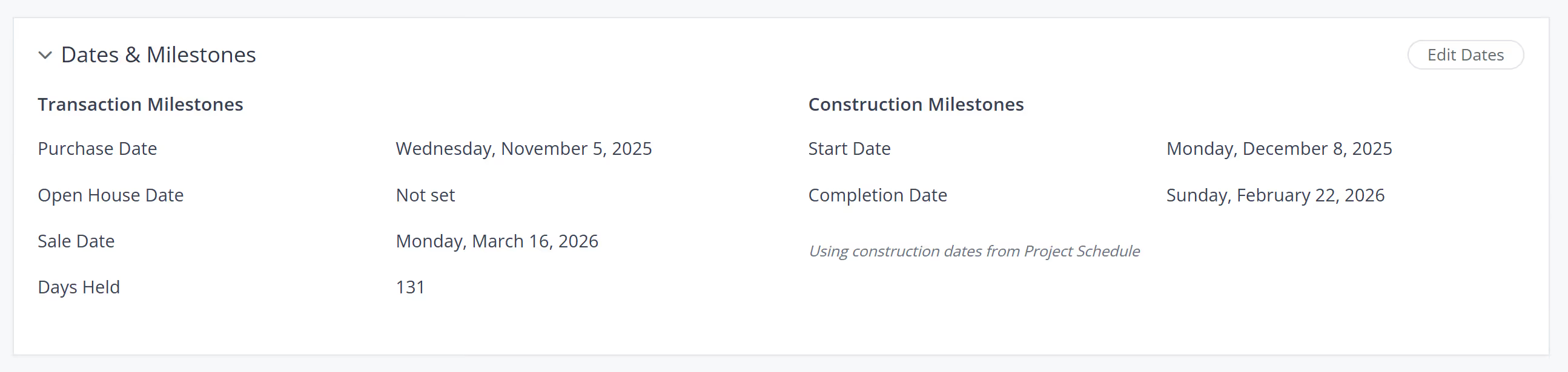
Categorized Dates & Milestones
We’ve given milestones a complete makeover to help you manage critical deadlines more logically.
Transaction & Construction Categories: Dates are now organized into these two distinct groups for better flow.
Coming Soon: We are currently building even more transaction milestones and the ability to add Custom Dates, allowing you to track every unique deadline in your workflow.
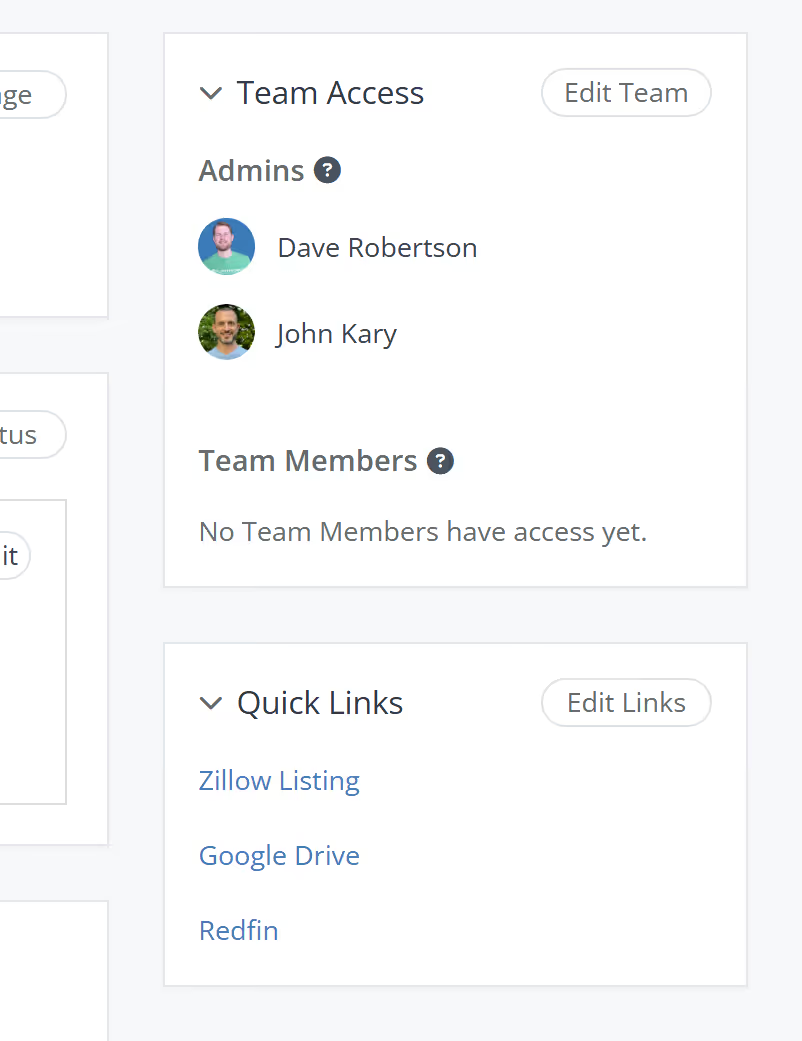
Streamlined Sidebar
Project Team: Better visibility into who has access to the project.
Quick Links: Your custom external links (Zillow, Google Drive, etc.) are now pinned to the sidebar for instant access.
You can now pre-assign team members to the tasks in your Task Templates. Every time you load that template into a project, each task is already assigned to the right person.
The FlipperForce Field mobile app now uploads photos and receipts faster and more reliably on iOS and Android. A new My Recent Uploads inbox lets you track progress, retry failed items, and run multiple upload batches at once.
FlipperForce now has a full dark theme across the web app and the FlipperForce Field mobile app. Choose Light, Dark, or System to match how and where you work.
The Daily and Weekly Digest emails summarize tasks, schedules, and events across your projects. Both now lead with a Work Assigned to Me section, so you see your own overdue, due today, and upcoming work before everything else in the workspace.


.avif)