Featured Article:

Upload Your Data

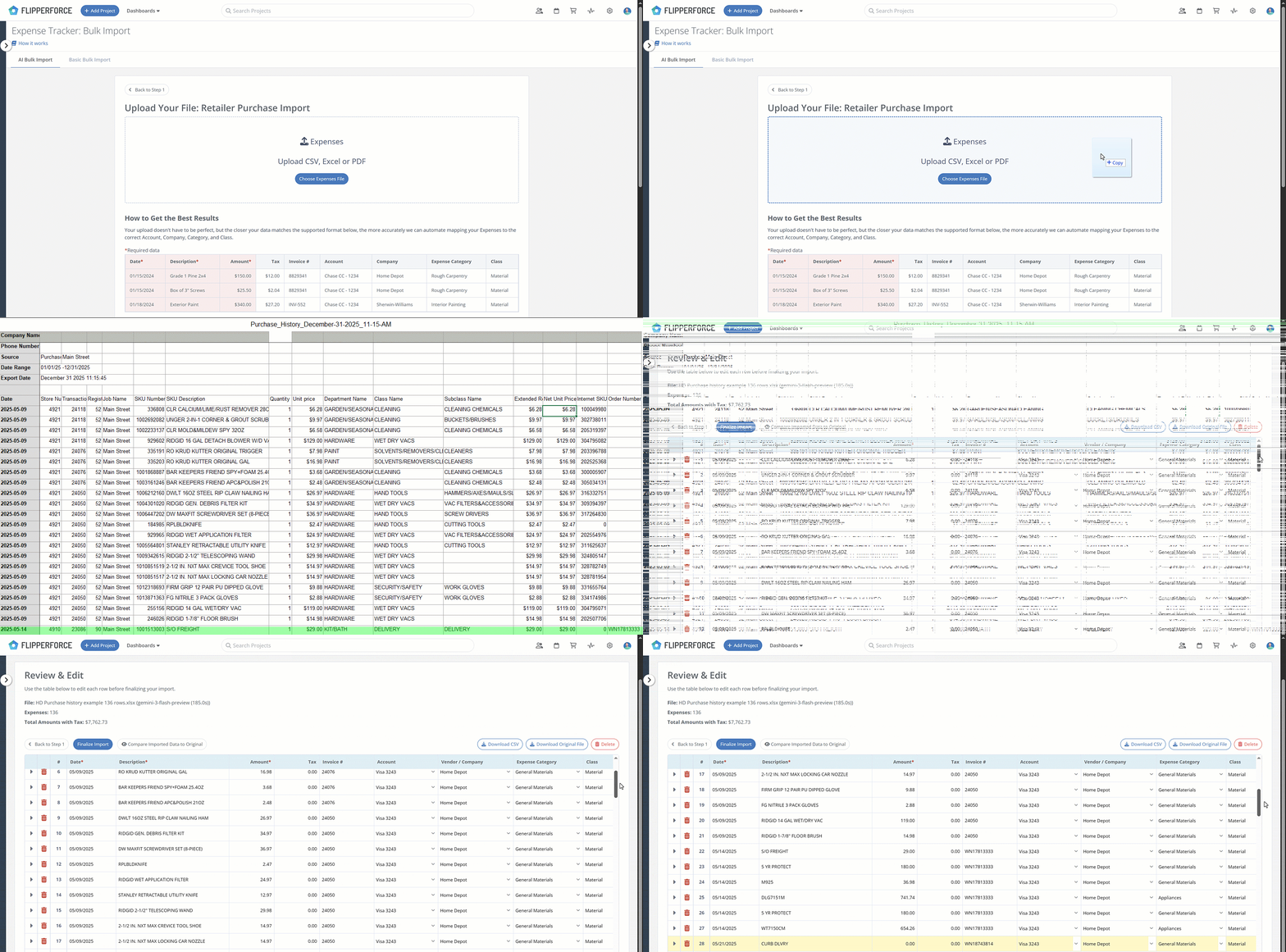
Simply export your detailed purchase history from Home Depot (or any major retailer) and drop the raw CSV file into FlipperForce.

AI Mapping & Categorization

Our AI reads the SKU descriptions and "decodes" the material items for you. It automatically maps vanities to Cabinetry, tile to Flooring, and toilets to Plumbing based on your specific project categories.

Review & Sync

Use the side-by-side preview tool to quickly verify the AI's work against the original data. Once you're ready, hit Import to instantly sync hundreds of expenses to your project and see your real-time Budget vs. Actuals.

I hate bookkeeping. This tool basically does the work for me. I just upload the photo, check the numbers, and I'm done.

Lindsay Westin
Full-Time Flipper
Dashboard mockup
Easy CSV & PDF Uploads

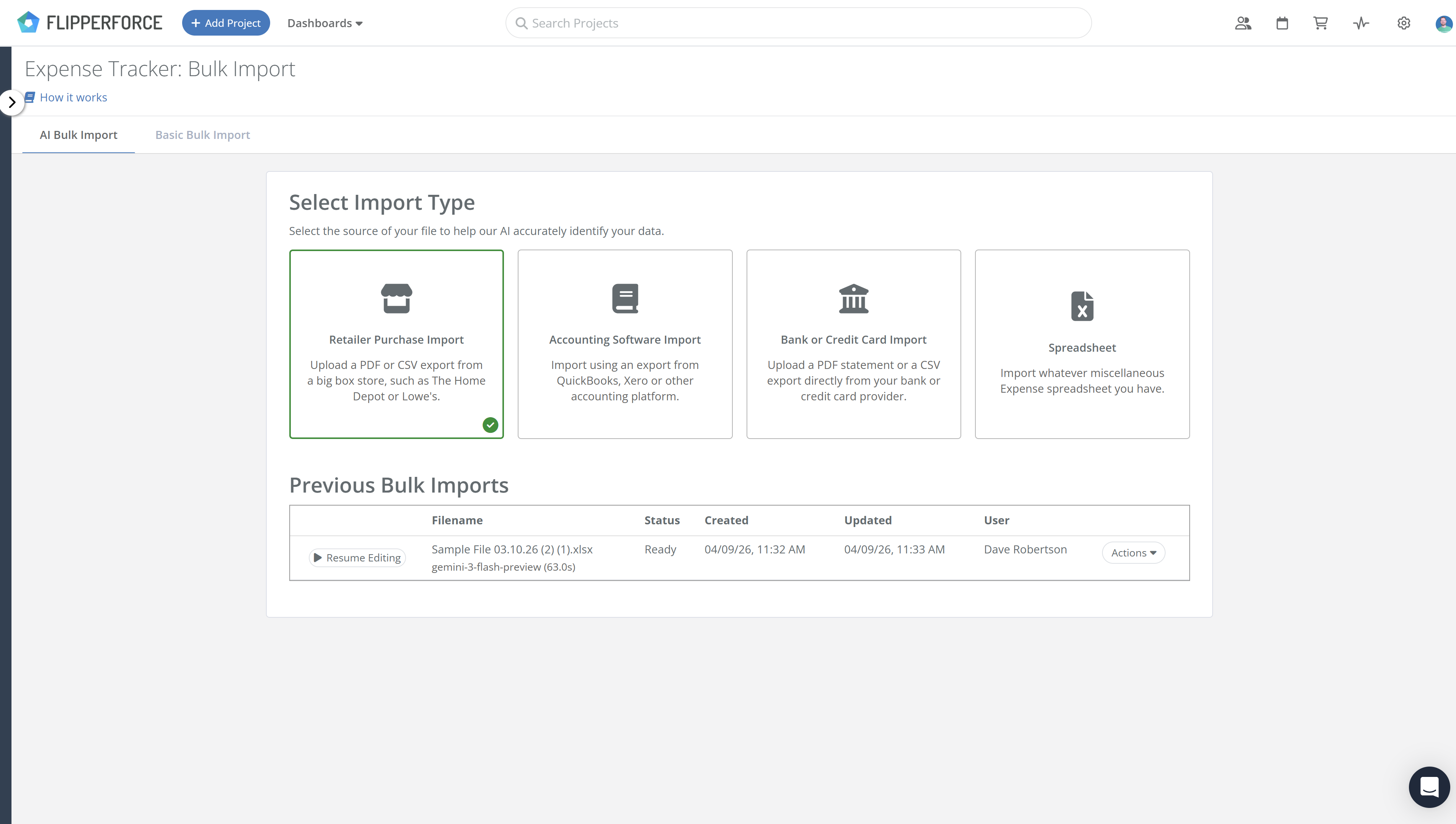
Upload Raw Data. No Formatting Required.

Most importers force you to spend hours "cleaning up" your data before you can even use it. FlipperForce eliminates the prep work. Just drop in your raw files, and our engine handles the heavy lifting, supporting every way you track your project spending.
Retailer Purchase History: Sync detailed exports from Home Depot, Lowe’s, or Menards. Our AI decodes messy SKUs and item descriptions instantly.
Bank & Credit Card Statements: Upload monthly statements to reconcile spending and ensure every project transaction is accounted for.
Legacy Spreadsheet Migrations: Easily move existing Excel or Google Sheets trackers into FlipperForce to see your real-time Budget vs. Actuals.
AI Mapping and Categorization

Intelligent SKU Mapping & Auto-Categorization

Stop wasting hours on tedious data entry. Simply upload your receipts and let our AI handle the rest—automatically itemizing and categorizing your spending so you always know your actual profit.
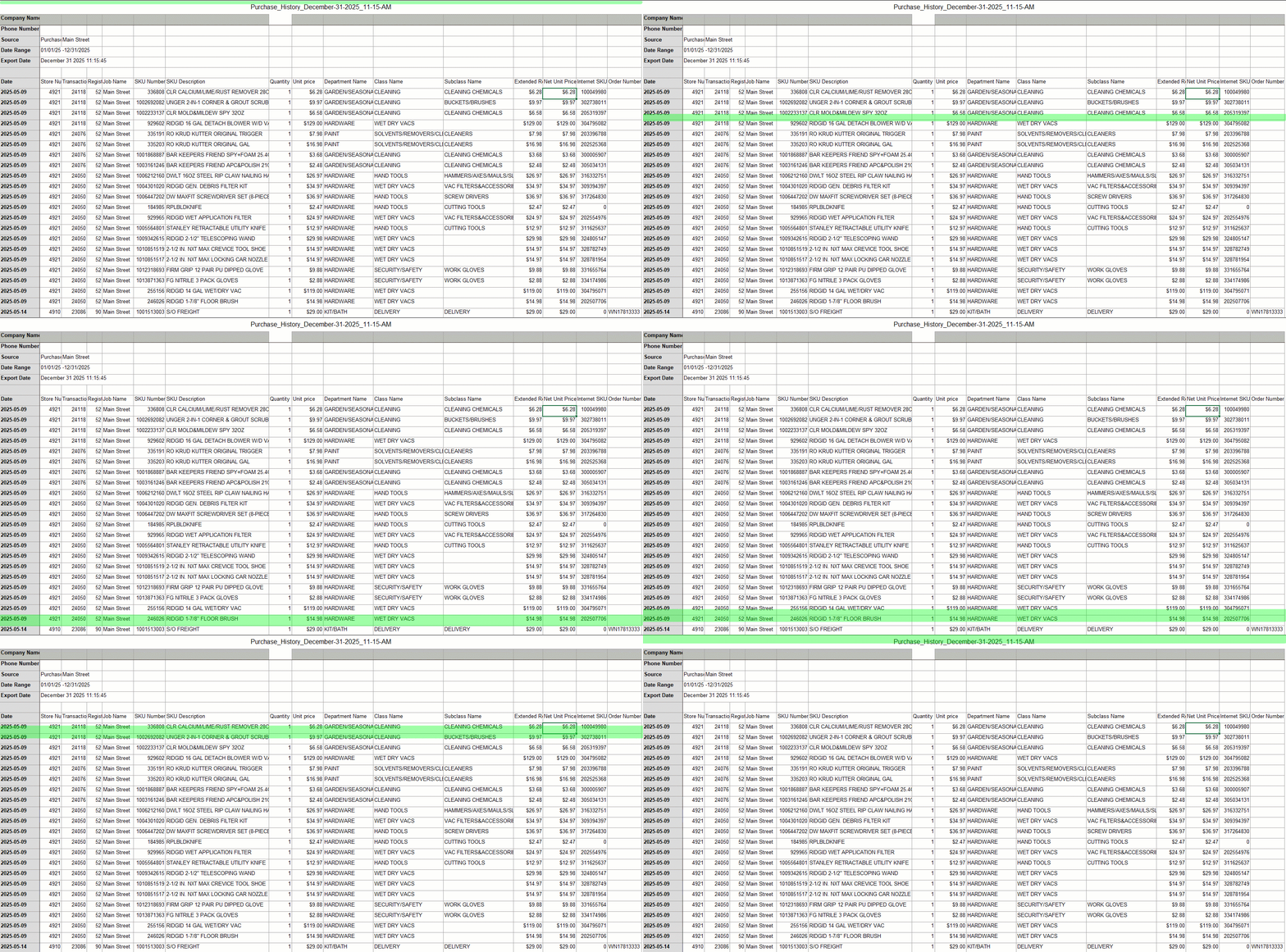
SKU-Level Recognition: The AI "reads" SKU numbers and descriptions to instantly identify materials and assign them to the right category.
Automated Budget Mapping: Automatically categorize a single 50-item material run across multiple categories like Plumbing, Flooring, and Framing.
Dashboard mockup
Dashboard mockup
Verification & Comparison

Compare Original Data to Imported

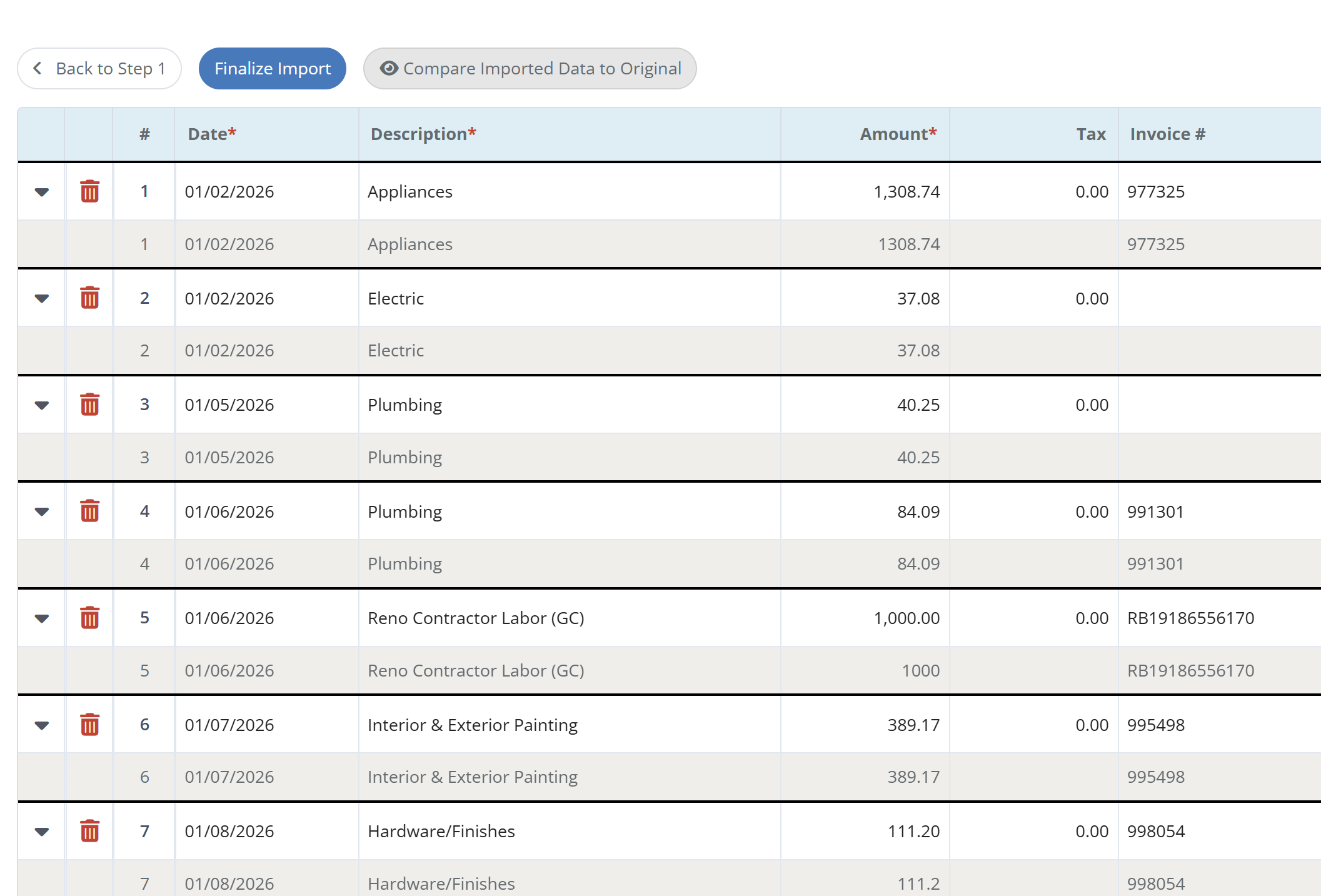
You get the speed of AI with the total control of manual entry. Use our preview tool to ensure your project accounting is 100% accurate before it hits your budget.
The Split-View Preview: Compare the AI’s suggested categorization directly against the original retailer data in a transparent, side-by-side view.
Editing & Overrides: Need to make a change? Edit descriptions or override AI-suggested categories on the fly before finalizing the import.
Budget Insights

Instant Budget vs. Actual Insights

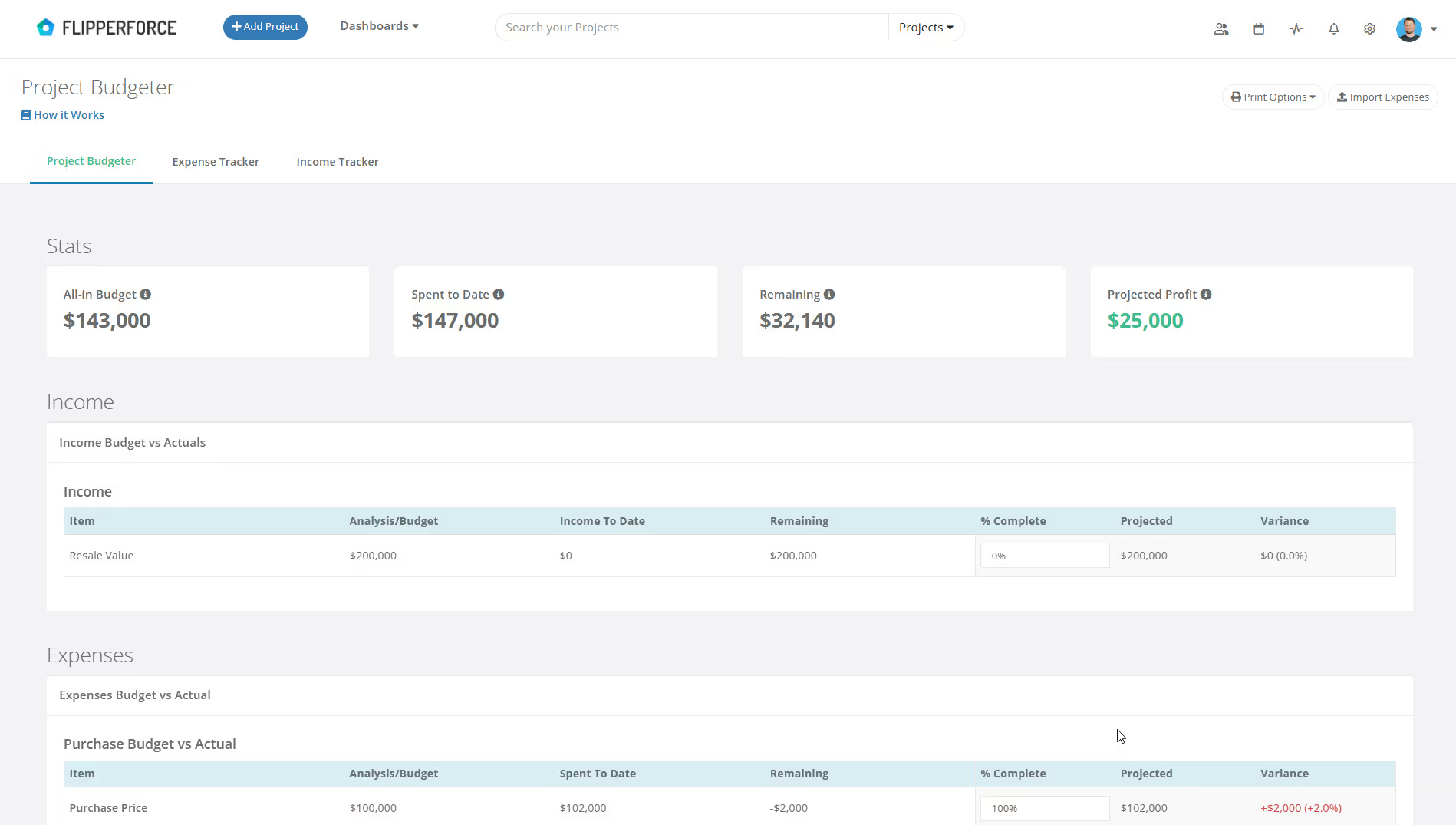
The end goal isn't just data entry—it's financial clarity. Once your data is synced, FlipperForce instantly calculates your project performance so you can make informed decisions.
Real-Time Profit Forecasting: Instantly see how actual spending impacts your bottom line and project your final profit based on current trends.
Automated Profit & Loss Reports: Generate professional, itemized financial reports for lenders, partners, and accountants at the click of a button.
Historical Cost Tracking: Build a database of material costs across all projects to create more accurate estimates for your future deals.
Dashboard mockup
Our blog

Latest Updates to Our Expense Workflow

How to Bulk Import Your Home Depot Purchase History

Stop wasting hours on manual data entry by using the FlipperForce AI-powered importer to instantly transform your Home Depot purchase history into a fully categorized, real-time look at your budget vs. actuals.

🚀 Introducing our New AI-Powered Bulk Expense Importer

Our new AI-Powered Bulk Expense Importer makes it easy to get your expenses imported and categorized without the manual data entry.

Enhanced "Type to Search" Dropdowns for Expenses

Easily type-to-search and select the Account, Company and Category without touching your mouse.

Enhanced Date Range Filters & Accounting Controls

We've introduced new Date Range and Accounting filters across the Expense Tracker and reports to give you more flexibility and control over your project spending data.

New Transaction Grouping for Expenses

Easily reconcile your project spending by grouping individual expenses into searchable transaction totals that match your bank statements.

Ready to Take Action?

Sign up for a free trial and join over 1,000 house flippers and real estate investors that have taken their business to the next level!