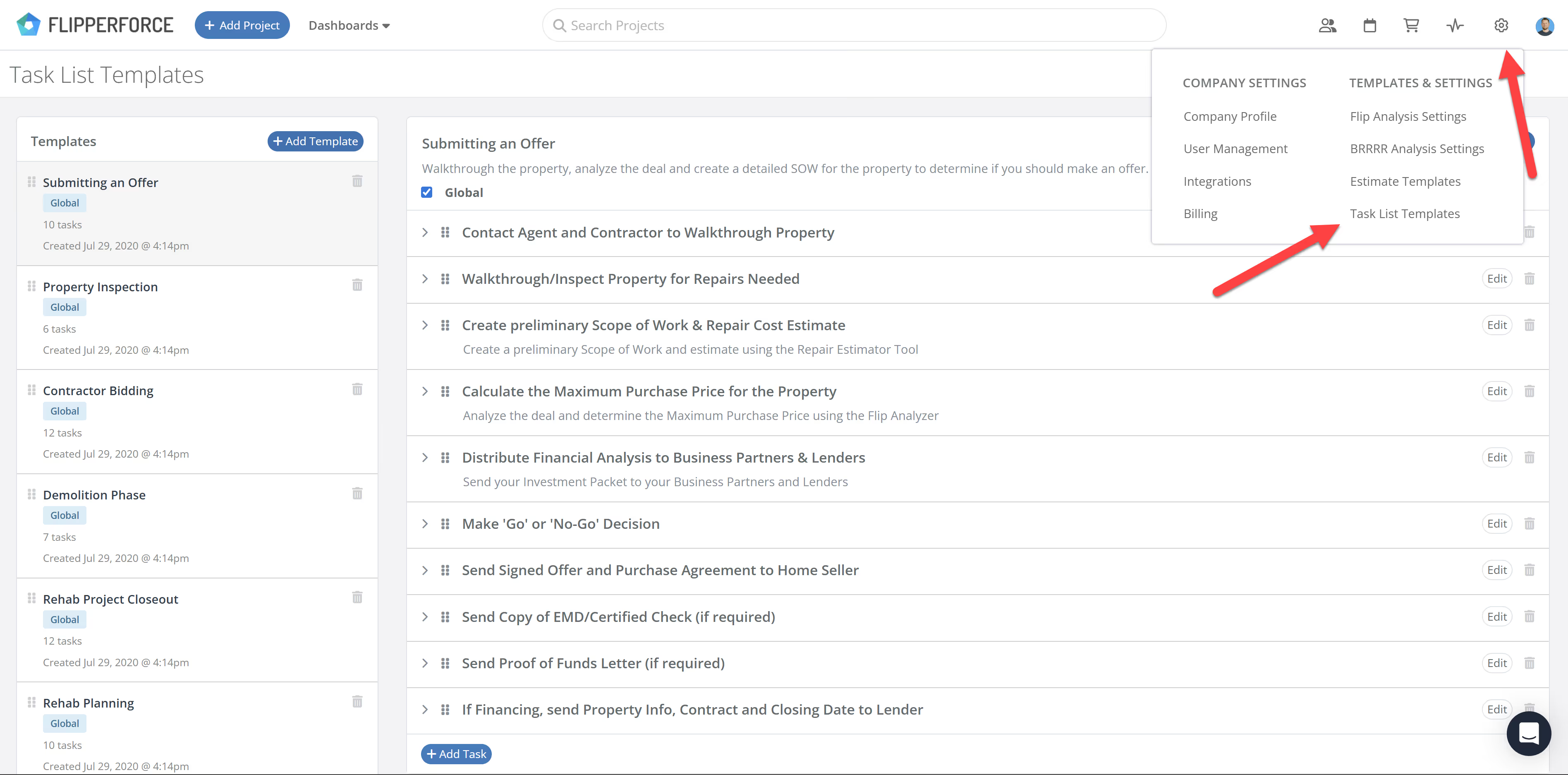
We have introduced a centralized area to manage and edit your Task Templates. Previously, templates could only be edited by loading them into a project and resaving. Now, users can modify existing templates directly within the Workspace Settings.
Whats New:
Edit Existing Templates: Modify task names, descriptions, and structures without affecting active projects.
Subtasks Support: Templates now support our new Subtasks feature, allowing for multi-level checklist organization.
Improved Workflow: Eliminates the need for "save-as" workarounds, keeping your template library organized and up-to-date.
How to Get Started:
Navigate to the Workspace Settings (the gear icon in the upper right corner).
Click on Task Templates.
Select the template you want to rework, add your tasks or subtasks, and hit save.
Whether you're a Solo user or scaling a Team, this update ensures your Task workflows are as streamlined as your projects.
The FlipperForce Field mobile app now uploads photos and receipts faster and more reliably on iOS and Android. A new My Recent Uploads inbox lets you track progress, retry failed items, and run multiple upload batches at once.
FlipperForce now has a full dark theme across the web app and the FlipperForce Field mobile app. Choose Light, Dark, or System to match how and where you work.
The Daily and Weekly Digest emails summarize tasks, schedules, and events across your projects. Both now lead with a Work Assigned to Me section, so you see your own overdue, due today, and upcoming work before everything else in the workspace.
The AI Receipt Analyzer now accepts .doc and .docx files. Upload a Word invoice from a contractor or vendor straight into your receipts and analyze it without converting it to a PDF first.
Read, create, and update materials in your catalog through the Public API, so you can import past purchase history and refresh your pricing without manual data entry.


.avif)



.png)