Sync a single project's calendar to Google Calendar, Outlook, or Apple Calendar.
Before this update, the calendar integration was workspace-wide. Every schedule item, task, and event from every project landed in your Calendar integration feed. That works if you want the full picture, but it gets noisy fast, and once the items are in your third-party calendar there is no easy way to tell which project a "Rough Framing Inspection" belongs to.
Now you can generate a calendar link for one specific project. The link carries that specific project's schedule items, tasks, and events, and nothing else. Each project you connect comes through as its own separate calendar, so your calendar app color codes them automatically and lets you toggle them on and off individually.
Changes you make in FlipperForce sync through to your calendar from there.
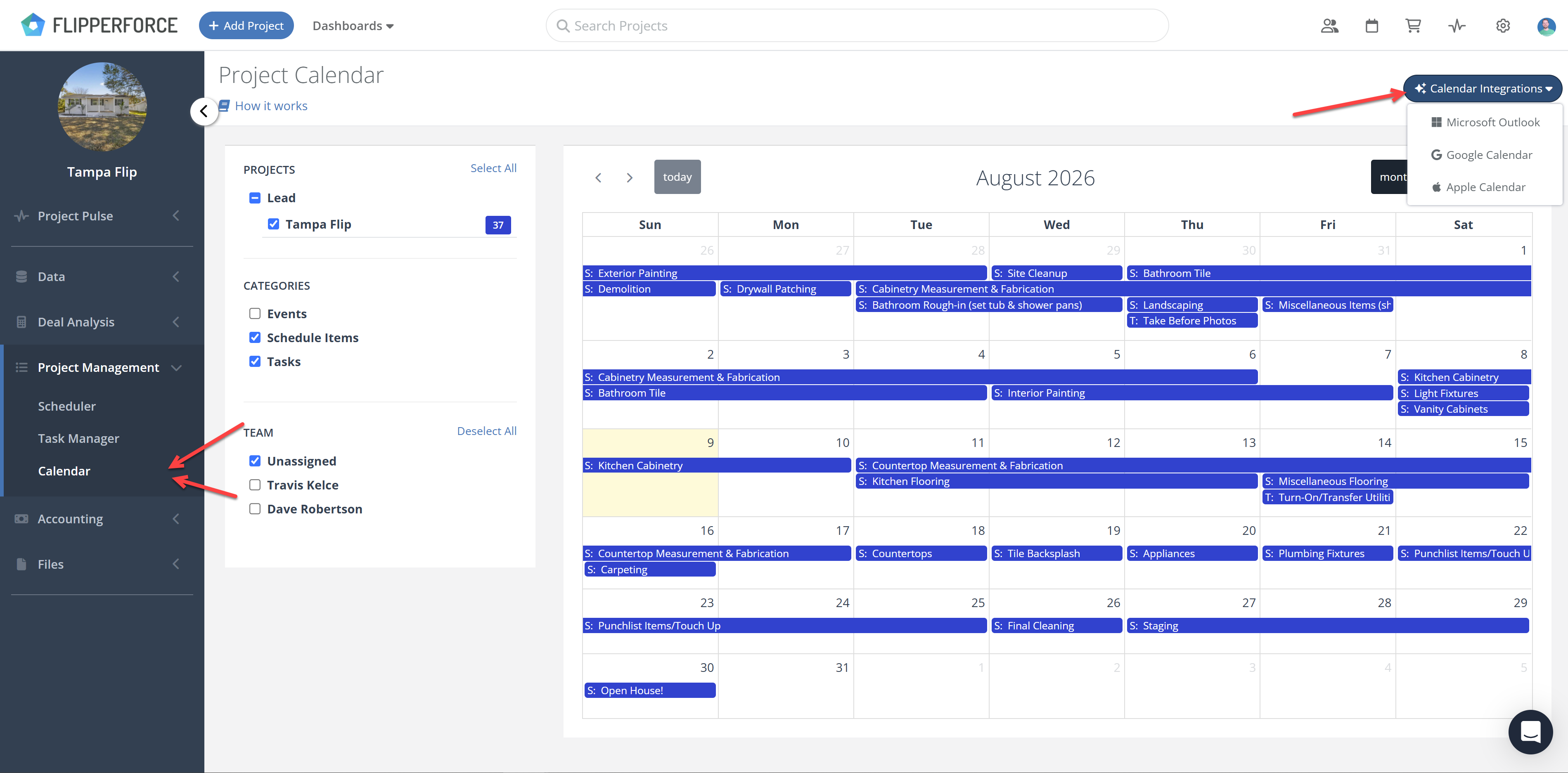
The workspace calendar integration is not going anywhere. Both options are available: