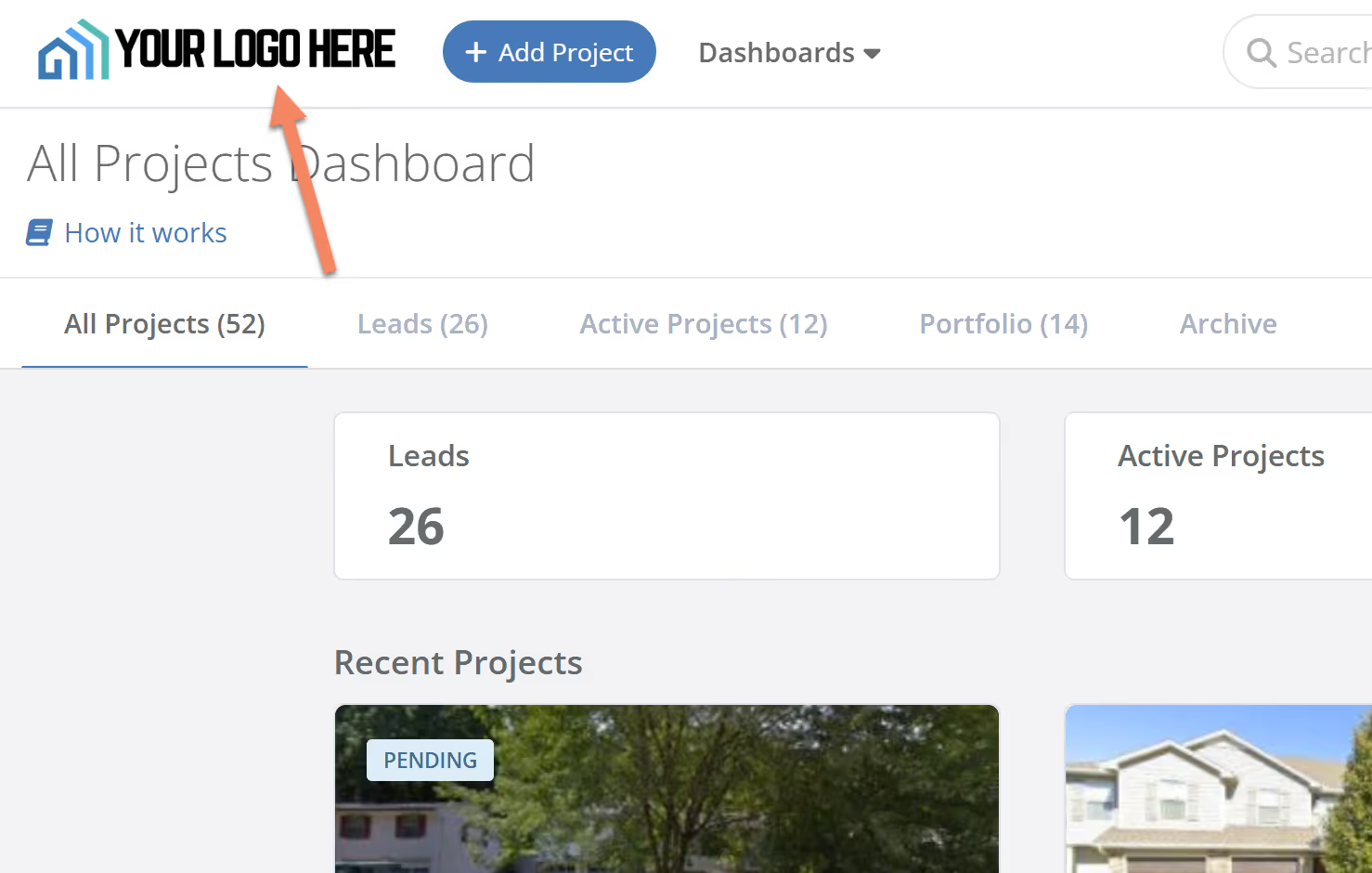
We're excited to announce a new feature designed to elevate your FlipperForce experience: custom navbar logos for our Business Plan users!

At FlipperForce, we understand the importance of branding and creating a personalized and professional workspace for your team. That's why we've added the ability to display your company's logo directly on the top navigation bar of the platform.
image

Where Will Your Custom Logo Appear?

  • Main Top Navbar: Your logo will be prominently displayed on the main top navigation bar throughout the entire FlipperForce platform. This ensures consistent brand visibility as you and your team navigate through different sections.
  • Share Links: When you create and share links to reports and other documents within FlipperForce, your custom logo will be included on those share links. This maintains your brand's professional image when sharing information with external parties.

How to Customize Your Navbar Logo:

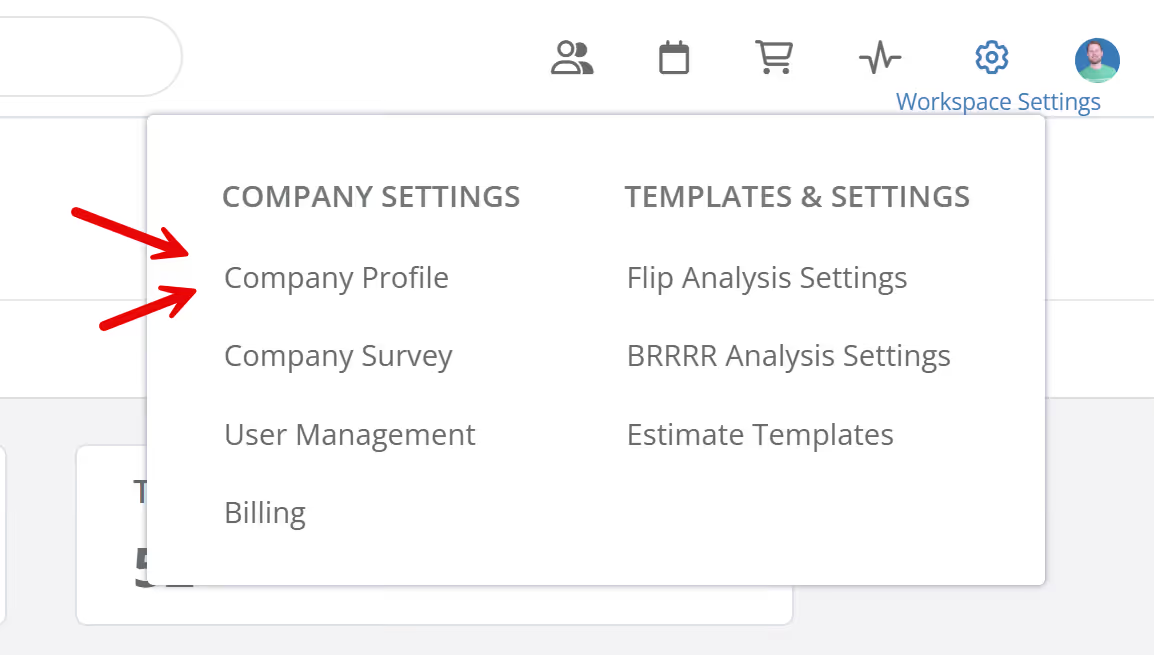
  • Navigate to Workspace Settings: Click on the Company Profile in the top navigation bar and select "Workspace Settings."
image
  • Upload Your Logo: You'll now see a new "Navbar Logo" option. Simply upload your company's logo. (Remember, you also have the "Reports" logo option for your investment packets and reports.)
  • Save Changes: Your new navbar logo will be displayed instantly!

Who Can Use This Feature?

This feature is exclusively available to our Business Plan users, empowering teams and businesses to create a truly customized FlipperForce experience.

More Than Just a Logo:

This update is part of our ongoing commitment to providing our Business Plan users with the tools they need to streamline their workflows and enhance collaboration. With features like Team Tasks, Activity Logs, and Project Updates, FlipperForce is designed to support the growth and success of your real estate investing business.

We hope you enjoy this new customization option! As always, we appreciate your feedback and are dedicated to continuously improving FlipperForce.


Dave Robertson
March 14, 2025
5 min read
Our blog

Other Recent Blog Posts

New Features

New Task Template Editor!

Easily edit existing task templates and add subtasks directly from your workspace settings.
Dave Robertson
February 14, 2026
5 min read
General

FlipperForce Named One of the Best BRRRR Analysis Tools for 2026

FlipperForce was recently named a top BRRRR analysis tool for our ability to simplify both complex deal analysis and the day-to-day management of rehab projects.
Dave Robertson
February 13, 2026
5 min read
New Features

New Task Manager Subtasks

Learn how our new Subtask feature helps you declutter your Task manager.
Dave Robertson
February 5, 2026
5 min read
New Features

New Transaction Grouping for Expenses

Easily reconcile your project spending by grouping individual expenses into searchable transaction totals that match your bank statements.
Dave Robertson
February 2, 2026
5 min read
New Features

New Activity Log Filtering

We’ve made a quick improvement to the Workspace and Project Activity Logs to help you find information faster.
Dave Robertson
January 31, 2026
5 min read
New Features

New: Smart "Adjustment" Flags for AI Receipts

We’ve added a new safeguard to our AI Receipt Analyzer to help ensure your project totals match your actual spending, even when a receipt is messy or incomplete.
Dave Robertson
January 28, 2026
5 min read

Ready to Take Action?

Sign up for a free trial and join over 1,000 house flippers and real estate investors that have taken their business to the next level!