
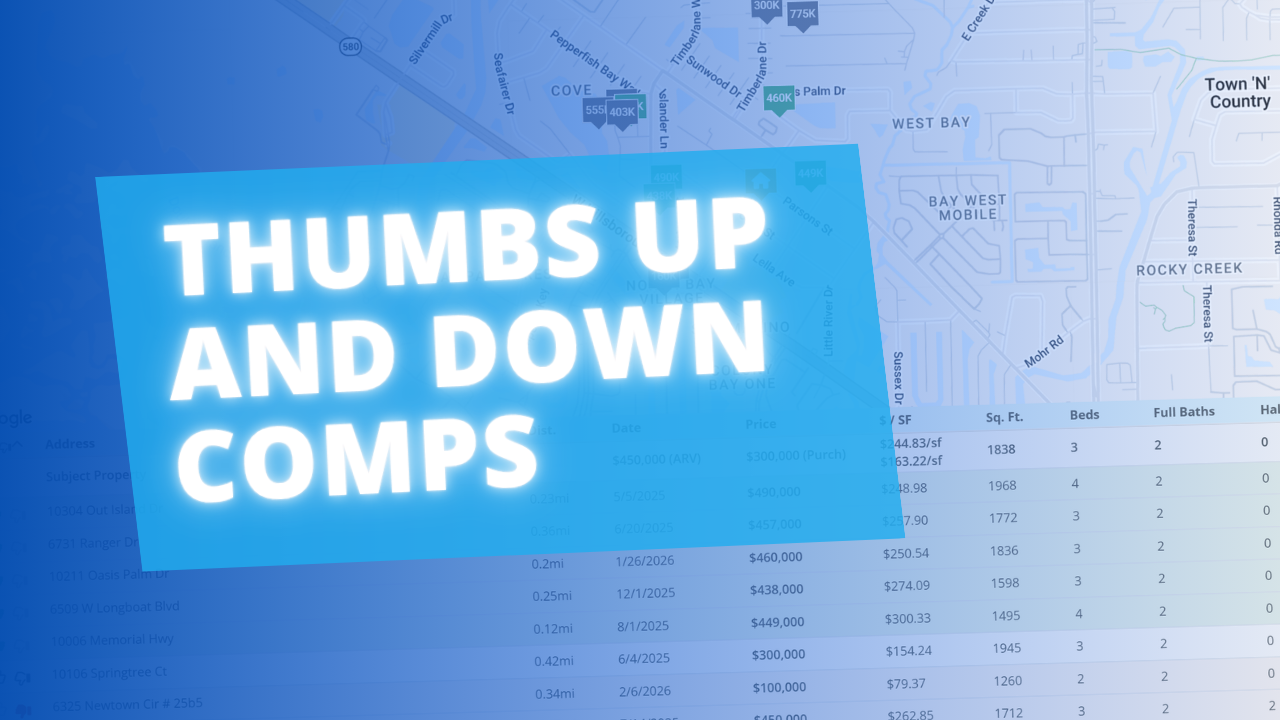
Picking the right comps just got a little easier. We added thumbs up / thumbs down controls to the Comps tool so you can sort the good from the bad without losing track of either.
image

How It Works

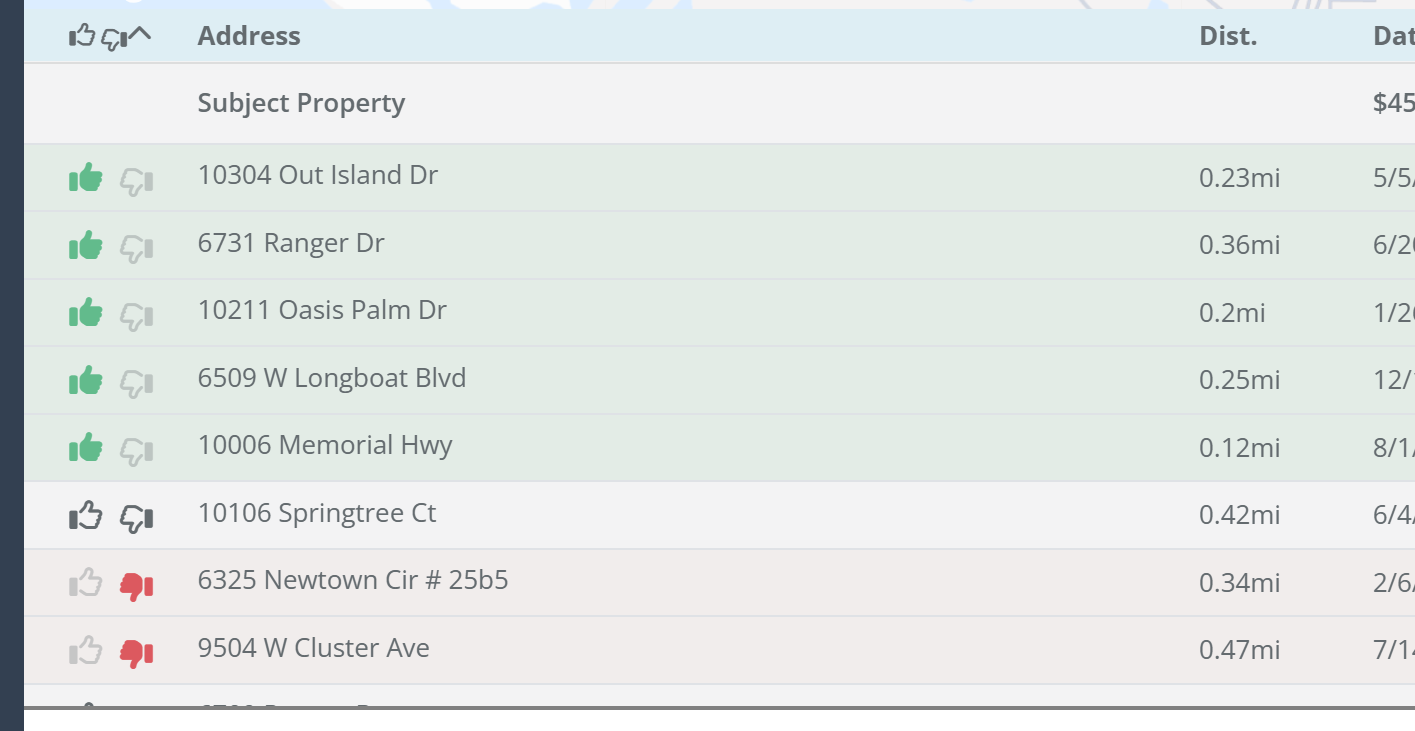
Thumb up a comp to select it. Those Comps float to the top of your list, update the Selected Comp Stats bar in real time, and are the only ones that appear in your Comps Report.

Thumb down a comp to flag it. It drops to the bottom of the list, gets highlighted in red so it's easy to spot, and disappears from the map view so your visual isn't cluttered with properties you've already ruled out.

Everything you haven't touched stays right where it is — you're not forced into a decision on every row, just the ones that matter.

Quick Reference

  • 👍 Thumbs Up — Selected comp. Sorted to the top, included in comp stats and the Comps Report.
  • 👎 Thumbs Down — Ignored comp. Sorted to the bottom, highlighted in red, removed from map view.
  • ⬜ No Selection — Unreviewed comp. Stays in place, excluded from stats and report.

Why We Built It

Previously you could only mark comps you wanted. There was no way to explicitly push bad ones out of the way, so outliers and non-disclosure properties just sat mixed into your list. This gives you a cleaner working view and a tighter report without any extra steps.
Dave Robertson
June 25, 2026
5 min read
Our blog

Other Recent Blog Posts

New Features

New Public API Endpoints for Expenses

Our new Public API update allows developers and custom AI tools to securely connect to the FlipperForce Expense Tracker to automate data entry, feed custom dashboards, and sync project financial records directly from external business apps.
Dave Robertson
June 21, 2026
5 min read
New Features

Companies & Contacts: Tax & Insurance Status at a Glance

Tax & Insurance column added to Companies & Contacts, giving you instant visibility into W-9 status and color-coded Workers Comp and General Liability expiration dates for every contractor in your workspace at a glance.
Dave Robertson
June 11, 2026
5 min read
New Features

Property and Owner Data Revamp

Our newly revamped Property Data and Owner Data pages feature a clean, highly legible layout along with a brand-new, completely editable Seller Motivation Matrix to help you seamlessly track and document critical lead details and distress signals.
Dave Robertson
May 27, 2026
5 min read
New Features

Project Overview Revamp for Improved Organization and Clarity

Manage your entire project from one centralized "Command Center" that combines settings, status tracking, and critical tools into a single, high-clarity view.
Dave Robertson
May 12, 2026
5 min read
New Features

New % of Cost Desired Profit Calculation

You can now calculate your Desired Profit based on a % of Total Project Costs in the Flip Analyzer and save it as a global default in your settings for faster, ROI-driven deal analysis.
Dave Robertson
April 27, 2026
5 min read
New Features

Bulk Import Your Home Depot Purchase History

Stop wasting hours on manual data entry by using the FlipperForce AI-powered importer to instantly transform your Home Depot purchase history into a fully categorized, real-time look at your budget vs. actuals.
Dave Robertson
April 13, 2026
5 min read

Ready to Take Action?

Sign up for a free trial and join over 3,000 house flippers and real estate investors that have taken their business to the next level!


