How can I bulk Import Expenses to the Expense Tracker?
How can I bulk Import Expenses to the Expense Tracker?
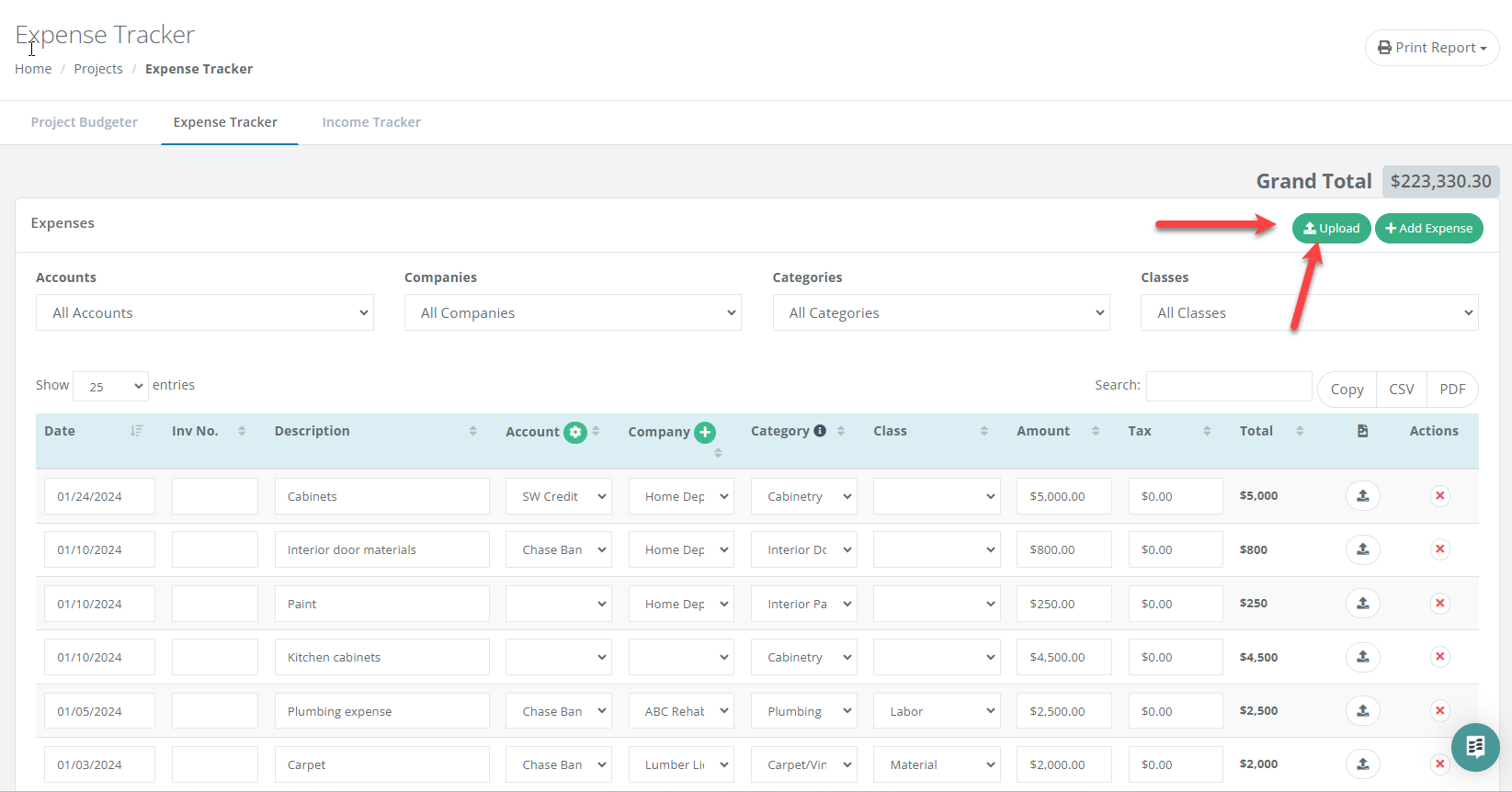
Click the Upload button in the top right of the Expense Tracker. The AI importer accepts raw CSVs and PDF statements with no template required, then transcribes and categorizes your transactions for review.
The AI Bulk Expense Importer gets a batch of expenses into your project without manual data entry. It is less a file uploader and more a universal translator for your financial data.
Starting an Import
Click the Upload button in the upper right corner of the Expense Tracker table.
What the Importer Handles
No templates required. Drop in raw, unstructured CSVs or PDF bank statements. You no longer need to reformat columns to make your data fit.
Complete data mapping. The AI transcribes and maps Accounts, Companies, Categories and Classes, not just dates and amounts.
Intelligent categorization. The AI reads your item descriptions and maps them to the correct project category. It knows lumber belongs in Framing and faucets belong in Plumbing.
Automatic transaction grouping. Expenses are grouped by Transaction ID, so your digital records match your physical receipts.
Four Ways to Import Your Data
For the most accurate results, choose the source that matches your file:
Retailer purchase history. Export your Detailed Purchase History from Home Depot Pro Xtra or Lowe's. The AI transcribes every line item and assigns the vendor, category and material class.
Accounting software. Export a project report from QuickBooks or Xero. The AI maps that data into FlipperForce so your project-level tracking stays in sync with your high-level books.
Bank or credit card statements. Upload a monthly statement in PDF or CSV. The AI identifies the vendor, extracts the amount and suggests the correct budget category.
Miscellaneous spreadsheets. Upload a custom tracker or a messy Excel file. The AI scans it and finds the relevant data regardless of column order or headers.
Review Before You Confirm
The Preview Window shows your imported data stacked directly on top of the original data from your file, using a stacked row layout that makes it easy to spot-check accuracy and make quick edits. Once verified, click Confirm and your expenses are imported and organized.
Get immediate, feature-specific answers without digging through articles. DaveBot is here 24/7 to provide detailed explanations, troubleshooting tips, and guidance on all FlipperForce tools.