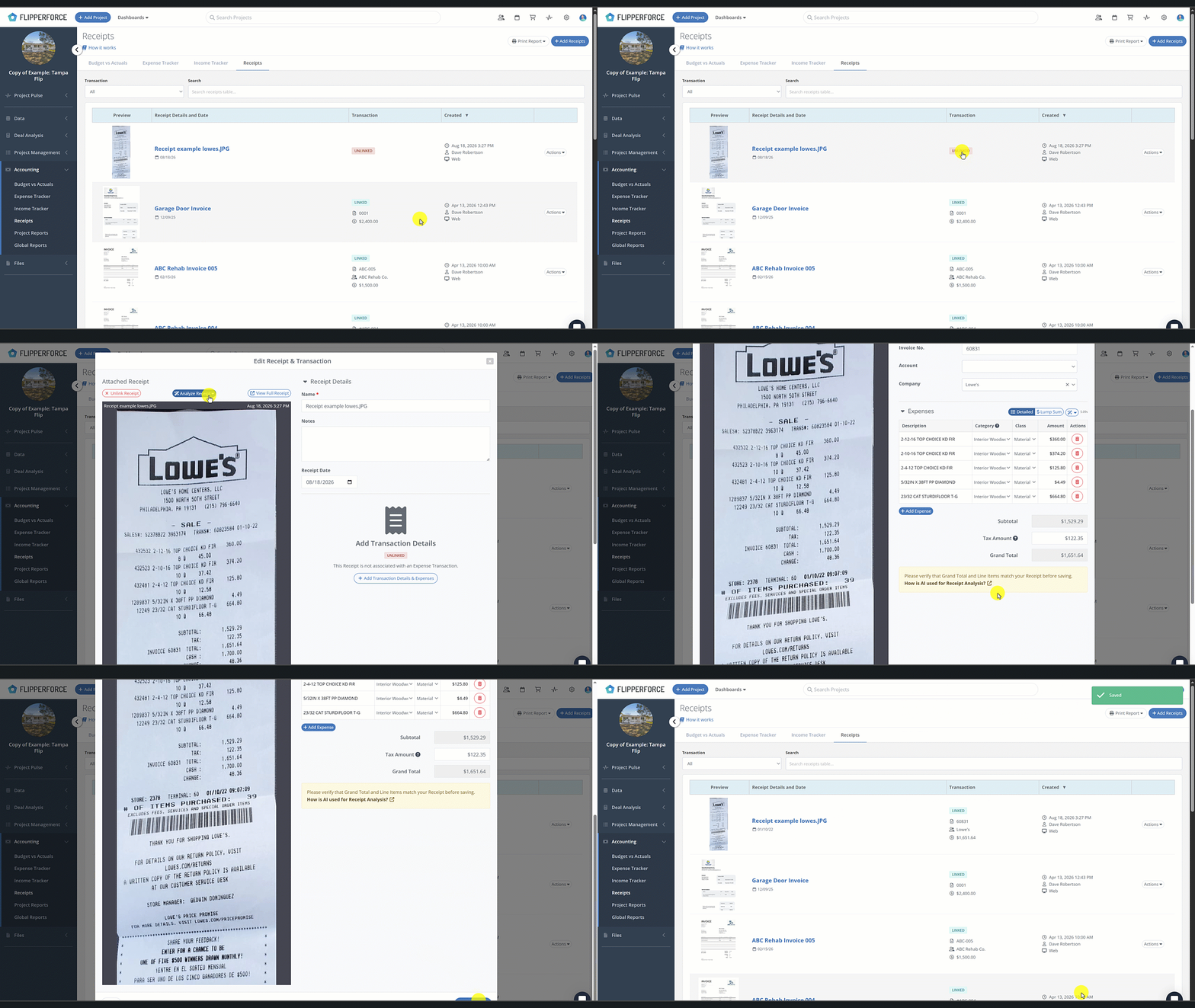
How do I turn an "Unlinked" receipt into an expense transaction?
How do I turn an "Unlinked" receipt into an expense transaction?
To turn an "Unlinked" receipt into an expense, navigate to the Receipts table in your project’s accounting section and select the desired file. Within the details panel, simply enter the transaction data and categorize each line item before clicking "Create Transaction." This instantly generates the official record in your Expense Tracker and updates the receipt status to "Linked."
Navigate to your Receipts table within your project's accounting section.
Click on the "Unlinked" receipt you wish to process.
In the details panel that opens, enter the required Transaction details (Date, Company, Account).
Enter the detailed expense line items and categorize them to the correct project category.
Click "Save" or "Create Transaction." FlipperForce will instantly create the official transaction and update the receipt status to "Linked."
Get immediate, feature-specific answers without digging through articles. DaveBot is here 24/7 to provide detailed explanations, troubleshooting tips, and guidance on all FlipperForce tools.