
Reconciling receipts against your actual bank transactions can be a tedious manual process. We’ve introduced a new Transaction Grouping filter to the Expense Tracker to help you verify totals instantly and stay organized.

💳 Simplify Your Reconciliation

The new Transaction Grouping bundles individual expense items under a single Transaction header. This allows you to:
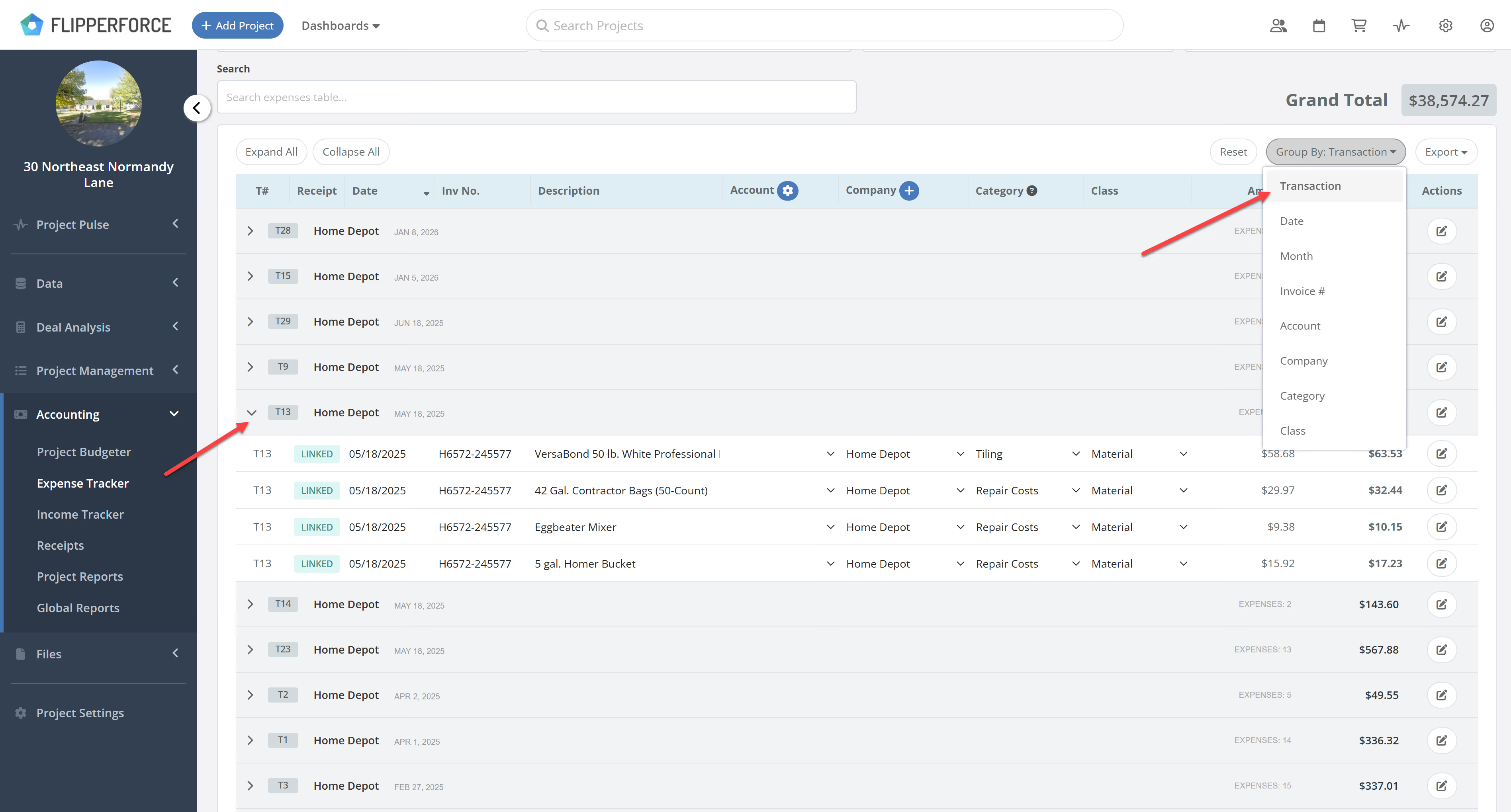
  • Match Totals Instantly: Compare the "Total w/ Tax" for a group of expenses directly against your bank statement or receipt total.
  • Reduce Clutter: Toggle between a bird's-eye view of transactions and a granular view of detailed expenses.
  • Audit Faster: Quickly verify that a multi-item transaction from a Vendor matches your actual out-of-pocket spend. Easily search
image

🔍 Search Transactions by Amount

To further speed up your workflow, we've optimized the Search feature. If you see a specific charge on your bank statement, you can now simply type that Transaction Amount into the search bar to instantly pull up the matching record in FlipperForce. No more scrolling through endless lists to find that one specific transaction.
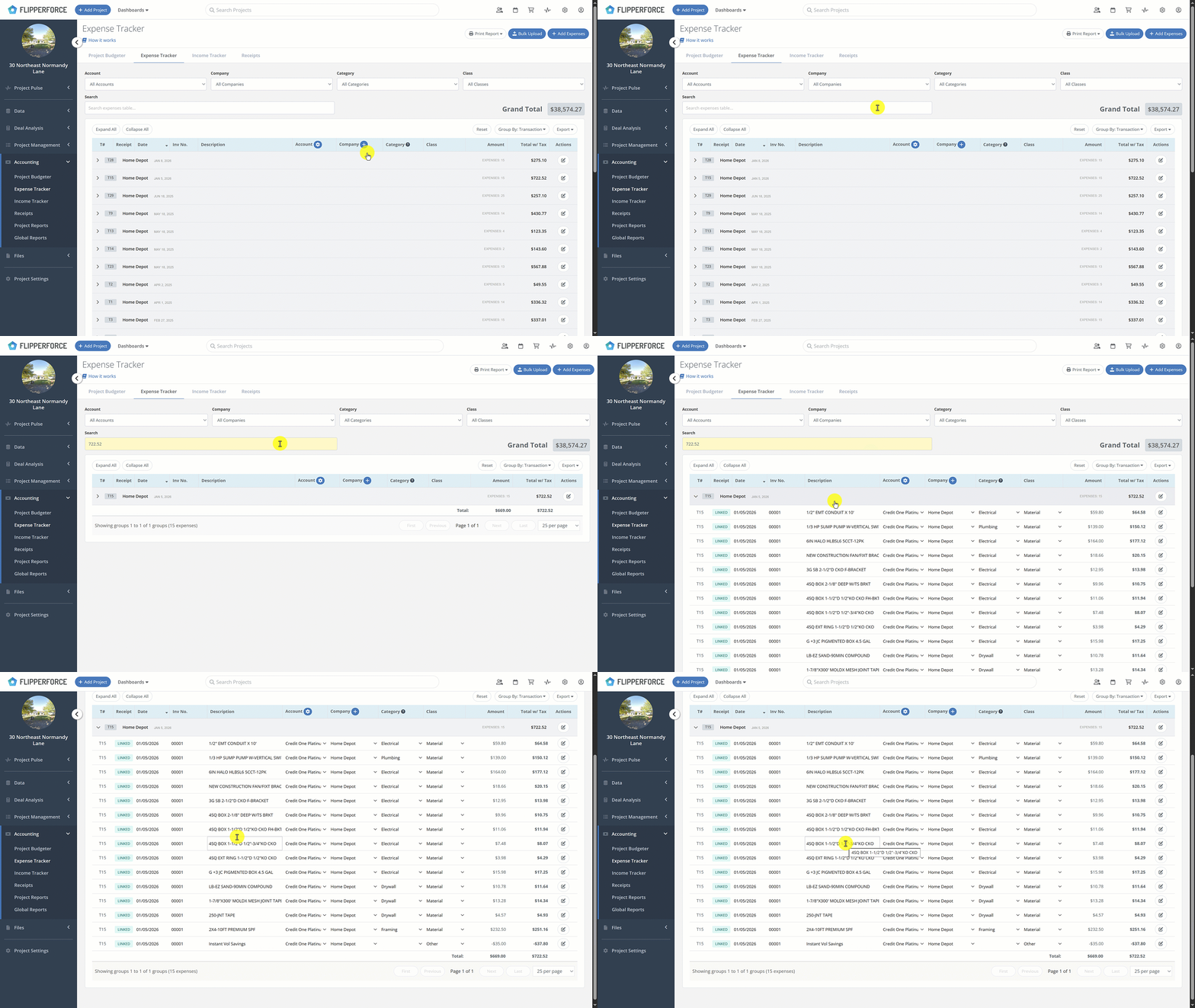
Transaction Search

🛠️ Custom Grouping Options

While Transaction grouping is the primary use case, we’ve added several other "Group By" filters to give you total control over your data. You can now group your expenses by:
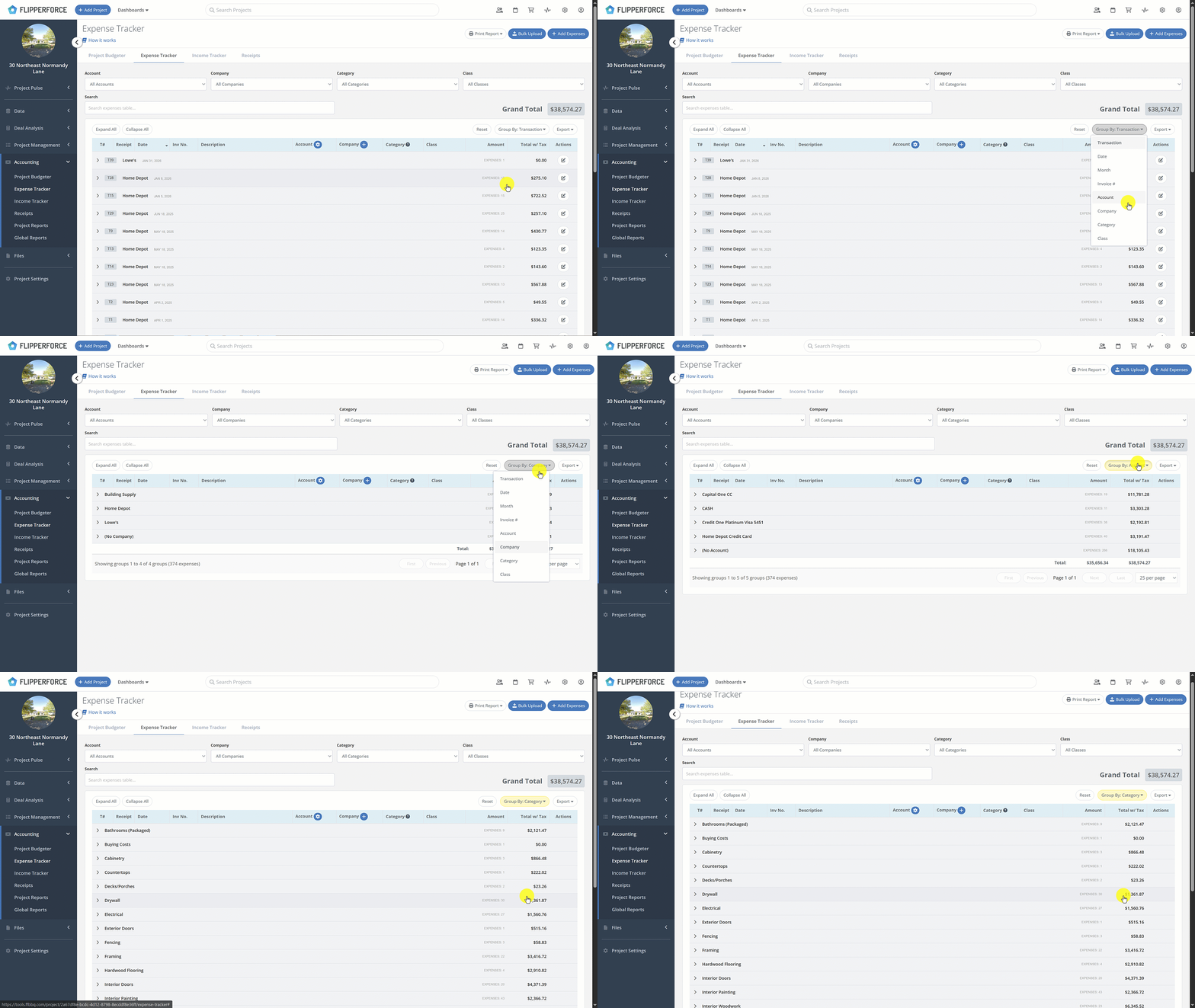
  • Month: See your spending trends over the life of the project.
  • Invoice #: Quickly pull up all costs associated with a specific billing reference.
  • Account: Reconcile spending across different credit cards or bank accounts.
  • Company: Track exactly how much you are paying specific contractors or vendors.
  • Category & Class: Analyze where your money is going (e.g., Demolition vs. Plumbing).
Expense Grouping GIF

The Bottom Line

These updates are designed to turn a tedious bookkeeping chore into a quick, effortless task. By grouping your expenses and making them searchable by dollar amount, we’re helping you ensure your project accounting is 100% accurate and audit-ready.
Dave Robertson
February 2, 2026
5 min read
Our blog

Other Recent Blog Posts

New Features

New Transaction Reports for Simplified Reconciliation

Learn how our new Global and Project Transaction Reports simplify reconciliation by allowing you to track and filter every expense across your entire portfolio in one master list.
Dave Robertson
February 19, 2026
5 min read
New Features

New Task Template Editor!

Easily edit existing task templates and add subtasks directly from your workspace settings.
Dave Robertson
February 14, 2026
5 min read
General

FlipperForce Named One of the Best BRRRR Analysis Tools for 2026

FlipperForce was recently named a top BRRRR analysis tool for our ability to simplify both complex deal analysis and the day-to-day management of rehab projects.
Dave Robertson
February 13, 2026
5 min read
New Features

New Task Manager Subtasks

Learn how our new Subtask feature helps you declutter your Task manager.
Dave Robertson
February 5, 2026
5 min read
New Features

New Activity Log Filtering

We’ve made a quick improvement to the Workspace and Project Activity Logs to help you find information faster.
Dave Robertson
January 31, 2026
5 min read
New Features

New: Smart "Adjustment" Flags for AI Receipts

We’ve added a new safeguard to our AI Receipt Analyzer to help ensure your project totals match your actual spending, even when a receipt is messy or incomplete.
Dave Robertson
January 28, 2026
5 min read

Ready to Take Action?

Sign up for a free trial and join over 1,000 house flippers and real estate investors that have taken their business to the next level!


