
It's finally here!

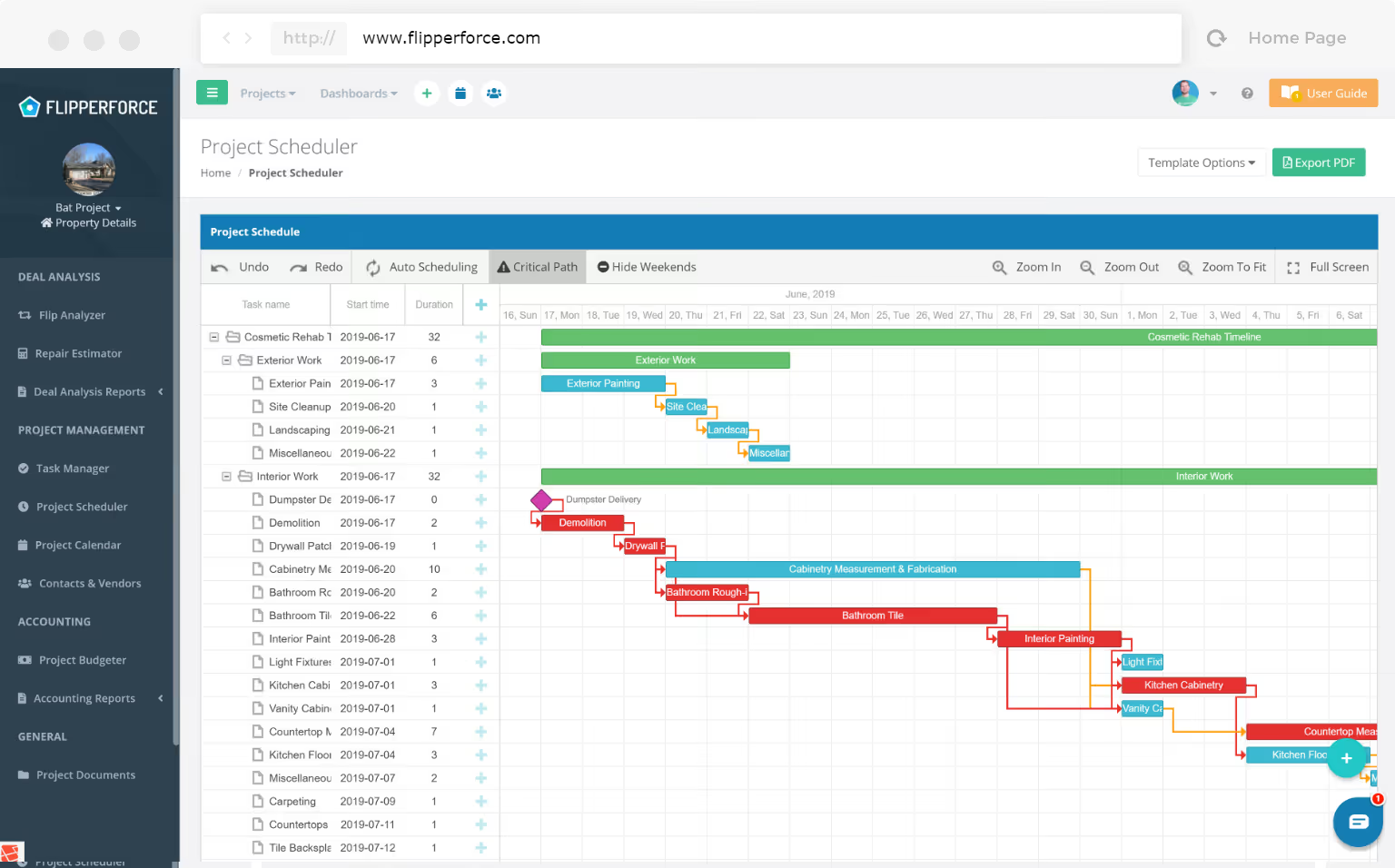
We just launched our brand new Schedule Templating functionality that allows you to load Schedule Starter Templates and save your own custom templates that you can use on future projects! 🎉

In the past, creating a detailed project schedule took nearly an hour to create, but with our new Schedule Templating you can load a project schedule in seconds! ⌚

Schedule Starter Templates

Our Project Scheduler now includes 3 Starter Templates that you can use to help you get started:

  1. Gut Rehab Schedule Template
  2. Cosmetic Rehab Schedule Template
  3. New Construction Schedule Template


These schedule Starter Templates include a detailed list of major rehab tasks and milestones, as well as approximate durations, dependencies & connections.

Once you load in a Schedule Starter Template you can customize the task descriptions, order of operations and durations as needed for your specific project.

Save Your Own Custom Templates

Flipping houses is a very repeatable process, so once you customize your schedule you can save it as a template that can be reused on future projects!
Dave Robertson
July 5, 2019
5 min read
Our blog

Other Recent Blog Posts

General

How to Bulk Import Your Home Depot Purchase History

Stop wasting hours on manual data entry by using the FlipperForce AI-powered importer to instantly transform your Home Depot purchase history into a fully categorized, real-time look at your budget vs. actuals.
Dave Robertson
April 13, 2026
5 min read
New Features

🚀 Introducing our New AI-Powered Bulk Expense Importer

Our new AI-Powered Bulk Expense Importer makes it easy to get your expenses imported and categorized without the manual data entry.
Dave Robertson
March 31, 2026
5 min read
New Features

New Bulk Company Importer

Our new AI-powered Company Importer makes it easy to import your company data, so you can quickly assign your vendors and contractors to project schedules, expenses, and bids.
Dave Robertson
March 9, 2026
5 min read
New Features

Enhanced "Type to Search" Dropdowns for Expenses

Easily type-to-search and select the Account, Company and Category without touching your mouse.
Dave Robertson
February 27, 2026
5 min read
New Features

Enhanced Date Range Filters & Accounting Controls

We've introduced new Date Range and Accounting filters across the Expense Tracker and reports to give you more flexibility and control over your project spending data.
Dave Robertson
February 25, 2026
5 min read
New Features

New Transaction Reports for Simplified Reconciliation

Learn how our new Global and Project Transaction Reports simplify reconciliation by allowing you to track and filter every expense across your entire portfolio in one master list.
Dave Robertson
February 20, 2026
5 min read

Ready to Take Action?

Sign up for a free trial and join over 1,000 house flippers and real estate investors that have taken their business to the next level!


