We've made some helpful updates to our Comps Tool and Flip Analyzer to make your deal analysis process more efficient. These improvements are a direct result of user feedback about our new Comps improvements:

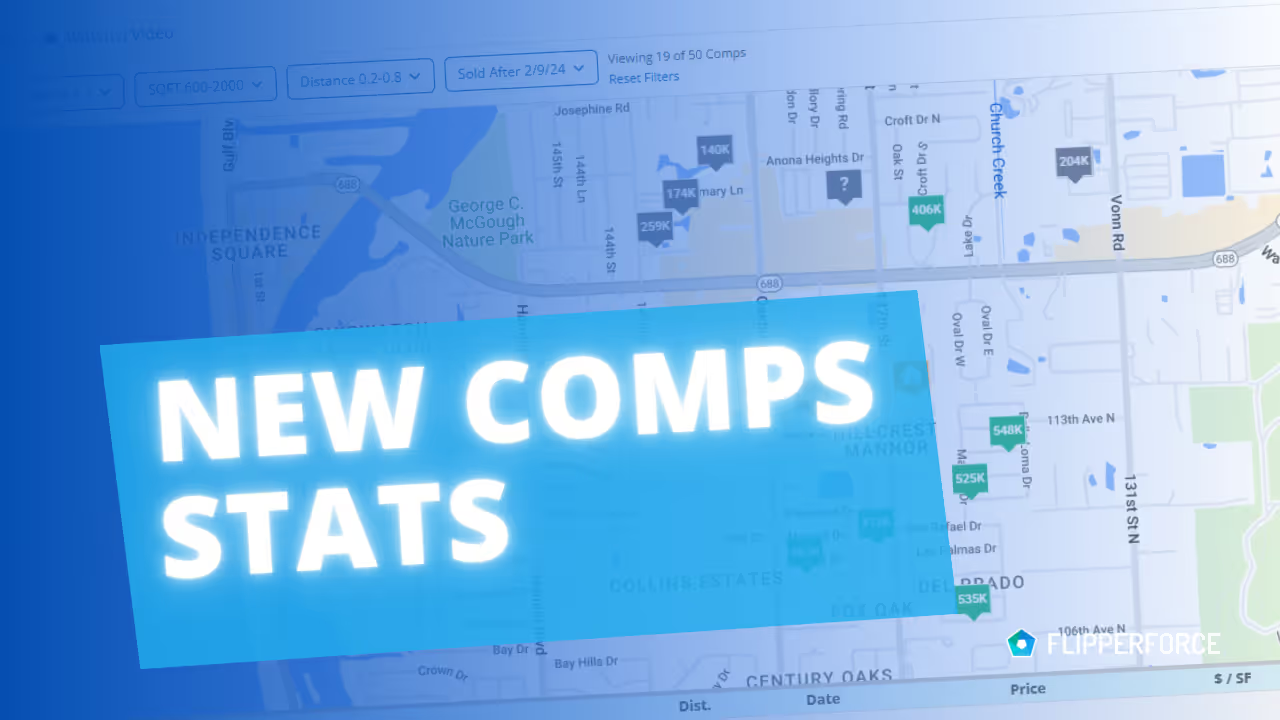
New Comps Stats Feature:

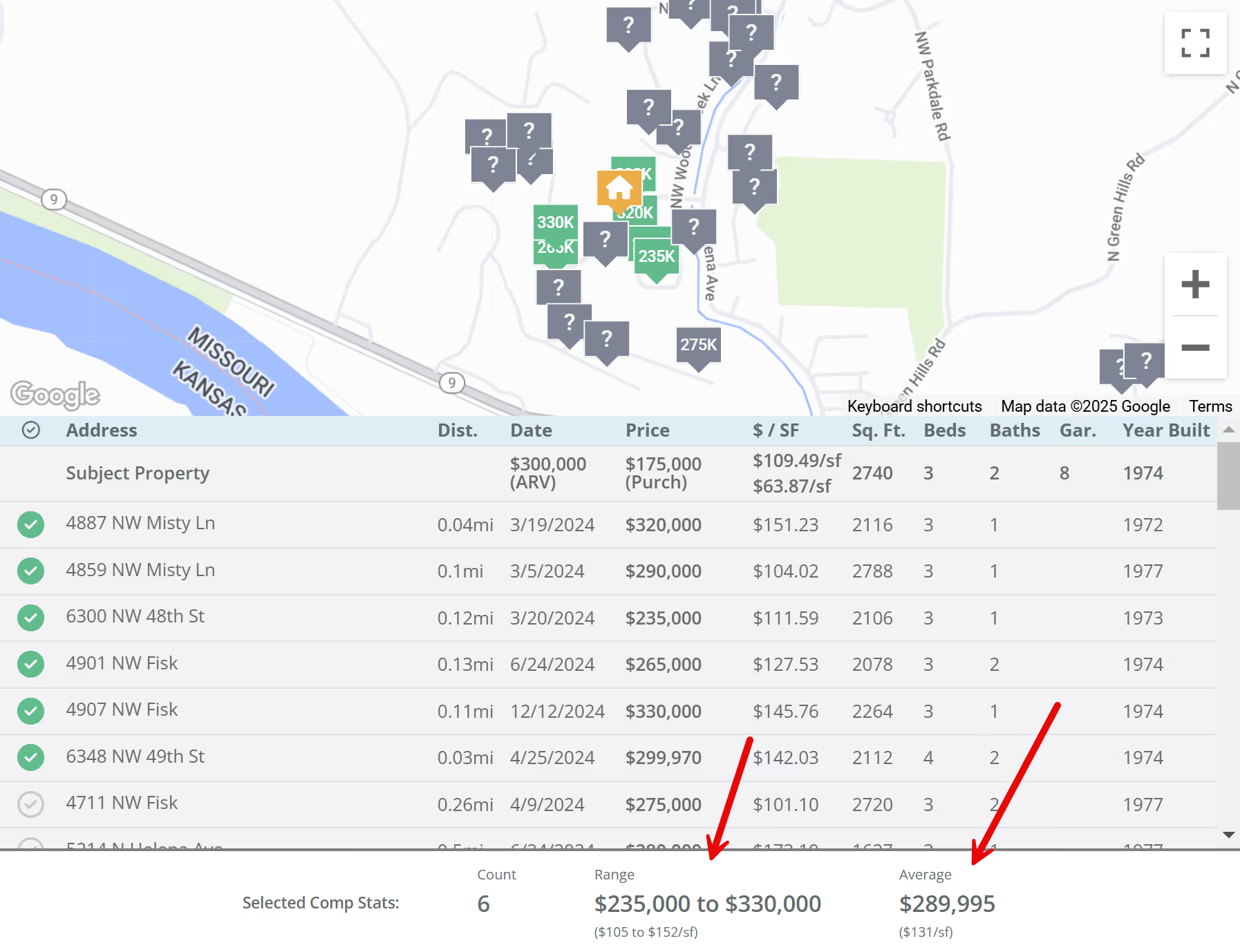
A "Comps Stats" section has been added to the bottom of the Comps page. After selecting your comparable sales, this new feature automatically calculates and displays:

  • Overall sales price range (low to high)
  • Overall price per square foot range (low to high)
  • Average sale price
  • Average price per square foot

This gives you a quick view of the price range and average values of your selected comps, helping you quickly assess the potential After Repair Value (ARV) of your project.
image

Streamlined ARV Entry in Flip Analyzer:

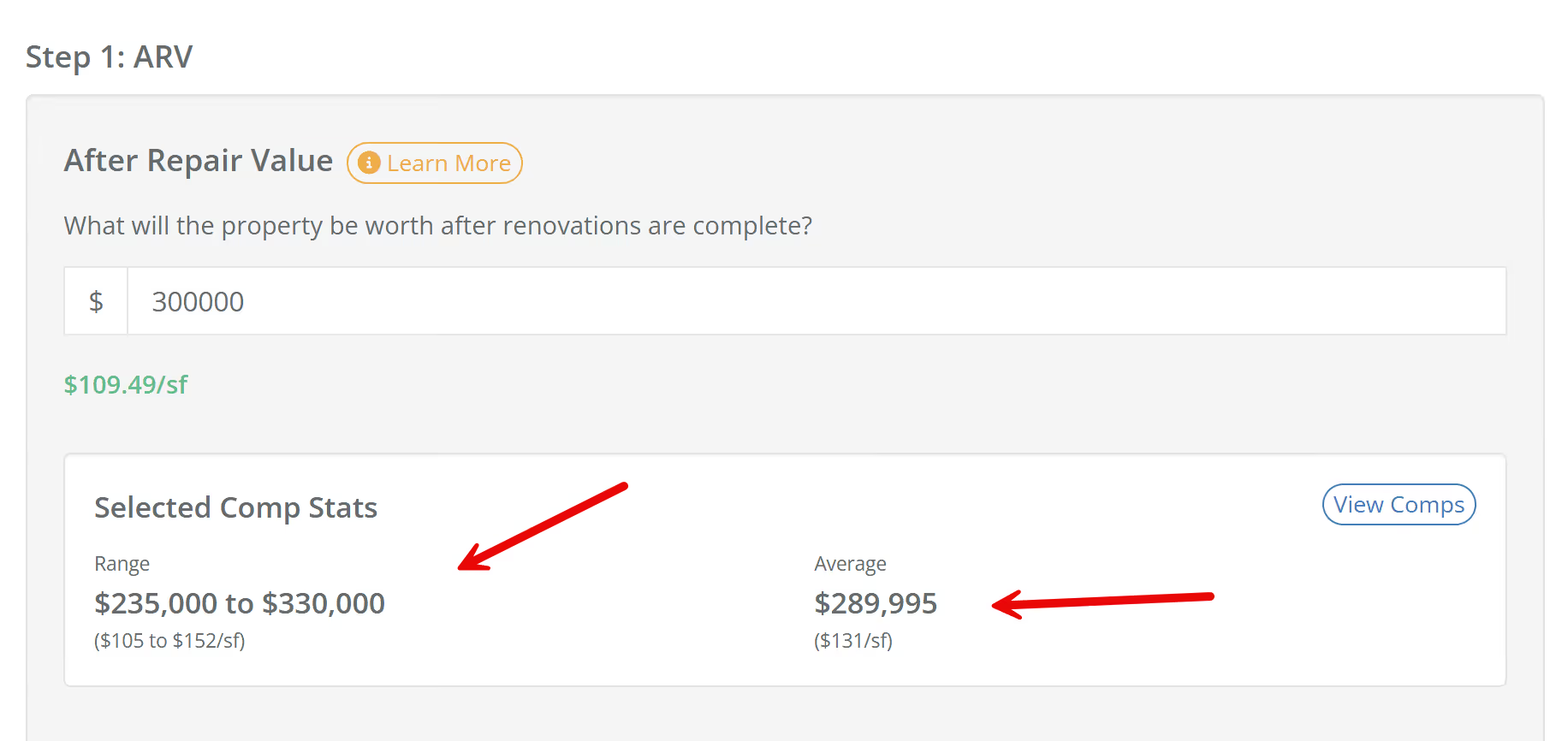
To make things even easier, we've added the Comps Stats directly into Step 1 (After Repair Value) of the Flip Analyzer. Now, you don't have to switch back and forth between the Comps Tool and the Flip Analyzer. The comps data is right there in the Flip Analyzer, making it simpler to determine and enter your ARV.
image

Benefits:

  • Improved Deal Analysis: Get a better understanding of comparable sales data with the new Comps Stats feature.
  • More Efficient Workflow: Save time with direct access to comps data within the Flip Analyzer.
  • Better Decision-Making: Make more informed investment decisions with easy access to key ARV metrics.

Dave Robertson
February 14, 2025
5 min read
Our blog

Other Recent Blog Posts

New Features

Introducing Project Team: Always Know Who's Running the Project

Learn how the new Project Team feature automatically tracks your internal team members and companies on every flip, so you always know who's managing the project and how to reach them.
Dave Robertson
July 6, 2026
5 min read
New Features

User Management: New Role and Access Visibility

User Management now includes a Role & Access column, giving workspace owners and admins instant visibility into each user's project and feature access without having to dig into individual settings.
Dave Robertson
July 1, 2026
5 min read
New Features

Comps Tool: Thumbs Up, Thumbs Down Comp Selection

Thumbs up to select your best comps, thumbs down to push the bad ones to the bottom — keeping your list clean and your Comps Report focused on the properties that actually matter.
Dave Robertson
June 25, 2026
5 min read
New Features

New Public API Endpoints for Expenses

Our new Public API update allows developers and custom AI tools to securely connect to the FlipperForce Expense Tracker to automate data entry, feed custom dashboards, and sync project financial records directly from external business apps.
Dave Robertson
June 21, 2026
5 min read
New Features

Companies & Contacts: Tax & Insurance Status at a Glance

Tax & Insurance column added to Companies & Contacts, giving you instant visibility into W-9 status and color-coded Workers Comp and General Liability expiration dates for every contractor in your workspace at a glance.
Dave Robertson
June 11, 2026
5 min read
New Features

Property and Owner Data Revamp

Our newly revamped Property Data and Owner Data pages feature a clean, highly legible layout along with a brand-new, completely editable Seller Motivation Matrix to help you seamlessly track and document critical lead details and distress signals.
Dave Robertson
May 27, 2026
5 min read

Ready to Take Action?

Sign up for a free trial and join over 3,000 house flippers and real estate investors that have taken their business to the next level!