Companies & Contacts

What is the Companies and Contacts manager?

What is the Companies and Contacts manager?

The Companies and Contacts Manager stores the businesses and individuals you work with. Companies include subcontractors, lenders, or suppliers like Home Depot, while Contacts represent specific employees or individuals like buyers and sellers.

The Companies and Contacts Manager is used to manage all of your Companies and individual people you work with in your business.
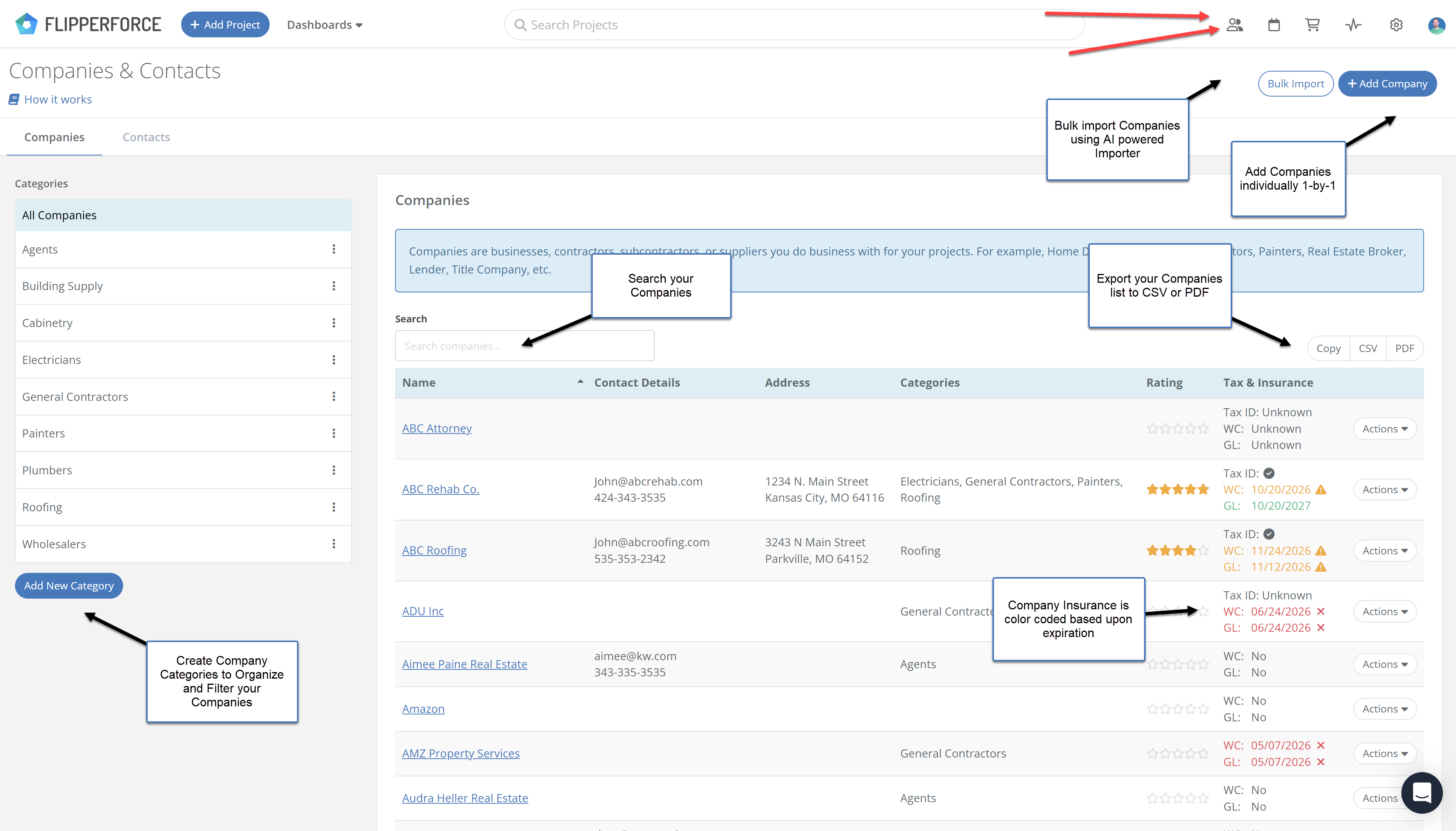
Companies

Companies are Businesses, Companies, Subcontractors, or Suppliers you do business with on your projects. For example, Home Depot, your General Contractors, Painters, Real Estate Broker, Lender, Title Company, etc.

Contacts

Contacts are employees in a Company or any random individual you need to store in your database. Contact Examples: A potential buyer, a home seller, your mother-in-law etc.

Tax & Insurance Column

The Companies list includes a Tax & Insurance column that displays each company's W-9 status and insurance certificate expiration dates at a glance. Workers Comp and General Liability dates are color-coded so you can instantly see which contractors are covered, which are expiring soon, and which need attention before you put them on a job.

Related Video

Companies and Contacts Revamp
Learn how to use the Company and Contact area to manage all of your contractors, suppliers, vendors & business contacts in one place.
7:47

Related FAQs

Still Have Questions?  DaveBot can help!

Get immediate, feature-specific answers without digging through articles. DaveBot is here 24/7 to provide detailed explanations, troubleshooting tips, and guidance on all FlipperForce tools.
Chat with DaveBot (Be Nice, I'm in Beta)!