Material Catalog

Material Catalog URL Link says "We weren't able to find any data from this URL."

Material Catalog URL Link says "We weren't able to find any data from this URL."

If FlipperForce cannot find data from a URL (like Amazon or Menards), the website is likely unsupported for auto-sync. You must manually enter the material name, price, and specs into your Catalog.

When I try to add a new Material Catalog item I see a message that says "We weren't able to find any data from this URL."
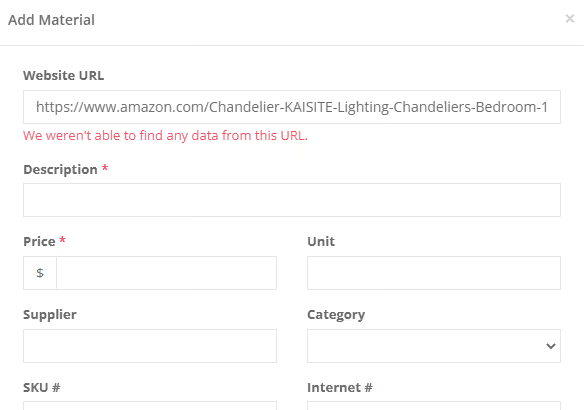
Whenever you add a new Material item, our system tries to automatically download information from that website.  If you are encountering this message, you are likely using an unsupported website that doesn't have any data that we can download the information from.

For example, websites like Amazon and Menards don't have available data so we aren't able to automatically download the data from the site.  

Related Video

Related FAQs

Still Have Questions?  DaveBot can help!

Get immediate, feature-specific answers without digging through articles. DaveBot is here 24/7 to provide detailed explanations, troubleshooting tips, and guidance on all FlipperForce tools.
Chat with DaveBot (Be Nice, I'm in Beta)!